
#githubcli 搜尋結果

Github CLI와 fzf를 이용해서 {이슈번호}_{이슈이름}으로 브런치 생성하도록 했다! gist.github.com/keea/fc3b6b493… + 이전에 올린 것 문제가 있어서 삭제하고 다시 올려요. #fzf #githubcli


Tired of context switching for PRs? The `gh` CLI changes the game! Manage GitHub PRs from your terminal: create, check CI, merge – all without leaving your flow. Huge productivity boost! 🔥 What's your go-to `gh` command? 👇 #DevOps #GitHubCLI


For example, you can create a new repository with just one command: gh repo create. To list down the repos, use the command: gh repo list. It's that easy! #GithubCLI 🧵3/7


You can also create and manage issues with commands like gh issue create, gh issue list, and gh issue close. Say goodbye to the manual clicking on the web interface! #GithubCLI 🧵4/7


🔥 Developers, have you heard of Github CLI? It's a command-line tool that lets you manage your Github repositories and issues without ever leaving your terminal. Say goodbye to the hassle of switching between the web interface and your terminal! #GithubCLI 🧵1/7


Using the command line as an entry point to any project. Therefore #githubcli - is a lifesaver ``` # Open the current repo in the browser gh repo view -w # Open current PR in the browser gh pr view -w # Create PR from the current branch to develop hubd <message> ```


If you want to create a #github issue right from your command prompt, you can do it with #githubcli Just select the repo in the prompt,write the command written in the image by changing the title and body option and get it executed. That's it. Your issue will get created :)

If you want to add a #github deploy key to your repo from command prompt, you can do it with #githubcli Just select the repo in the prompt,write the command written in the image by changing the required options and get it executed. That's it :)


My most used GitHub CLI commands. What are yours? adam.gerhartz.me/github-cli-5f0… #githubcli


不要だと思ってたGitHub CLIが、実は必要だった note.com/chi3jp/n/n6669… #githubcli #バイブコーディング #note


Level Up Your Git Game with GitHub CLI 🚀 techcommunity.microsoft.com/t5/educator-de… #github #githubCLI #DevOps #studentambassadors #code #developers


GitHub CLI is a command-line interface for GitHub that allows you to interact with your repositories, issues, pull requests, and more from your terminal. With GitHub CLI, you can automate your workflows and streamline your development processes. #GitHubCLI #CommandLineInterface

Use GitHub CLI (gh) to interact with GitHub right from your terminal: gh pr create, gh repo clone, etc. #GitHubCLI #DevTools

Okay, GitHub CLI just got a serious upgrade! Now you can kick off AND track Copilot coding agent sessions directly from your terminal. My dev workflow just got a whole lot smoother. 👋 No more breaking flow for quick code fixes. #DevTools #GitHubCLI

Cursor × TaskMaster × GitHub CLI でプルリク作ってみたら…速い! #Cursor #TaskMaster #GitHubCLI #AI開発 #開発効率化
🚀 In part 2 of this thread, get ready to level up your Github game with more powerful commands and options provided by the gh CLI! 💪 Follow me for more amazing content and stay tuned for some pro tips! 👋#GithubCLI #DeveloperTools

Am I too late for GitHub CLI (gh), managing pull requests, issues, and more right from the terminal. #GitHubCLI #Productivity
And if you're working with pull requests, Github CLI has got you covered. You can create, view, and merge pull requests with commands like gh pr create, gh pr list, and gh pr merge. #GithubCLI 🧵5/7

GitHub CLI: Your Terminal's New BFF Say hello to gh, the GitHub CLI! 🤩 This tool lets you: ✅ Clone repositories ✅ Create PRs ✅ Manage issues ✅ And more—all from your terminal! No more endless tab-switching! It's fast, efficient, and developer-friendly. 💡 #GitHubCLI
Tired of context switching for PRs? The `gh` CLI changes the game! Manage GitHub PRs from your terminal: create, check CI, merge – all without leaving your flow. Huge productivity boost! 🔥 What's your go-to `gh` command? 👇 #DevOps #GitHubCLI
Okay, GitHub CLI just got a serious upgrade! Now you can kick off AND track Copilot coding agent sessions directly from your terminal. My dev workflow just got a whole lot smoother. 👋 No more breaking flow for quick code fixes. #DevTools #GitHubCLI

🚀【保存版】ghコマンド × Claude Code完全攻略 GitHub操作がAIとコマンドで爆速になる未来の開発術! ✅ 会話からissue/PR操作 ✅ 落ちたCIログもAIが診断 ✅ Claudeとghで「開発が話しかけるだけ」に 👉 今すぐ読む:note.com/vast_parrot124… #ClaudeCode #GitHubCLI #ghコマンド #ChatOps…
note.com
【完全保存版】ghコマンド×Claude Code完全攻略|GitHub操作がAIとコマンドで爆速になる未来の開発術|cerpon
なぜ今、ghコマンドとClaude Codeなのか 「また新しいツールか...」そう思ったあなた、ちょっと待ってください。 毎日のGitHub操作で、ブラウザとターミナルを何度も行き来していませんか? Pull Requestのレビューコメントを読むためにブラウザを開き、修正のためにエディタに戻り、再びブラウザでコメントを返す。この繰り返しに、実は多くの時間を奪われているのです。...
不要だと思ってたGitHub CLIが、実は必要だった note.com/chi3jp/n/n6669… #githubcli #バイブコーディング #note

➡️ Usando la #PlataformaGitHub, #GitHubMobileo #GitHubCLI, los desarrolladores asignarán incidencias al #Agent para que las resuelva. Se trata de un soporte de gran valor que acompañará al equipo de desarrollo en su excelencia para que este equipo pueda estar en el flujo exacto.
Use GitHub CLI (gh) to interact with GitHub right from your terminal: gh pr create, gh repo clone, etc. #GitHubCLI #DevTools

Hey devs! 🎉 Have you tried @GitHub's official CLI tool? With it, you can seamlessly manage your repos directly from your terminal. For example, create a new issue with just `gh issue create`. It's a game-changer! 🚀 Check it out: github.com/cli/cli #GitHubCLI #OpenSource…
GitHub CLI: Your Terminal's New BFF Say hello to gh, the GitHub CLI! 🤩 This tool lets you: ✅ Clone repositories ✅ Create PRs ✅ Manage issues ✅ And more—all from your terminal! No more endless tab-switching! It's fast, efficient, and developer-friendly. 💡 #GitHubCLI

🚨 Developers using GitHub CLI, take note! A recent vulnerability (CVE-2024-52308) could impact SSH command security. Stay updated and ensure your systems are protected! #CyberSecurity #GitHubCLI #DevOps
Am I too late for GitHub CLI (gh), managing pull requests, issues, and more right from the terminal. #GitHubCLI #Productivity

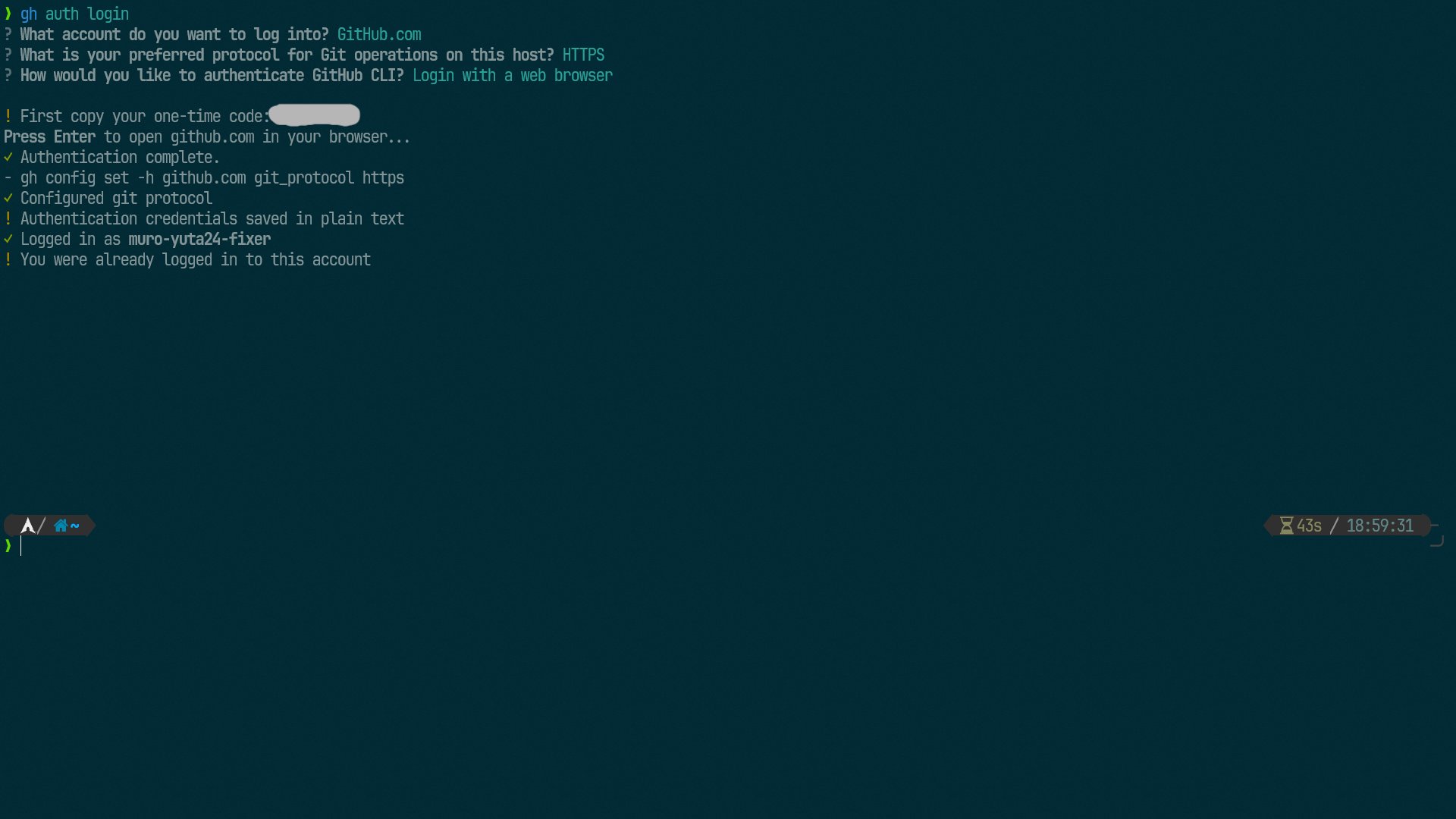
>gh auth loginコマンドで、サクッと認証をしよう 📍MacでGitHub CLIを認証してみた #GitHub #GitHubCLI #Mac #認証 #FIXER_Tech_Blog tech-blog.cloud-config.jp/2024-09-13-mac…
tech-blog.cloud-config.jp
MacでGitHub CLIを認証してみた | cloud.config Tech Blog
cloud.config Tech Blog Powered by FIXER Inc.

🔥 Want to up your security game? Check out this badass Subdomain Enumeration CLI tool by Barre on GitHub. Perfect for pen-testing and bug bounty hunting. Enhance your recon skills now! 💻🔒 #CyberSecurity #PenTesting #GitHubCLI github.com/Barre/merklema…

Unlock z/OS Modernization! Join us at Community Day during #IBMTechXchange for Igor Todorovski's session on z/OS Open Tools. Learn about the latest updates, including #Git, #GitHubCLI, and the zopen package manager! hubs.la/Q02LN11t0 @IBM, @IBMCommunity

Level Up Your Git Game with GitHub CLI 🚀 techcommunity.microsoft.com/t5/educator-de… #github #githubCLI #DevOps #studentambassadors #code #developers

Check out our latest blog on using @Github CLI to streamline your workflow and minimize browser distractions. From basic commands to creating powerful aliases, this post has you covered! Read more: linktr.ee/nearform_comme… #GitHubCLI #DeveloperTools #Coding #DevTips

>WSL2でGitHubにログインするのが面倒ですか?楽な方法をご紹介します 📍WSL2でのGitHubの認証をできる限り楽に行う #WSL2 #GitHubCLI #認証 #開発ツール #FIXER_Tech_Blog tech-blog.cloud-config.jp/2024-06-18-wsl…
Github CLI와 fzf를 이용해서 {이슈번호}_{이슈이름}으로 브런치 생성하도록 했다! gist.github.com/keea/fc3b6b493… + 이전에 올린 것 문제가 있어서 삭제하고 다시 올려요. #fzf #githubcli
Tired of context switching for PRs? The `gh` CLI changes the game! Manage GitHub PRs from your terminal: create, check CI, merge – all without leaving your flow. Huge productivity boost! 🔥 What's your go-to `gh` command? 👇 #DevOps #GitHubCLI

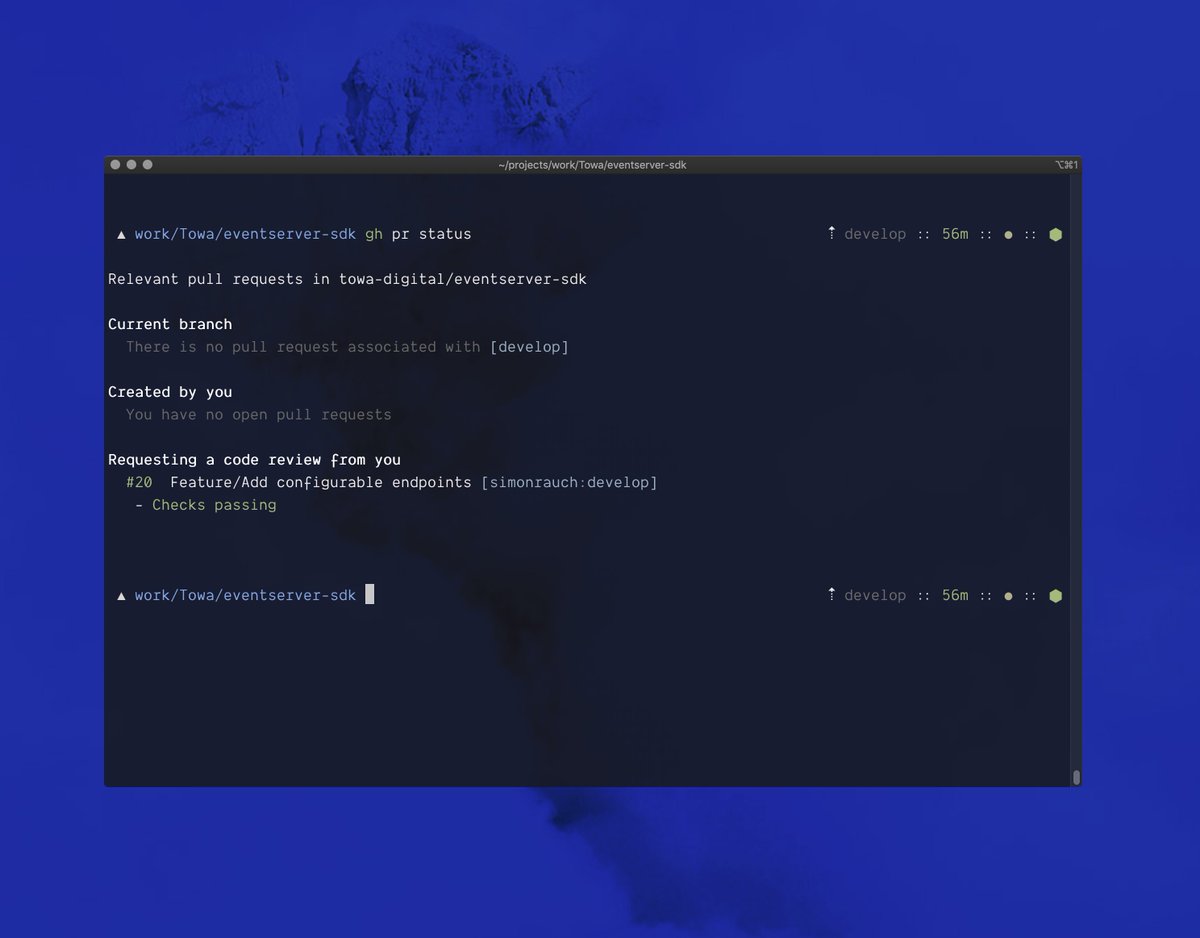





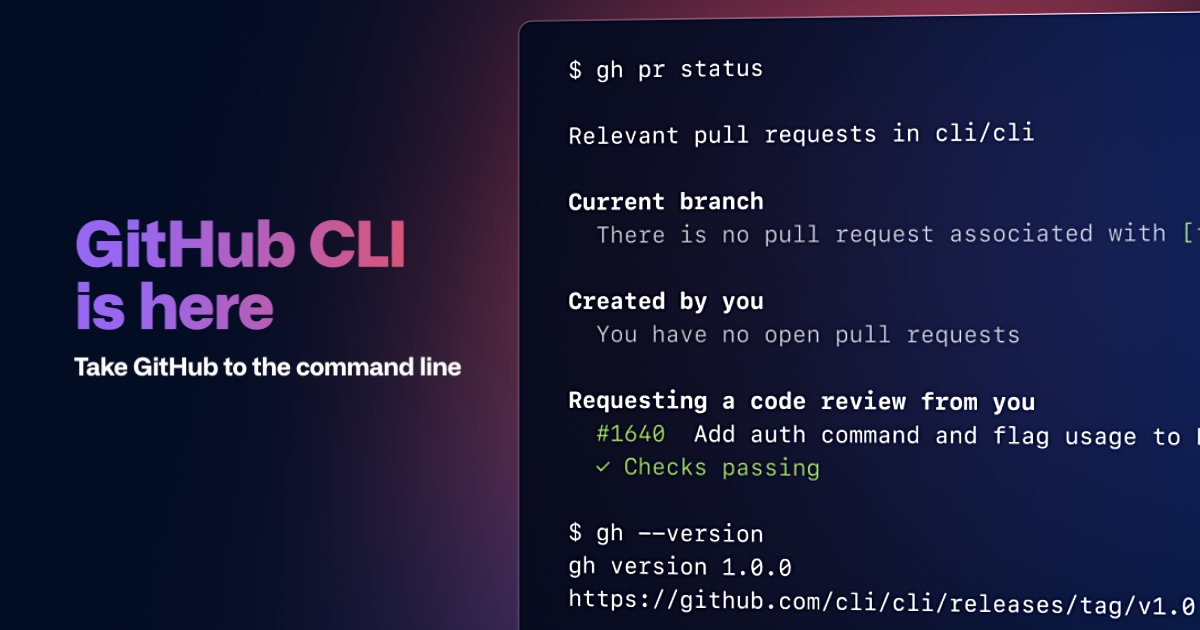
Wow @github #CLI is here! #GitHub #GitHubCLI



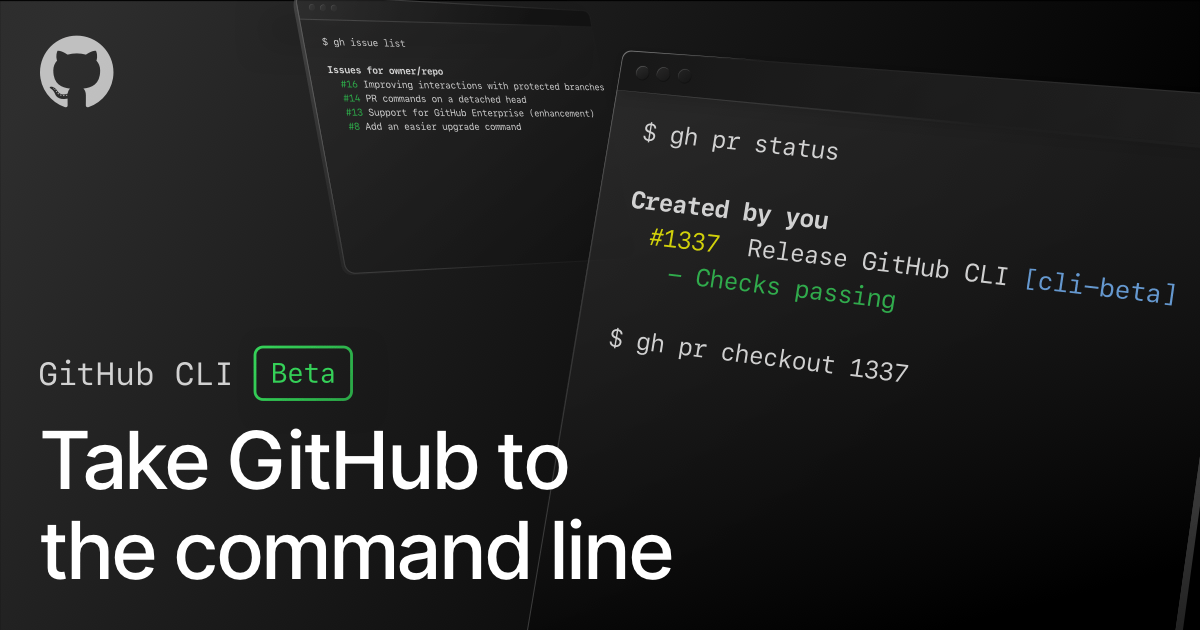
Filter issues, create pull requests, checkout pull requests locally, and more—all from your command line. GitHub CLI is now in beta. github.co/2SzBsPK
How to create a Pull Request via GitHub CLI with multiple assignees? stackoverflow.com/questions/6710… #bash #githubcli #git


#GitHubCLI is great, but have you tried using it for a few days and then completely forgetting it exists for the next year?

For example, you can create a new repository with just one command: gh repo create. To list down the repos, use the command: gh repo list. It's that easy! #GithubCLI 🧵3/7
You can also create and manage issues with commands like gh issue create, gh issue list, and gh issue close. Say goodbye to the manual clicking on the web interface! #GithubCLI 🧵4/7


Trabajando en el nuevo Post: GitHub CLI Beta. #github #git #githubcli #frontend #backend #desarrolloweb #desarrollodesoftware #developers

🔥 Developers, have you heard of Github CLI? It's a command-line tool that lets you manage your Github repositories and issues without ever leaving your terminal. Say goodbye to the hassle of switching between the web interface and your terminal! #GithubCLI 🧵1/7
Using the command line as an entry point to any project. Therefore #githubcli - is a lifesaver ``` # Open the current repo in the browser gh repo view -w # Open current PR in the browser gh pr view -w # Create PR from the current branch to develop hubd <message> ```

Now I can push my projects with ease. #githubcli #bash #ShellScripting. This didn't take me 10 minutes, it was so easy to do.

If you want to add a #github deploy key to your repo from command prompt, you can do it with #githubcli Just select the repo in the prompt,write the command written in the image by changing the required options and get it executed. That's it :)
If you want to create a #github issue right from your command prompt, you can do it with #githubcli Just select the repo in the prompt,write the command written in the image by changing the title and body option and get it executed. That's it. Your issue will get created :)
Something went wrong.
Something went wrong.
United States Trends
- 1. #GivingTuesday 17.2K posts
- 2. The BIGGЕST 396K posts
- 3. #twitchrecap 1,644 posts
- 4. #csm222 2,429 posts
- 5. #ALLOCATION 212K posts
- 6. Costco 41K posts
- 7. Lucario 17K posts
- 8. #JUPITER 203K posts
- 9. Susan Dell 3,251 posts
- 10. Michael and Susan 2,247 posts
- 11. NextNRG Inc 1,614 posts
- 12. Trump Accounts 9,176 posts
- 13. Good Tuesday 41.5K posts
- 14. Isack 22.6K posts
- 15. King Von 1,200 posts
- 16. Hoss Cartwright N/A
- 17. Taco Tuesday 14.2K posts
- 18. Dart 43.9K posts
- 19. JUST ANNOUNCED 20.3K posts
- 20. Yuki 103K posts