

WorldofLevelDesign
@GameLevelDesign
Tutorials, tips & practical knowledge to being best level designer & environment artist. I'm AlexG. Official X of WoLD. Tutorial Courses: http://bit.ly/3r2eoZl
You might like


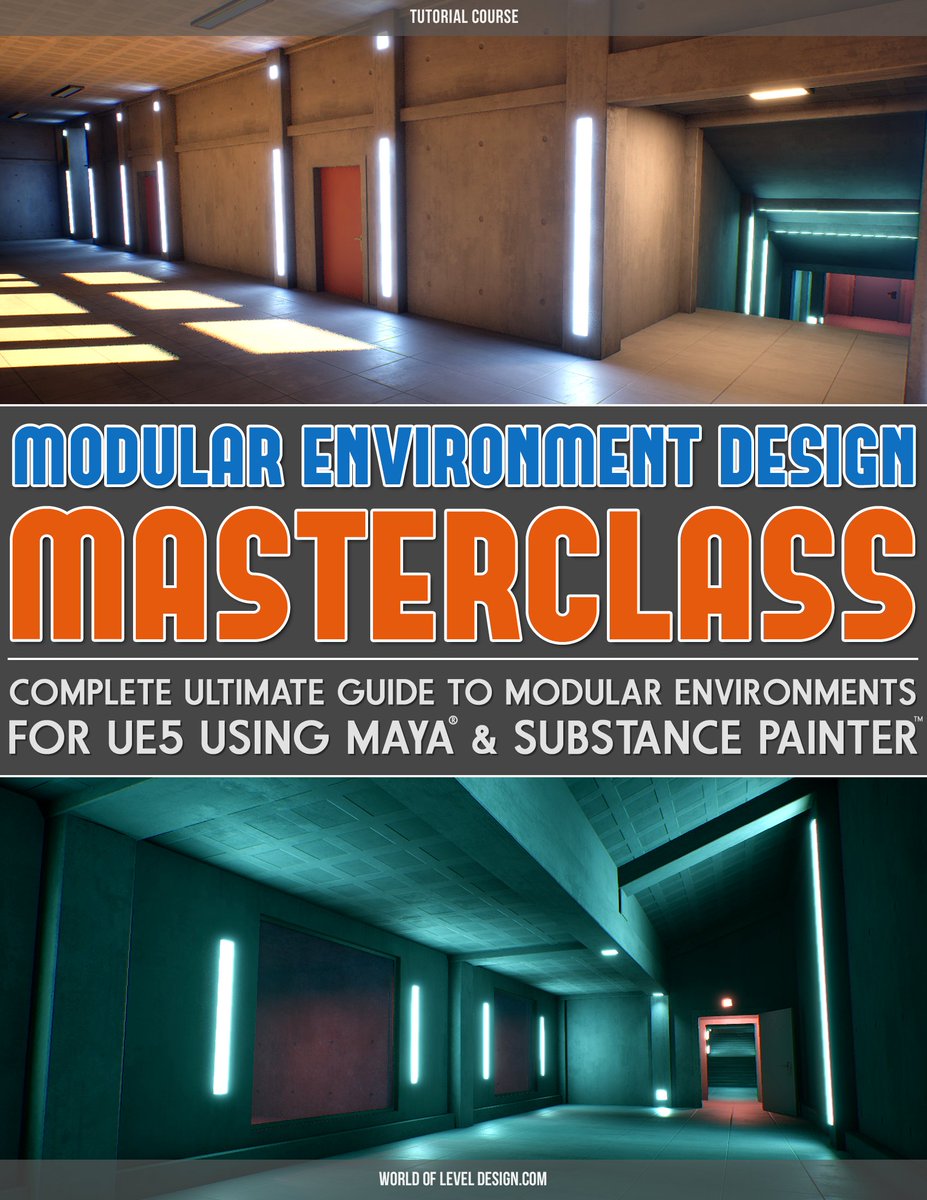
"Modular Environment Design Masterclass" tutorial course is now available. Includes: ▪️Comprehensive Masterclass ▪️Full Modular Asset Creation Pipeline ▪️Step-by-Step Workflow ▪️37 Videos ▪️12+hrs of Detailed Instructions Download. Watch. Learn. Create. worldofleveldesign.com/store/modular-…
In UE5, when you reimport Mesh, engine uses previous import settings without showing import options. Here is how to bring back Static Mesh Import Dialog during reimport, allowing to update mesh with changes that may not be available in SM Editor. Full: youtube.com/watch?v=da02Fd…
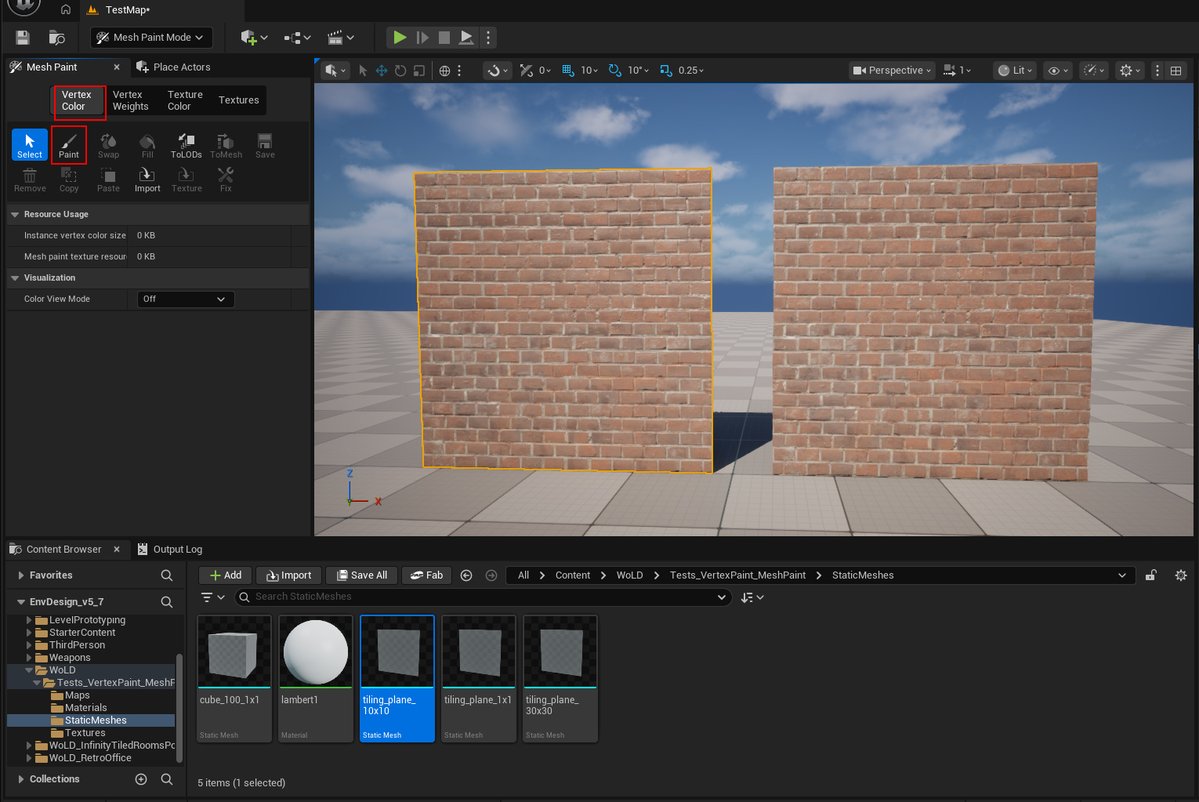
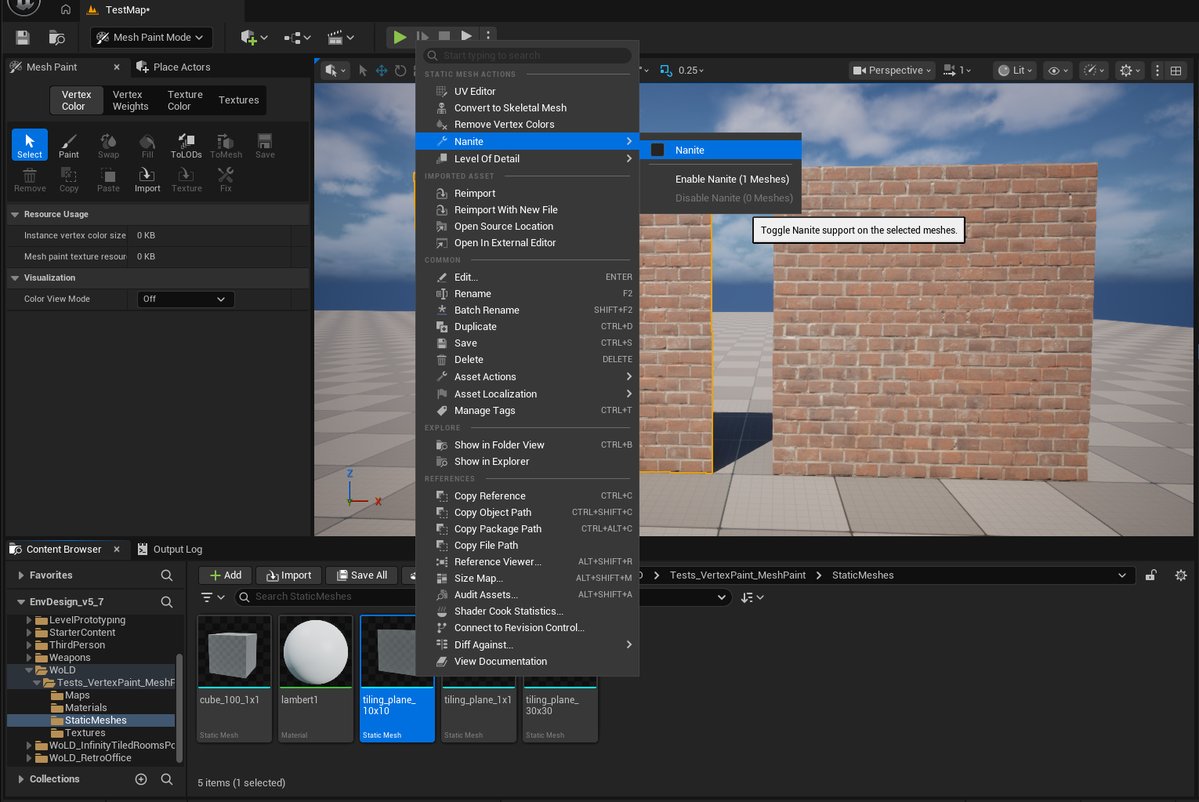
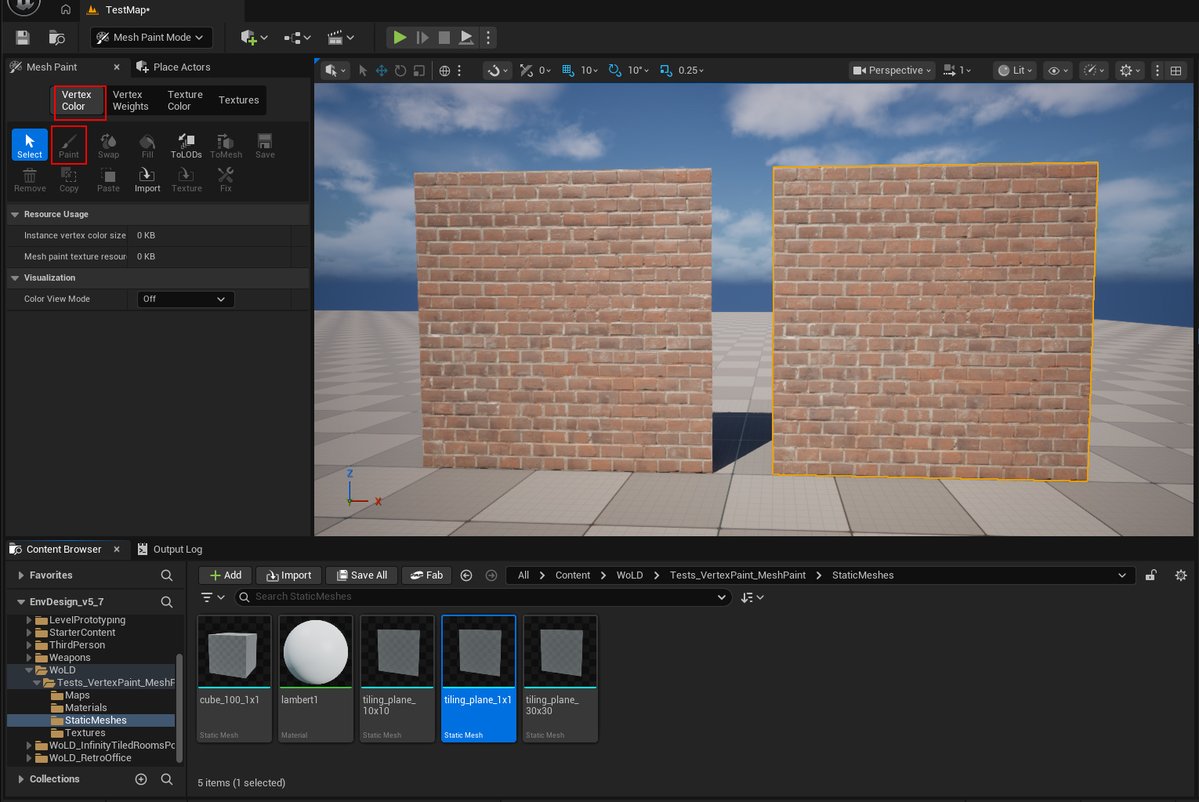
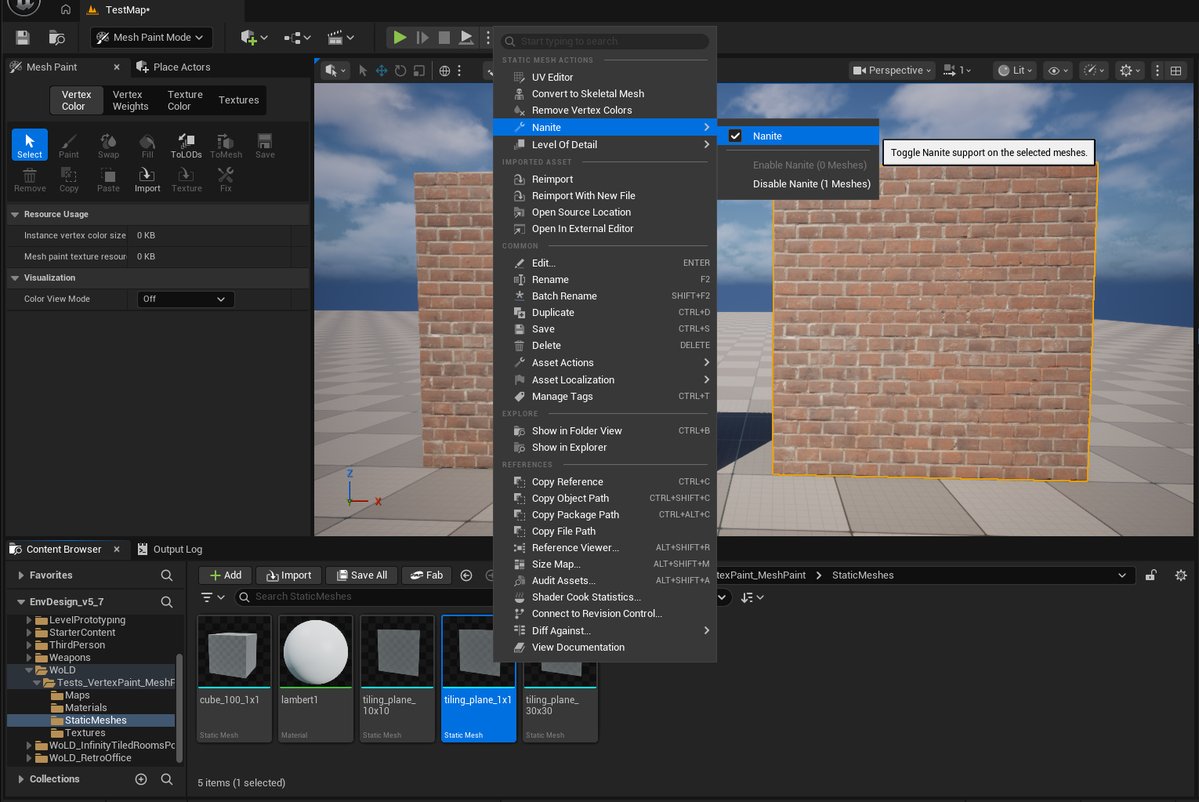
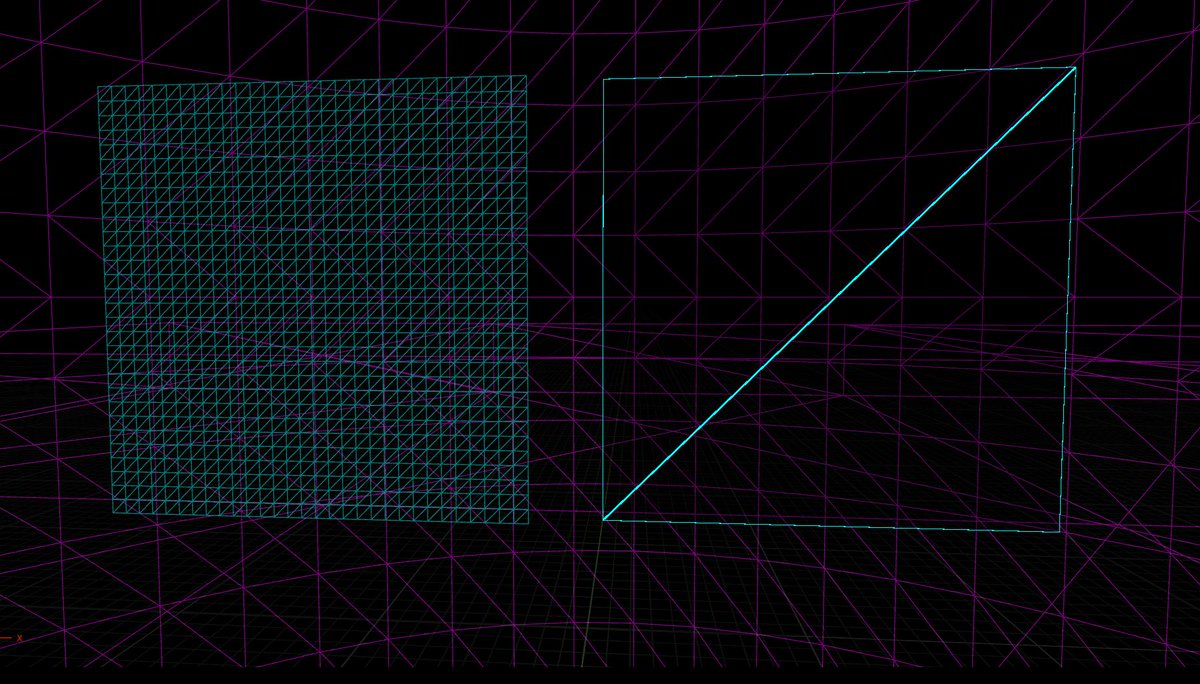
Traditional Vertex Color Painting in UE5 does NOT work on Nanite geo. SIMPLE TEST: Mesh 1 left (IMG 1-2) NON-NANITE, Vertex Color Paint ready to go Mesh 2 right (IMG 3-4) NANITE, Vertex Color Paint grayed out Vertex Color Paint will also disappear when enabling Nanite on geo.
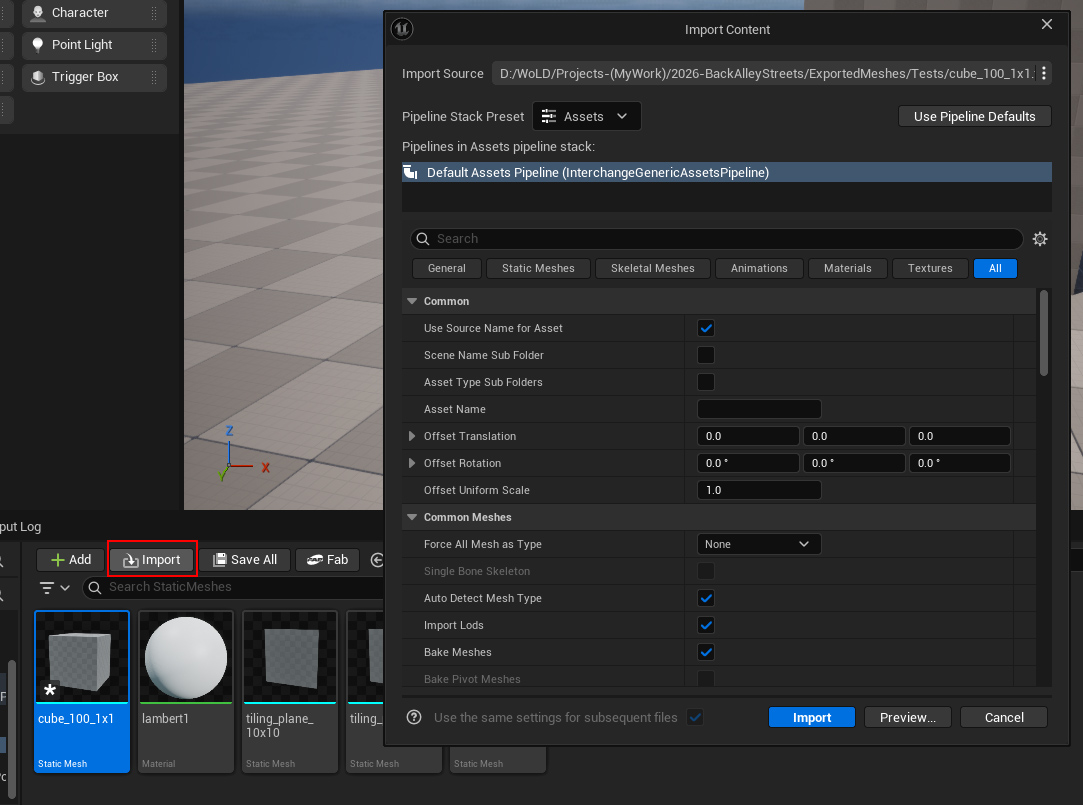
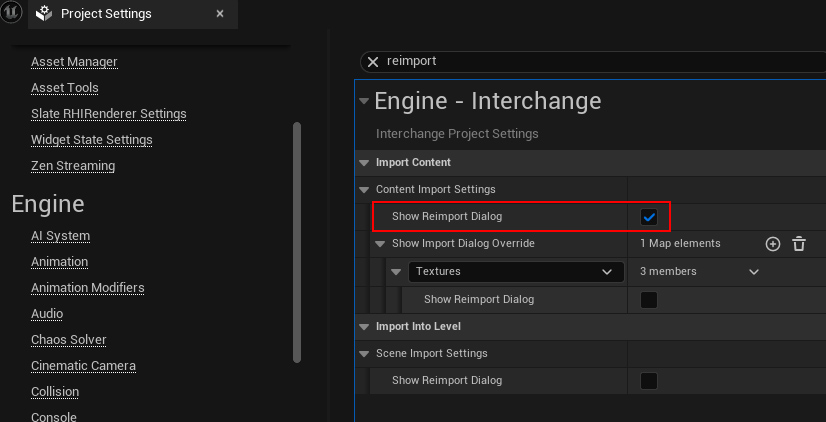
Get UE5 Mesh Import Dialog on Reimports: 1. Click Import in Content Browser. Choose same mesh to reimport you already have. Import options will open. 2. In Project Settings-Engine-Interchange, enable Show Reimport Dialog. this will open Import options every time you reimport.
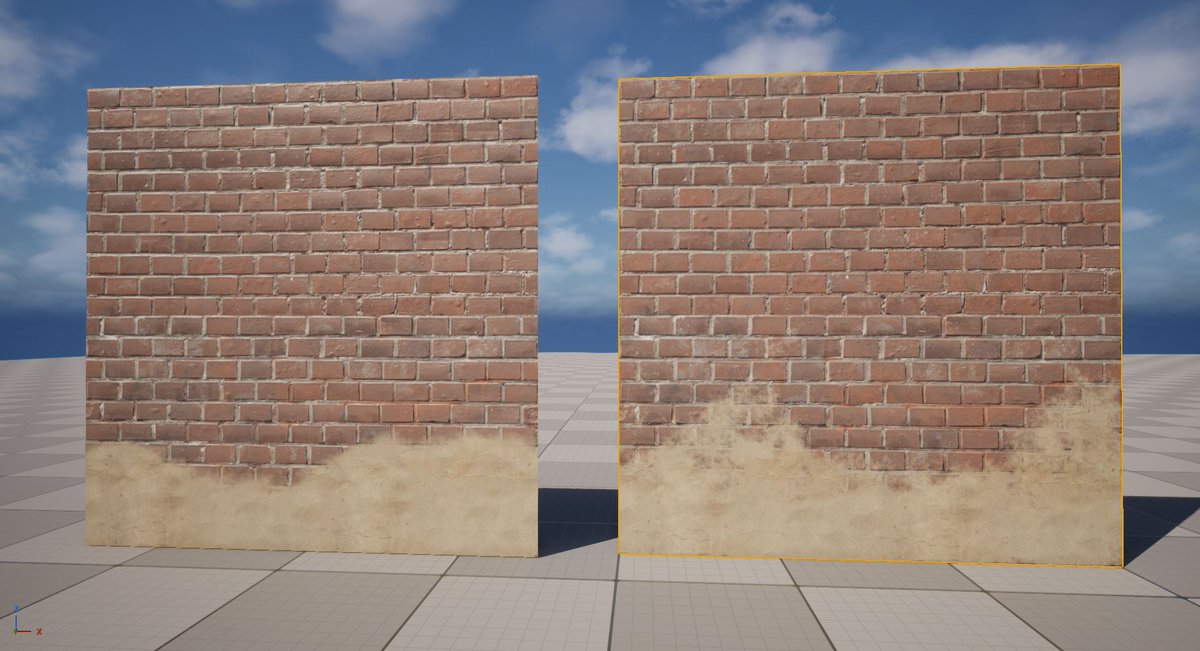
UE5.5+ there're 2 methods of texture painting on Meshes: 1. Vertex: standard (older). Been around for years. Doesn't work on Nanite, needs subdiv (more verts the better). 2. Texture: new method, requires Virtual Texture on. Works on Nanites & not, doesn’t require lot of verts.
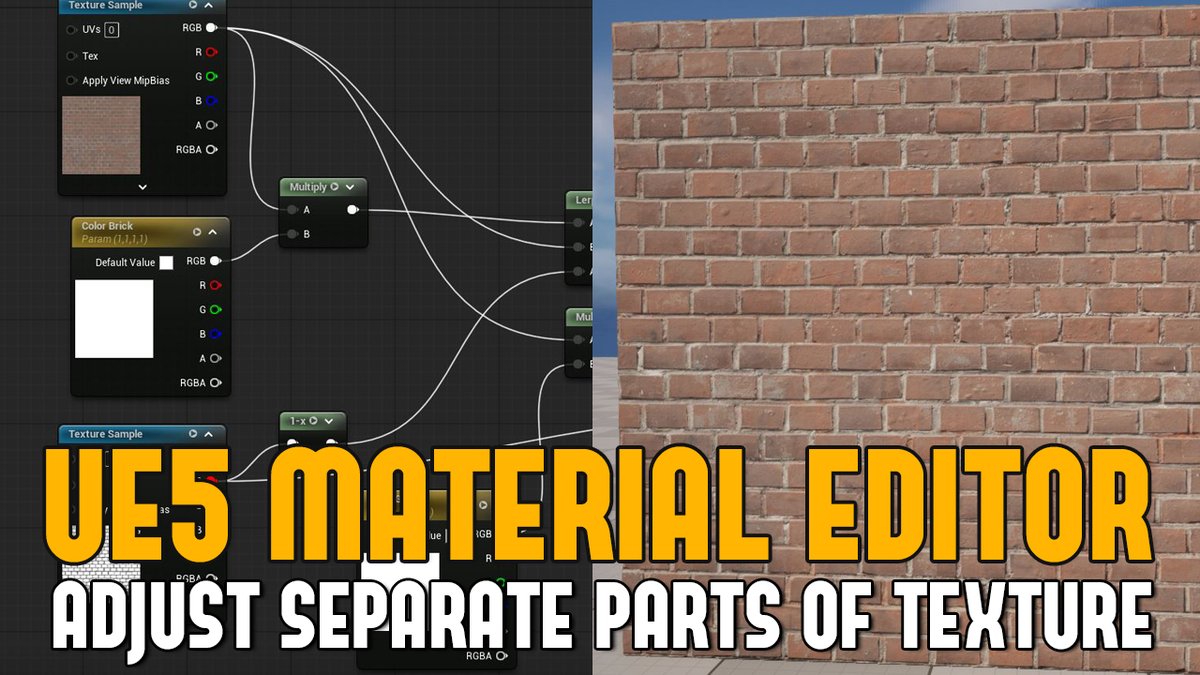
I use this UE5 material editor setup all the time for environment assets. Learn how to set up a way to adjust different parts of a texture independently, without affecting the rest of the surface. Full tutorial here: worldofleveldesign.com/categories/ue5…
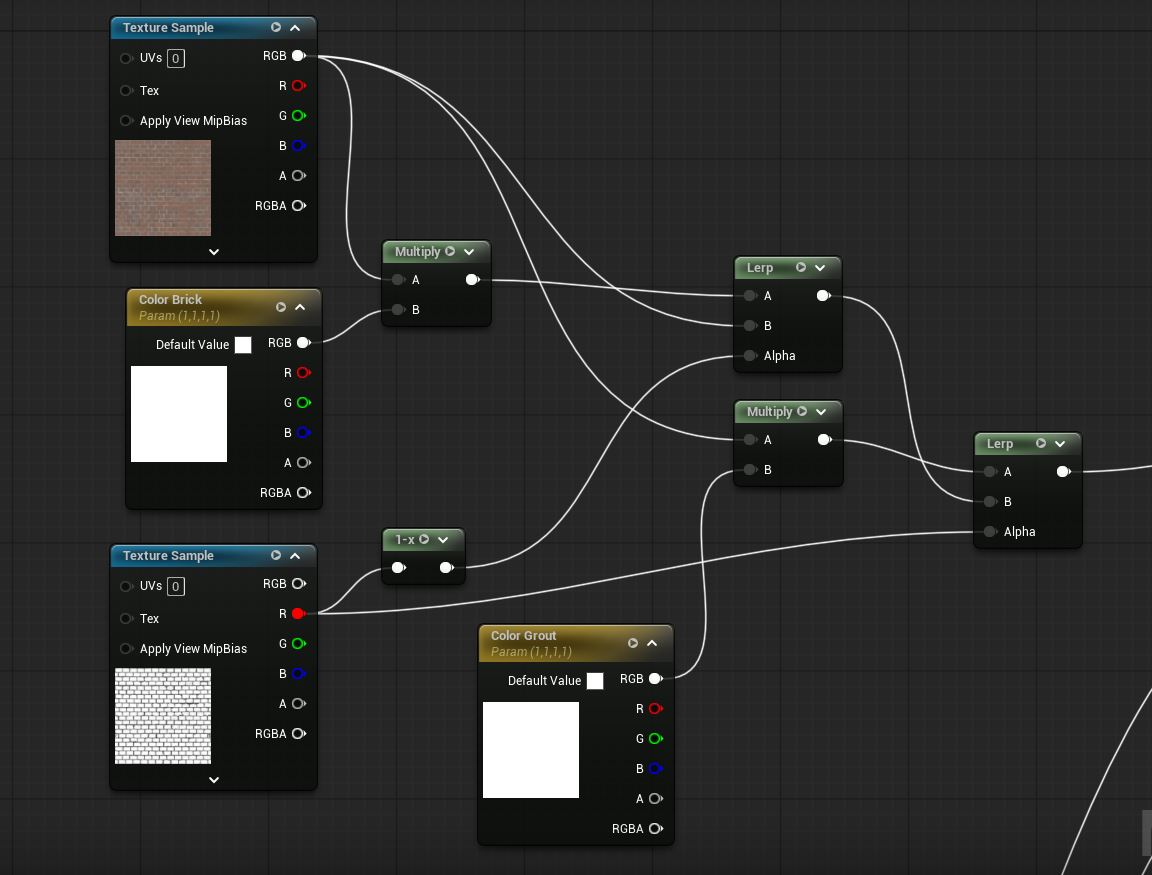
In this NEW UE5 tutorial, you'll learn how to set up a way to adjust different parts of a texture independently, without affecting the rest of the surface. This method relies on texture masks, Multiply nodes and Linear Interpolate (Lerp) nodes. Tutorial: worldofleveldesign.com/categories/ue5…
In this tutorial I will show how to create modular assets that can contain both interior & exterior appearances at same time. Perfect for buildings, houses, rooms requiring seamless transitions from outside to inside. I'll cover 2 approaches: worldofleveldesign.com/categories/gam…
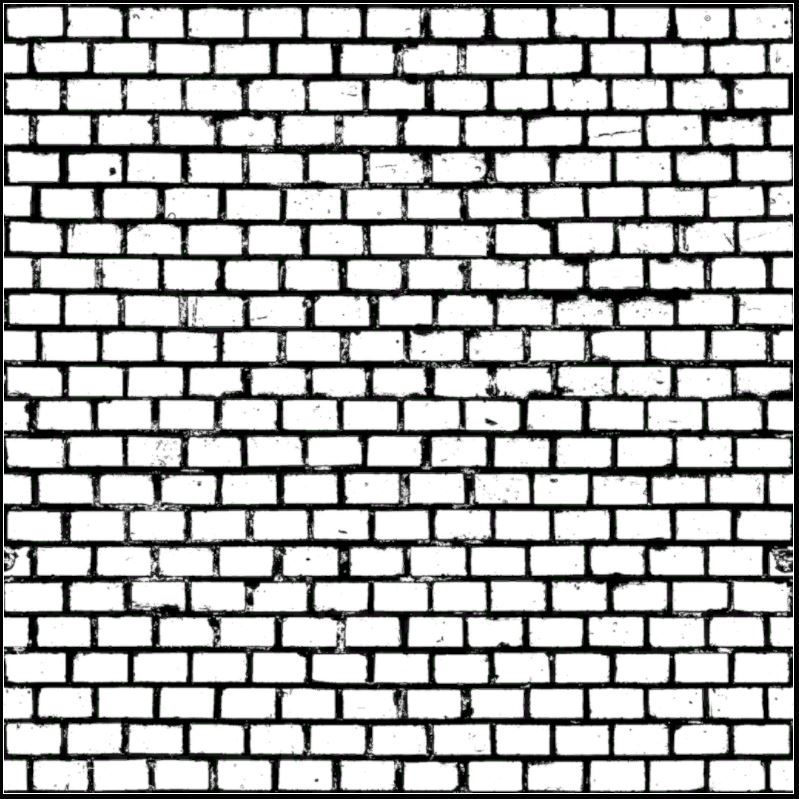
You need black and white texture to be used as a Mask to make adjustments to different parts of a texture. Whether it’s in UE5/UE4 or any other game engine or software. You’ll need this black and white Mask that will control what gets adjusted and what doesn’t.
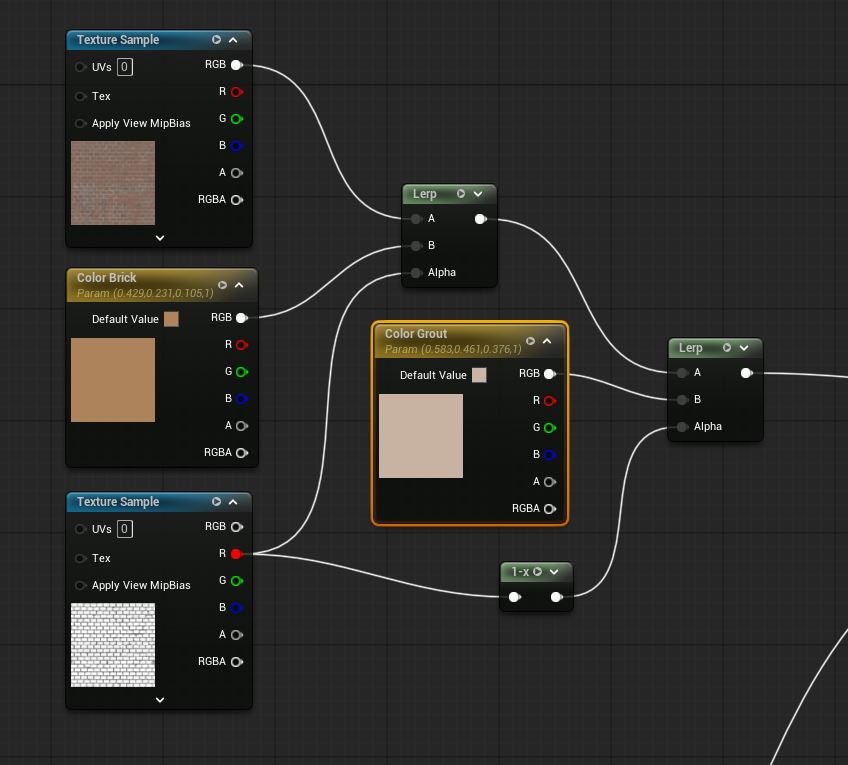
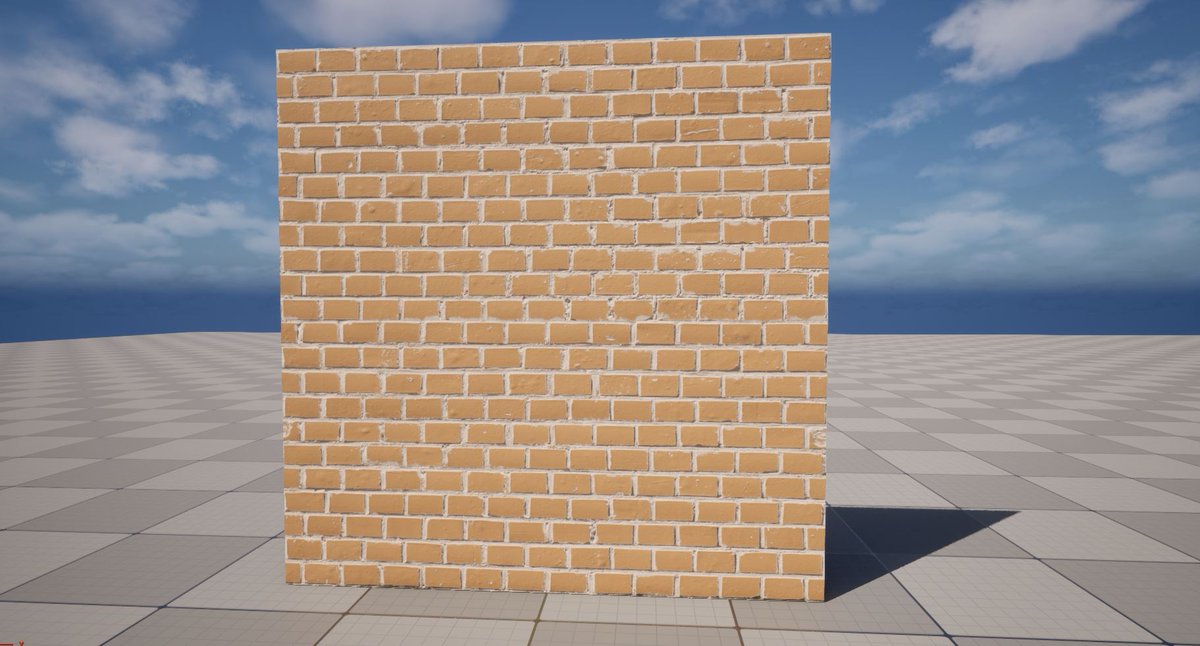
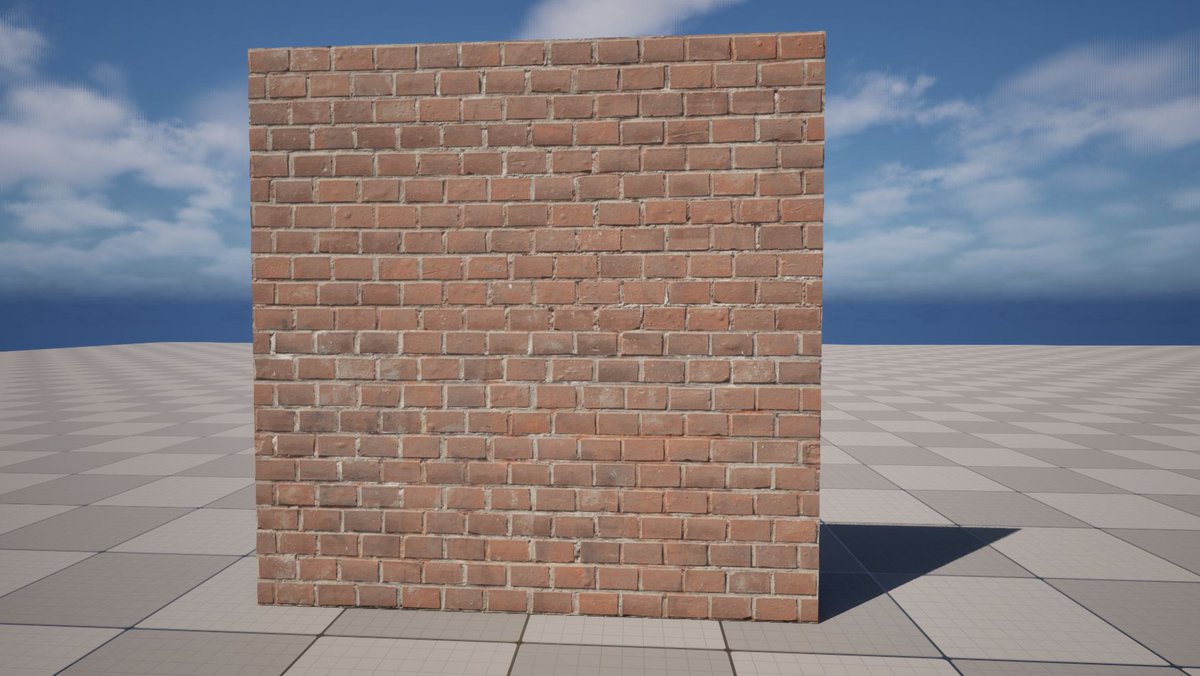
In UE5 Material Editor: 2 setups you could use for adjusting parts of texture such as color. However 2nd option (img 3-4) is best, you get default texture without any adjustments as start. Img 1-2 setup w/Lerps ONLY make color changes right away. Both work but 3-4 is best.
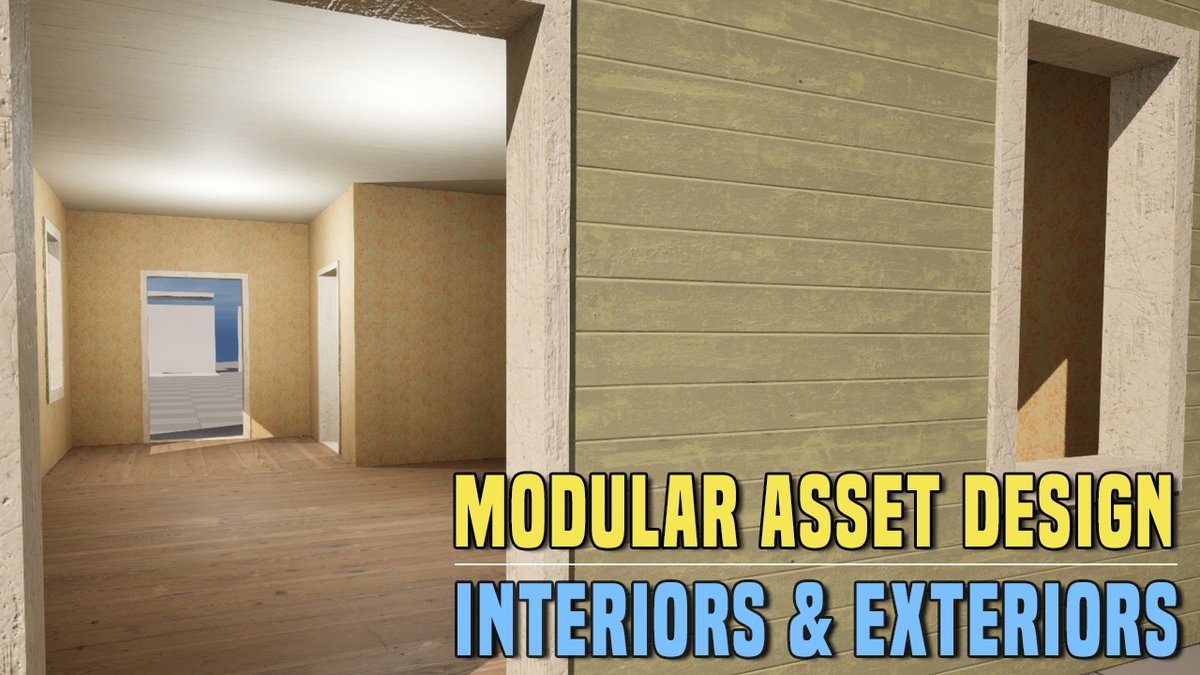
NEW TUTORIAL! Modular Asset Design for Interiors & Exteriors at Same Time for Buildings, Houses or Rooms. Both methods will allow for specific interior & exterior looks. Use one method or the other or combine both depending on situation. Dive In: worldofleveldesign.com/categories/gam…
Submit your TPS reports with Retro Office Environment Asset pack. Or get creeped out yet nostalgic with Liminal Space Infinity Tiled Rooms/Pools. Both modular asset packs just have been updated to work with UE5 v5.3 - v5.7... Get them today: fab.com/sellers/World%…
Currently only have two environment asset packs on Fab at the moment (more will come). And I updated both to work in UE5 v5.3-v5.7 Get Retro Office Modular Asset Pack or Liminal Spaces Tiled Rooms & Pools or both to create with in UE5. Create & Immerse: fab.com/sellers/World%…

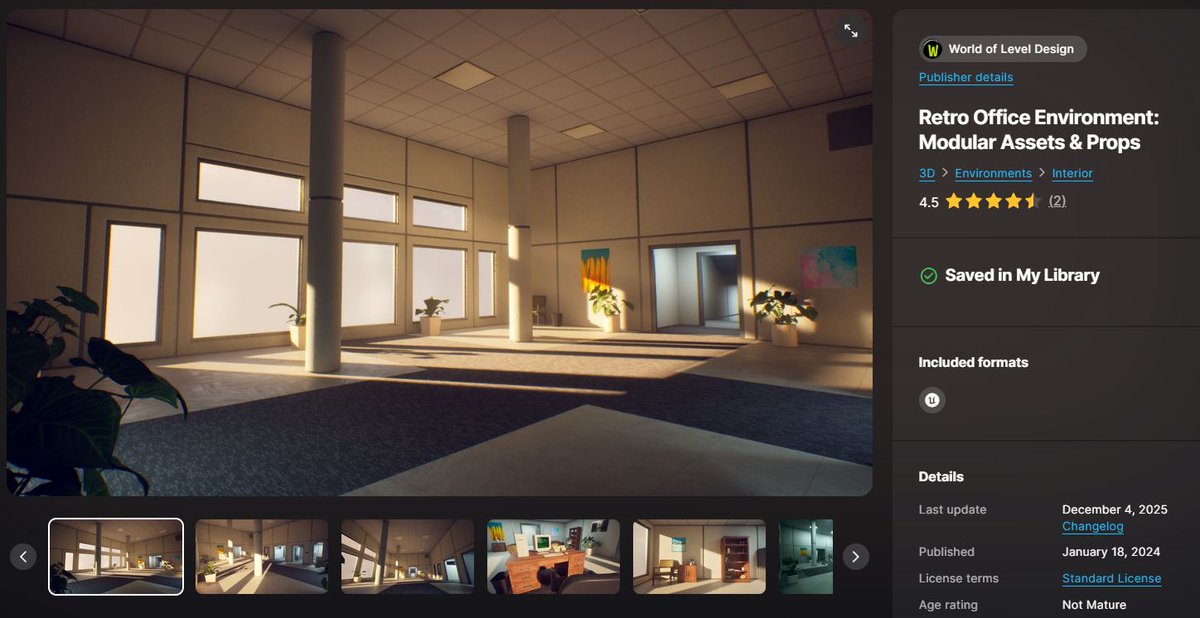
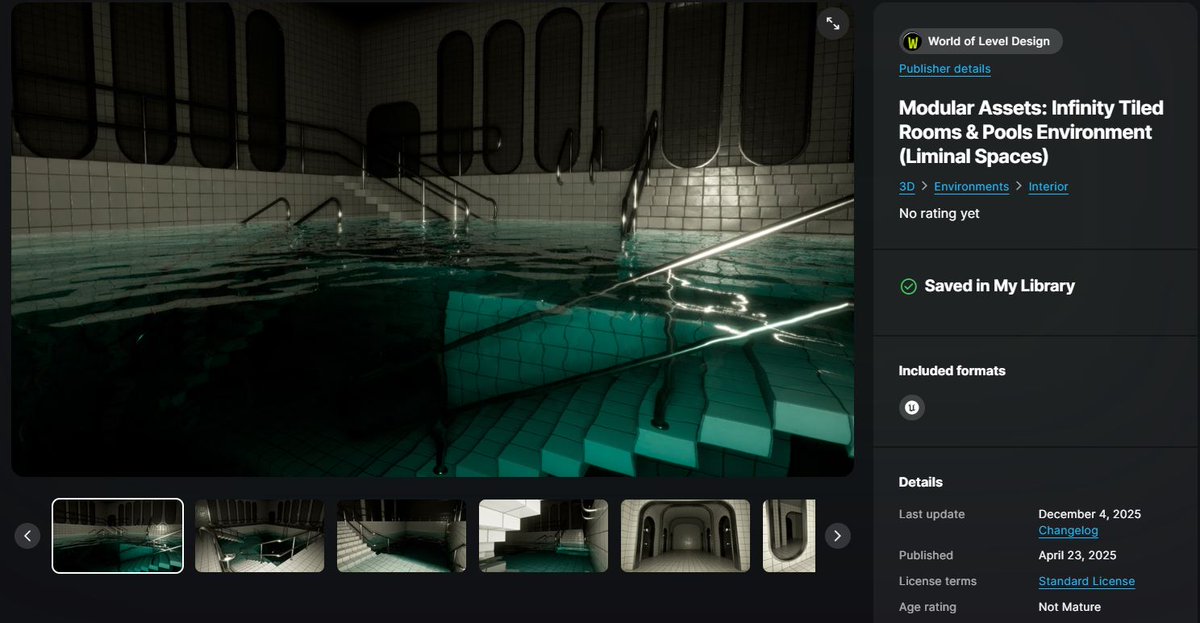
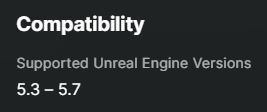
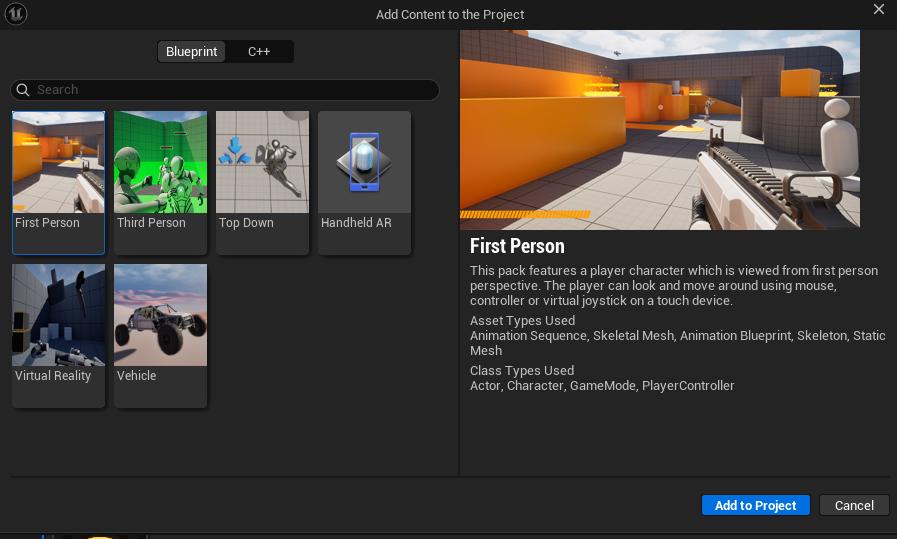
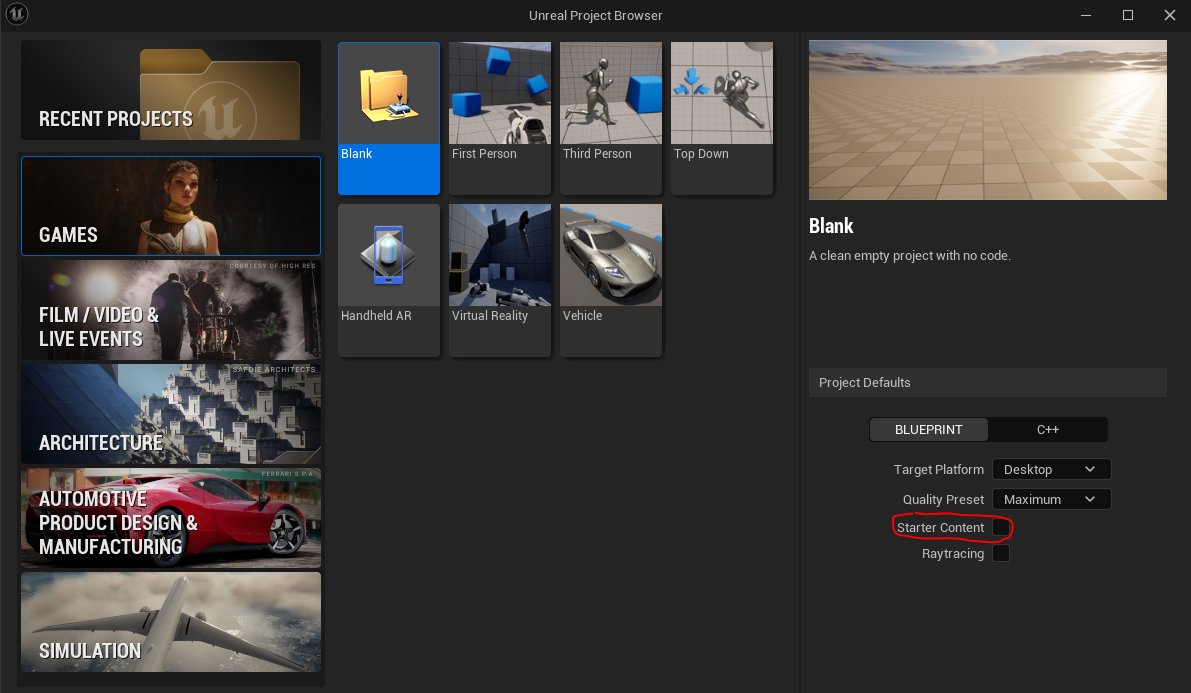
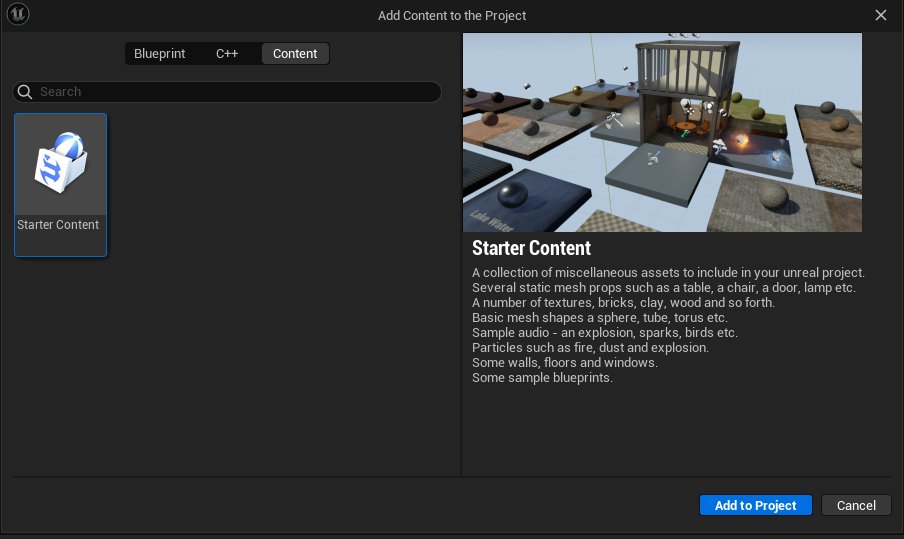
Made this Quick Tip Video. UE5 Quick Tip: Starter Content is Gone, Add Starter Content into 5.6+ or Later Versions of UE5. Check out the full Step-by-step on how to make this work: youtube.com/watch?v=VYaJhG…
In UE5.7+, Starter Content assets have been been removed and you no longer able to add them into Projects. I think it was removed starting 5.6. No more sampler textures, materials, meshes. Although you could add it back in from earlier UE5 versions if you really want it.
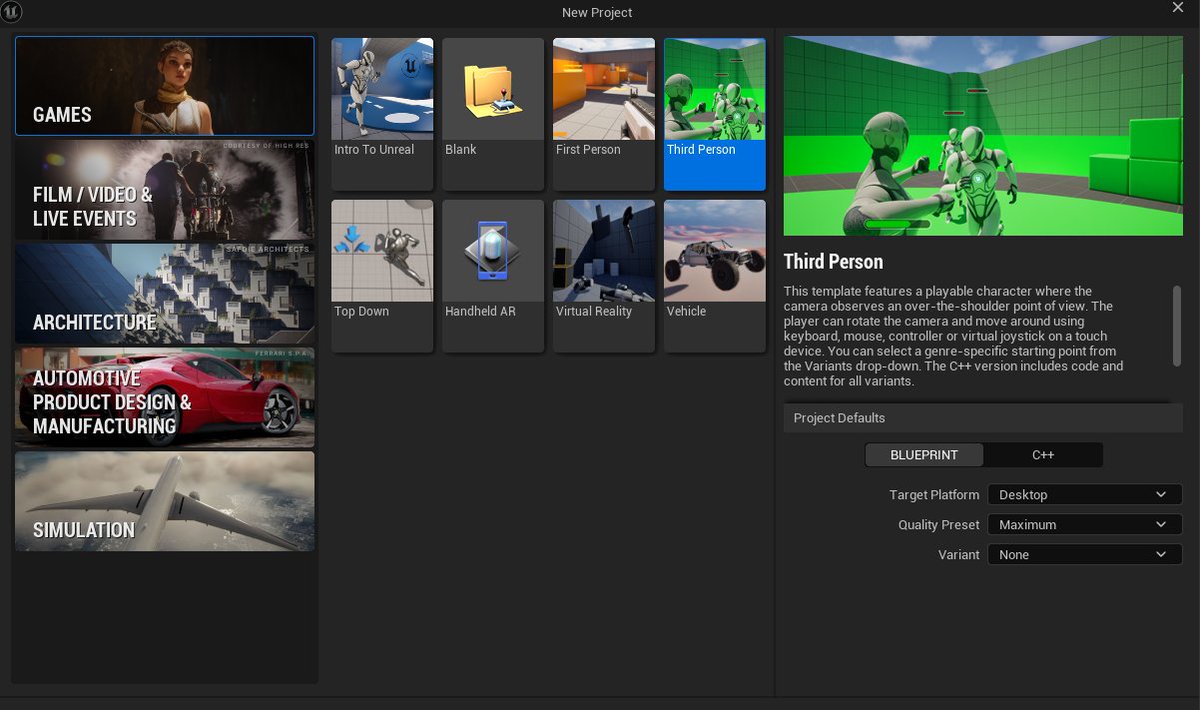
What a cool environment location find. Makes me want to get in the car and road trip to this for photo references then create it before it's gone.

The internet infamous UFO Video DVD store in Weber City, Virginia. I remember when this was a thriving business, now it sits in ruins. They had the coolest name and logo. After you watch this video, “Be kind. Rewind.”
This is EXTREMELY POWERFUL technique in UE5.

🤫Shhhhh, hidden material secrets like Custom Primitive Data can be super helpful. They are kinda like Material Instances, but not.... Cleverlike Creator School: uefn.cleverlike.com #UEFNTips #UETips #UEFN #UE5 #GameDev #fortnite @cleverlike






































































![MapcoreHub's profile picture. CS:GO Community Map Matchmaking: The best way to play community maps in a competitive, yet peaceful environment. Join us now!
[Run by the @Mapcore Community]](https://pbs.twimg.com/profile_images/1115625464528240640/A76vs_p9.png)





























United States Trends
- 1. Martinelli 8,392 posts
- 2. Miller Moss N/A
- 3. Pro Bowl 33.7K posts
- 4. Kam Williams N/A
- 5. Ryan O'Hearn 2,201 posts
- 6. Louisville 5,591 posts
- 7. Toledo 7,559 posts
- 8. Ben Sasse 3,920 posts
- 9. Because Chicago 1,218 posts
- 10. Semenyo 82.9K posts
- 11. Happy Holidays 121K posts
- 12. Pirates 25.9K posts
- 13. Bellarmine N/A
- 14. Steve Rogers 23.9K posts
- 15. Neymar 22.8K posts
- 16. Christmas Eve 87.7K posts
- 17. Lookman 13.6K posts
- 18. Russell Brand 14.6K posts
- 19. #Fliffmas 2,848 posts
- 20. Ben Simmons 1,207 posts
You might like
-
 Blocktober
@BlocktoberLD -
 Alex Beddows
@BeddowsDesign -
 Max Pears
@MaxPears -
 Art of Level Design
@ArtLevelDesign -
 Jack Chapman
@ShakaInc -
 Vicente Quesada
@RazorOfArtorias -
 Eric Chocholacek
@Arko_Emrys -
 Majid Rahmani
@MajidRahmani -
 Han
Han
@matrixman_17 -
 Slava Ryzhkov
@RyzhkovSlava -
 Ovidiu Manțoc
@patratzelmov -
 ⚡
⚡
@Jack0Knife -
 Shane Canning
@Zerocool1000
Something went wrong.
Something went wrong.