
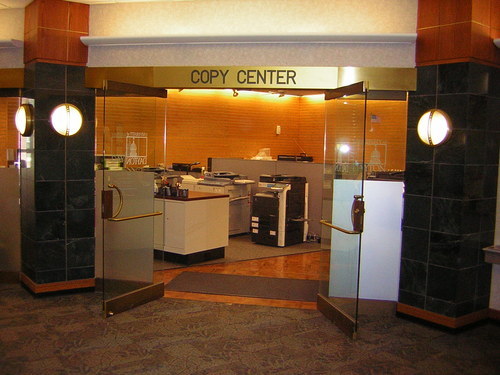
UD Copy Center
@UDCopyCenter
High Speed, On-Demand Printing at the University of Dayton, serving the campus and surrounding communities.
Stop in today and let our team take care of your printing needs
Attention Students: Don't forget we are open late Mon-Thur until 7:00pm. Stop in and Lindsey will take good care of you!
ATTENTION ALL UD STUDENTS: WELCOME BACK! Visit UD COPY CENTER and let us help you get your first project printed and turned-in on time. :)
Ready, Set, Print! Stop by the UD Copy Center this week and let our team take your "hot project" to a "cool place" while you wait.
Happy Independence Day weekend everyone! Have a safe and joyful weekend. We will re-open Tues. 7/5 @ 8:00am sharp for your printing needs.
The UD Copy Center is always open even when school is not in session. Stop in and let our amazing staff take care of your printing needs.
Print Tip #133 For the best posssible customer service in digital printing, come to the UD Copy Center. You won't be dissappointed!
Print Tip #132: Printing from the electronic file always produces a much better print than copying from a master, especially for images.
1 more day of finals. Stop by and let us help you finish your last minute projects. They don't call us "High Speed on Demand" for nothing.
Print tip #131 When printing on any paper heavier than standard 20# always set your print properties for "Thick" so the toner fuzes properly
On a hot day like today, stop by the UD Copy Center and cool down while we print, trim, fold, bind, laminate, and package your project.
Print tip #130 When struggling with paper curl during humid conditions, a de-humidifier works wonders in keeping paper stock printer ready.
Print tip #129: In hot and humid conditions always keep your paper stock boxed or wrapped to keep any moisture away for proper feeding. :)
Print tip #128: If your printer keeps jamming for no apparent reason, try flipping your stack of paper over. Paper curl is a funny thing :)
Print tip #127: If your print has not arrived at the output tray of your printer, it's probably still spooling in your print queue. :)








































United States Tendências
- 1. #SmackDown N/A
- 2. #DragRace N/A
- 3. UConn N/A
- 4. St. John N/A
- 5. Olympics N/A
- 6. #OPLive N/A
- 7. #TheLastDriveIn N/A
- 8. Pistons N/A
- 9. Kit Wilson N/A
- 10. #SJUBB N/A
- 11. Celtics N/A
- 12. Obamas N/A
- 13. Rick Pitino N/A
- 14. Jordynne N/A
- 15. Andrea Bocelli N/A
- 16. Brunson N/A
- 17. $BULLISH N/A
- 18. Athena N/A
- 19. Dan Hurley N/A
- 20. Drew McIntyre N/A
Something went wrong.
Something went wrong.