

你可能會喜歡


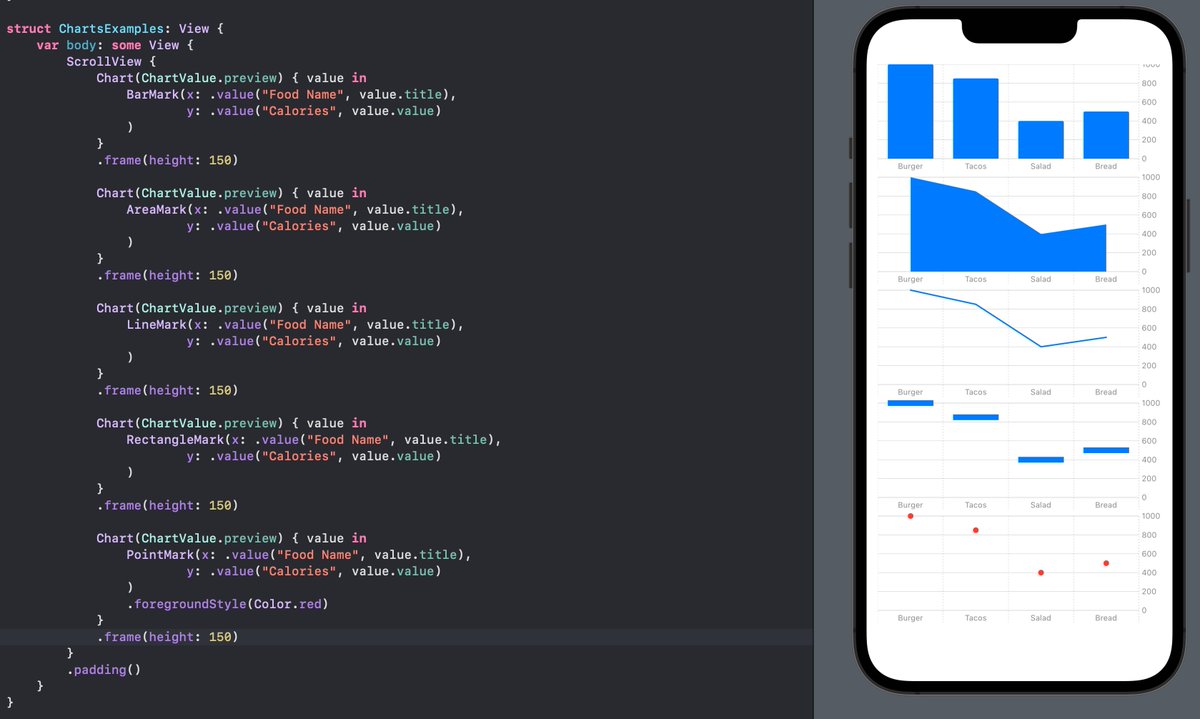
Adding charts to your app is now easier than ever with the brand new `Swift Charts` framework for iOS 16!
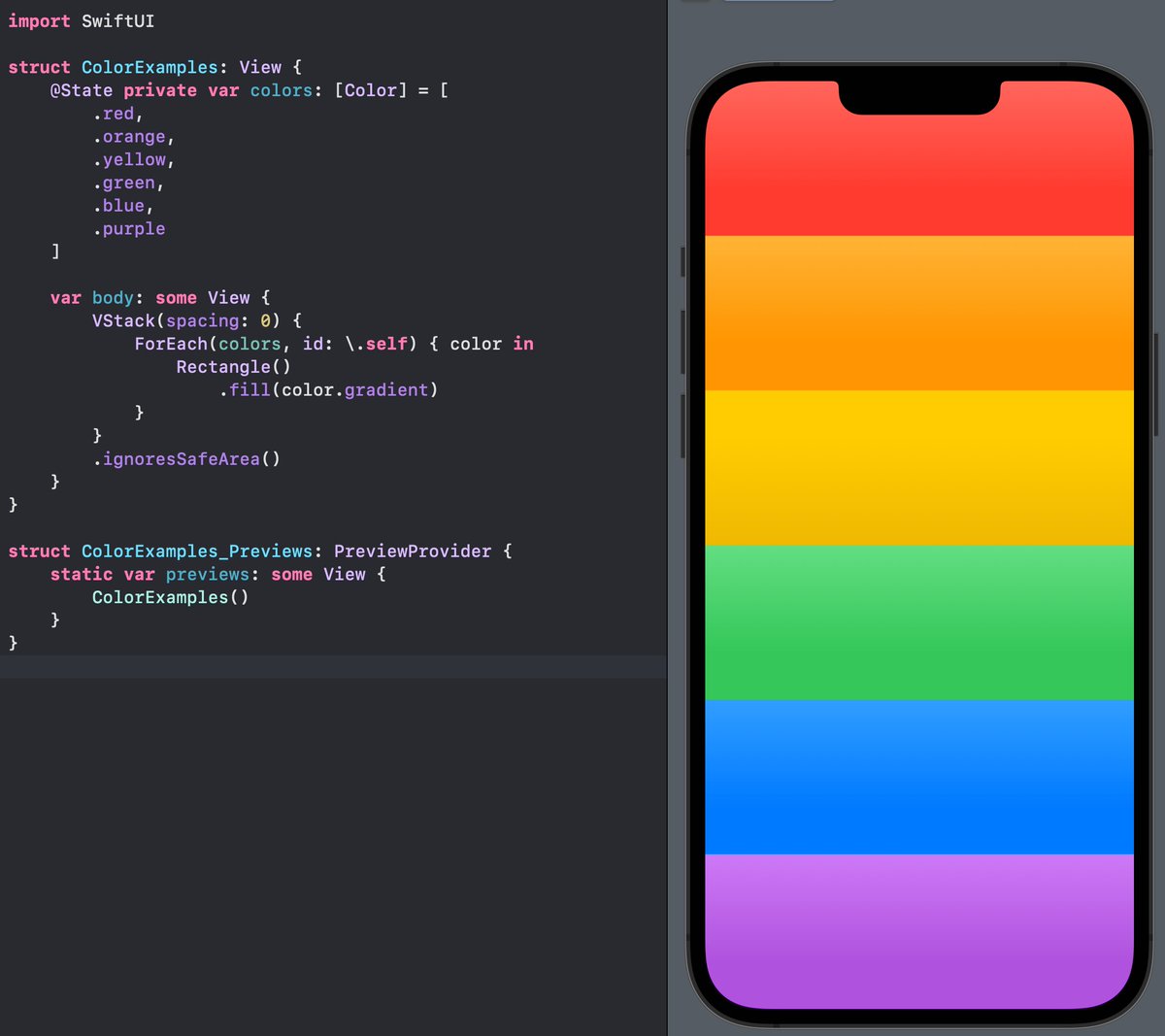
SwiftUI Colors now have a subtle gradient built right into them! This looks SUPER good, for sure a no-brainer in every single app for me.
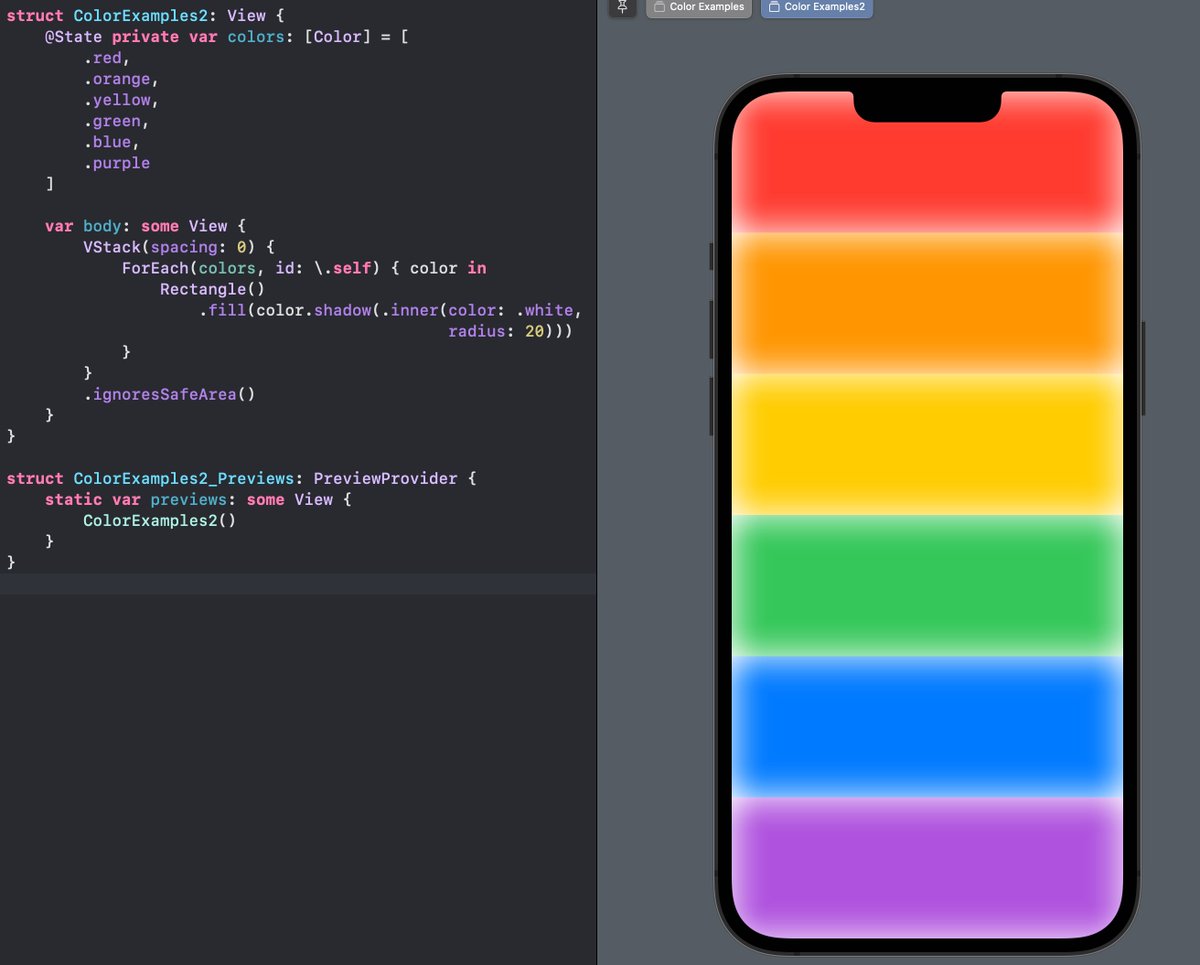
Colors now also have INNER SHADOWS! This allows you to e.g. add a glow effect like in this example.
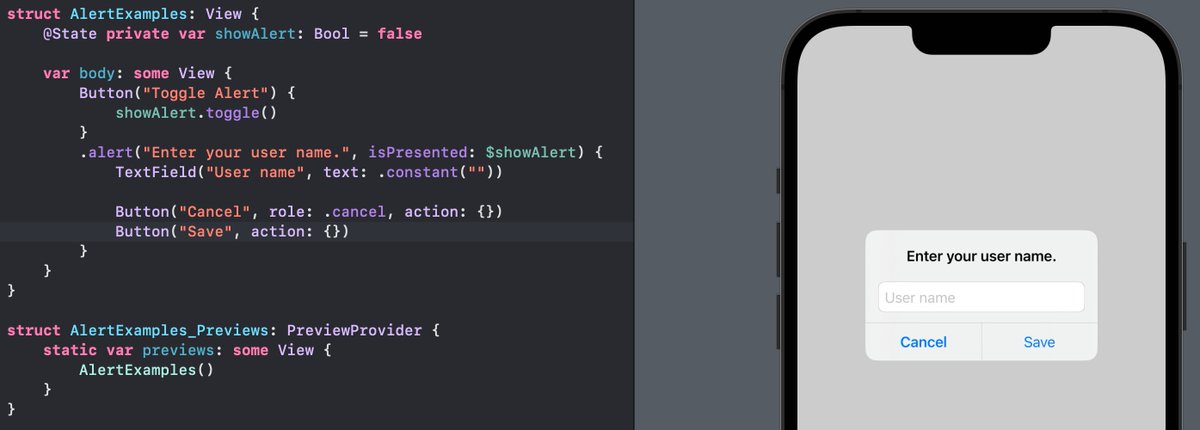
You can now add TextFields inside a SwiftUI Alert! Hint: No, the Alert does not support arbitrary Views, this is a new exception :)
My video on `NavigationStack`, SwiftUI's new navigation API, is already my second most viewed video of all time while only being out 2 days :O -> Check it out if you want to get a quick overview of programmatic navigation, pop to root & more: youtu.be/DMsALlhObNk

youtube.com
YouTube
SwiftUI NavigationStack: Programmatic Navigation & Pop to Root | iOS...
SwiftUI now also has a native PhotosPicker! You can place this View in your app's toolbar to let the user select photos 📸

Add a lockscreen widget to your existing app with this 7 minute tutorial: youtu.be/RV401bUfCck The fundamentals are exactly the same as for homescreen widgets, so for a refresher you can take a look at my WidgetKit course (linked in video description).

Learn how to export a SwiftUI View as an image to the user's photo library in under 5 minutes. youtu.be/nQNnHOeGmU4
youtube.com
YouTube
SwiftUI ImageRenderer: Convert View to Image | iOS 16 Tutorial
Convert SwiftUI Views to an image using the new `ImageRenderer`!

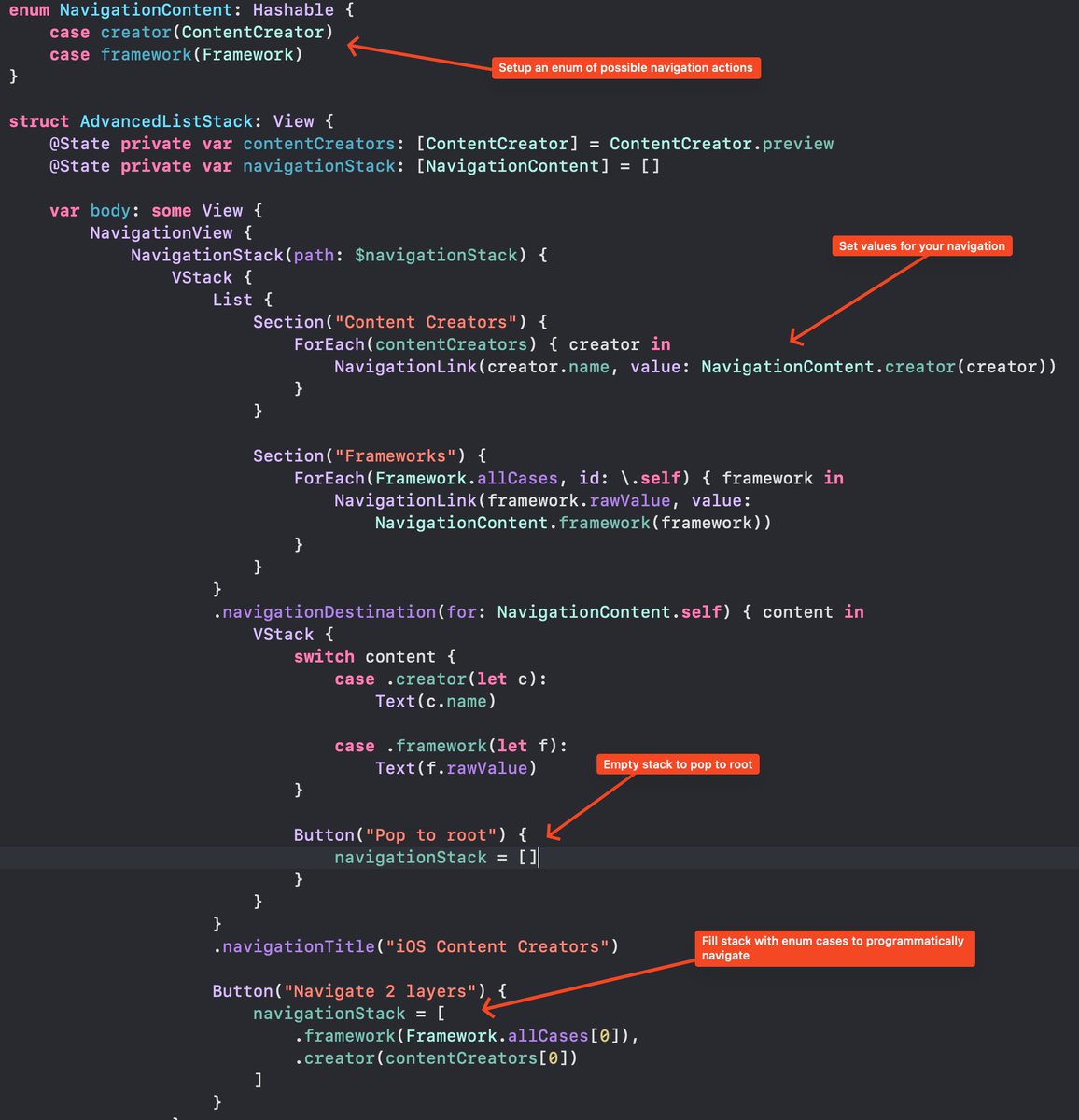
A quick reference to programmatic navigation in iOS 16 & SwiftUI. - Setup enum for navigation states - Add value to NavigationLinks - Empty array to pop to root - Add arbitrary enum cases to programmatically navigate (multiple layers) Intro Video: youtu.be/DMsALlhObNk
SwiftUI on macOS now supports the `.focusSection()` modifier (also available on tvOS) to guide the user focus - e.g. during keyboard navigation.

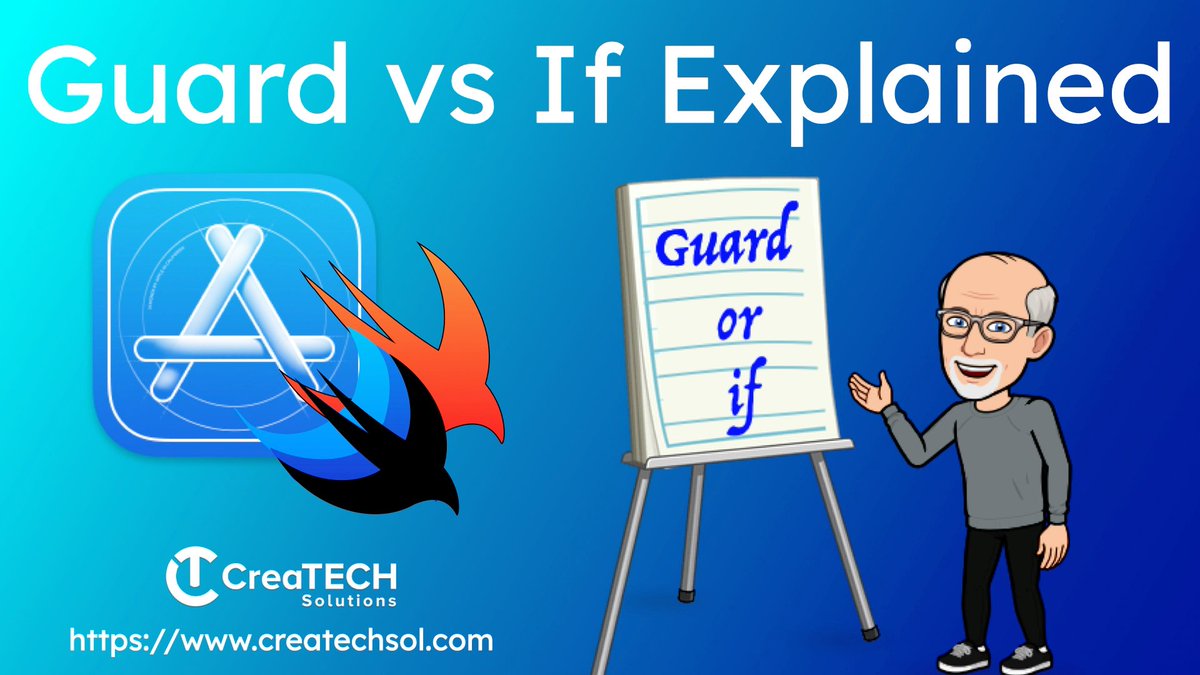
In this video, I take a break from WWDC and get back to #Swift basics by exploring the differences between using an if condition and a guard condition. In addition we check out execution flow, unwrapping optionals and dealing with throwing errors. youtu.be/y1wVyNRJook

New Article! Learn how to use a powerful new UIKit component- UICalendarView. In this tutorial, I talk about getting started, handling selections, adding decorations, and more! Check it out. swapnanildhol.blog/blog/tech/2022…… #WWDC22 #UICalendarView #SwiftLang #iOSDev #UIKit

There will be a time when you need to translate the gibberish crash log like this. sarunw.com/posts/symbolic… #iosdev

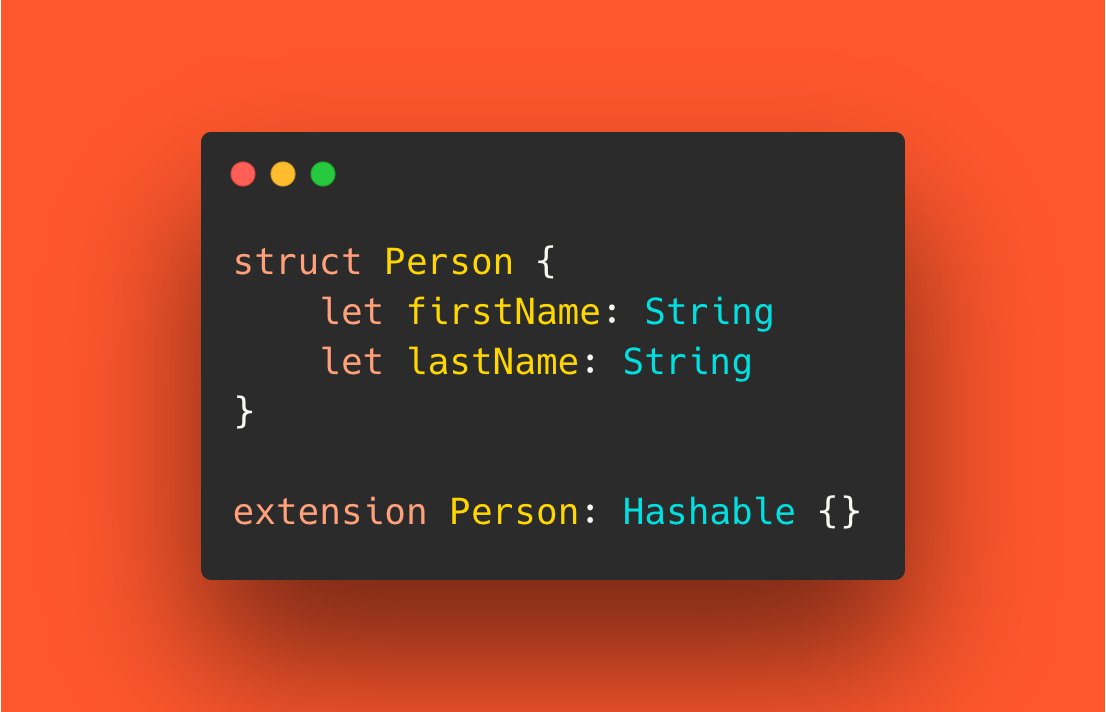
You can opt-in your struct and enum for automatic Equatable and Hashable synthesis. sarunw.com/posts/reduce-b… #iosdev
Open source! Let’s make the Swift Charts :) #swiftLang #iOSDevelopment
Anyone want to help with an open source project to recreate all the charts from this Swift Charts session? Would be great to have an easy resource for inspiration and play!


Never judge a book by it’s title. I always try to add a little extra to my videos and I am happy that my latest one is offering some insight into what might be considered to many, too basic. youtu.be/y1wVyNRJook
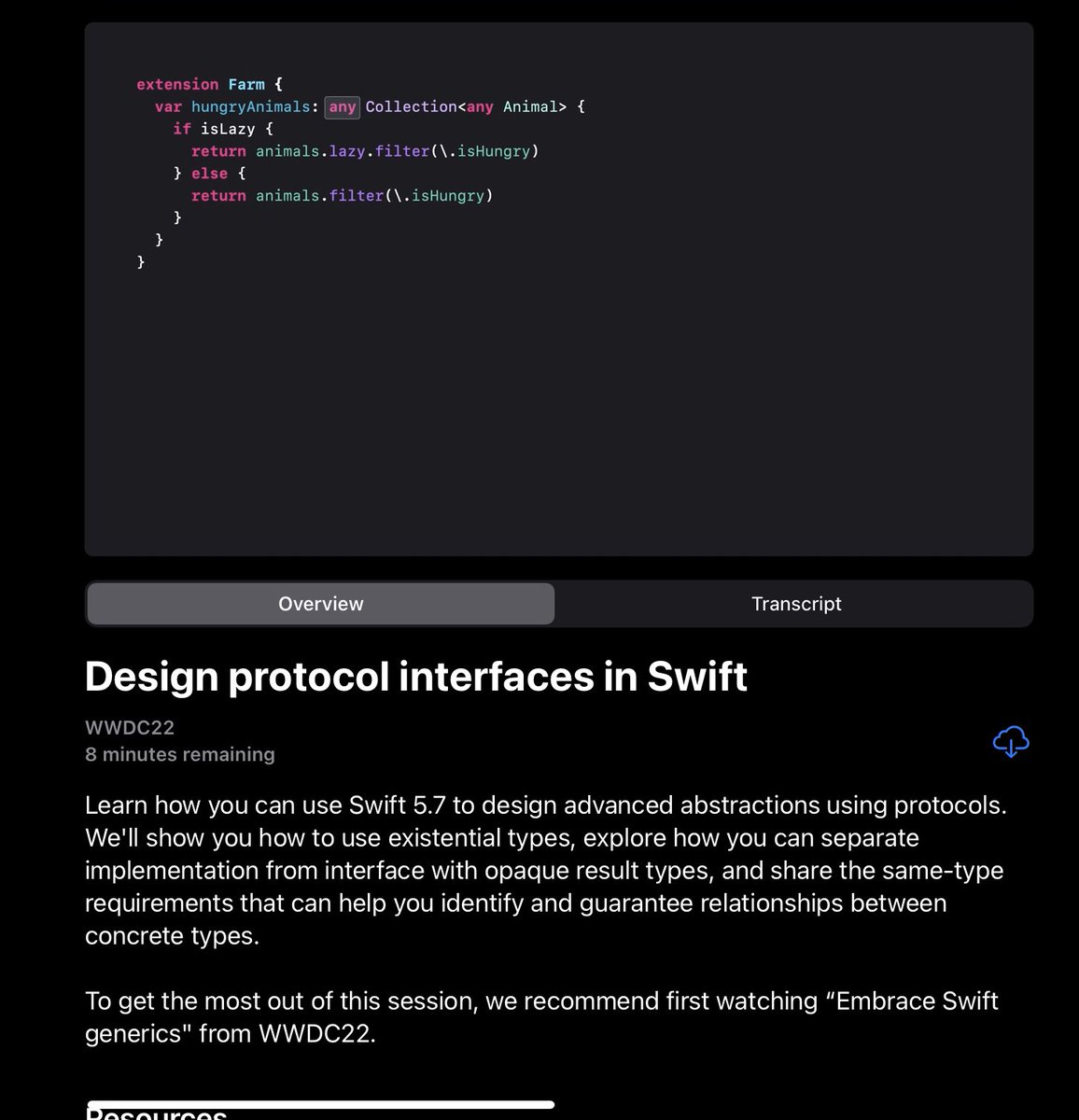
In any WWDC, there’s always a session that I need to watch at least twice to understand… here’s one of them 😅 developer.apple.com/wwdc22/110353

Hey CodeCrew! Here's a rundown on the 3 big themes that stood out from last week's WWDC and our thoughts on what this means to your app development in the future. Watch it here: youtu.be/dWLlV7lnt60


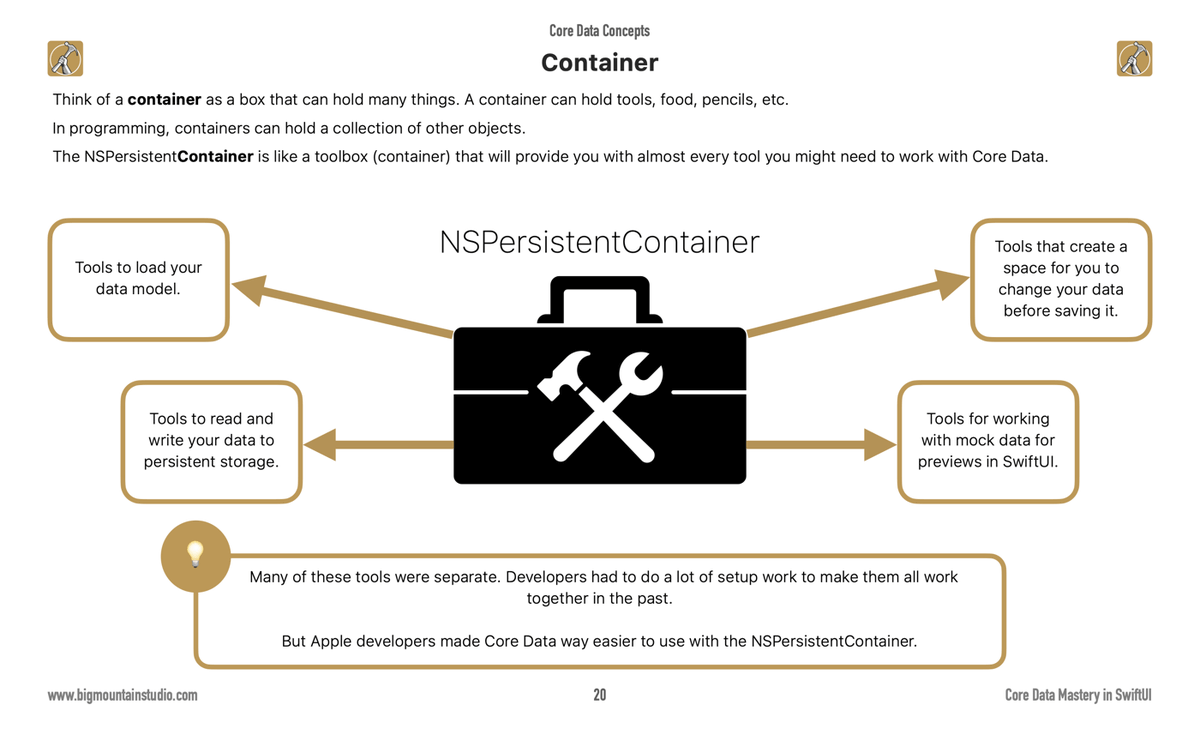
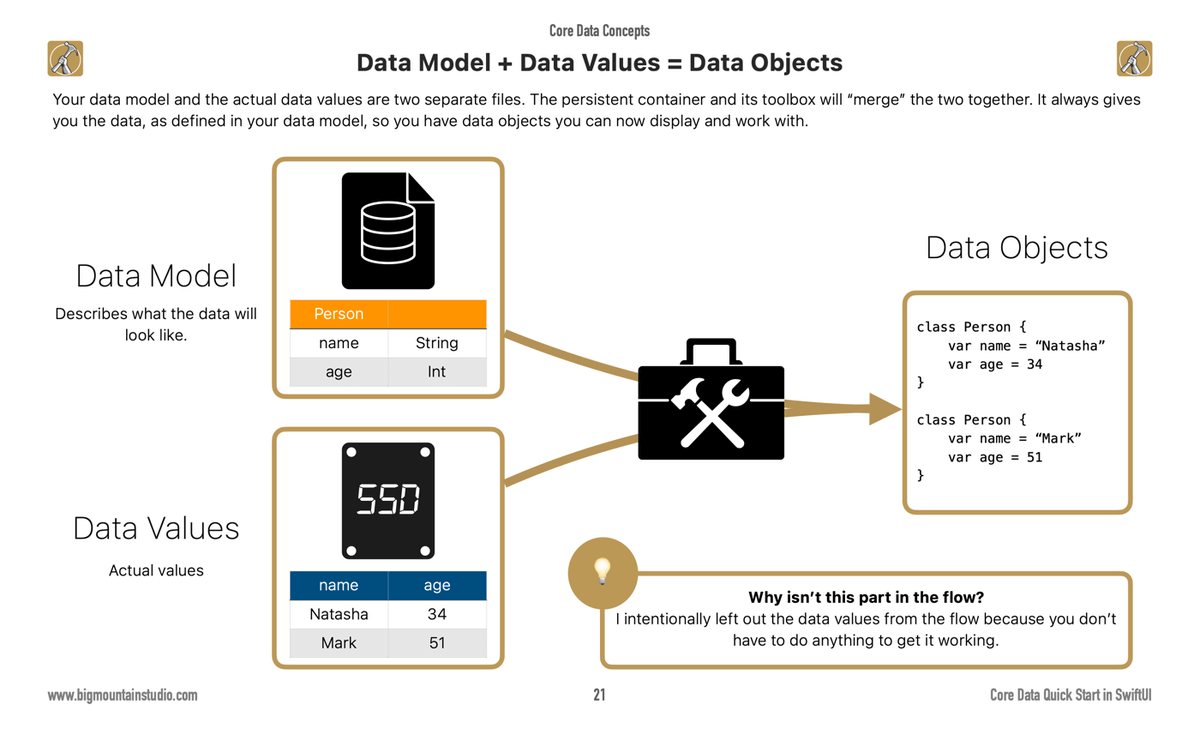
In Core Data we have this toolbox called the NSPersistentContainer. 👉This toolbox will help you get your data ready to use in your app. It's a central part of Core Data. This has been a big step to simplify developers' lives. Instantiate this one object to start using Core Data.























































United States 趨勢
- 1. #DMDCHARITY2025 702K posts
- 2. #TusksUp N/A
- 3. #AEWDynamite 20.9K posts
- 4. #TheChallenge41 2,214 posts
- 5. Diddy 75K posts
- 6. #Survivor49 2,894 posts
- 7. Skyy Clark N/A
- 8. Jamal Murray 7,316 posts
- 9. seokjin 157K posts
- 10. Earl Campbell 2,142 posts
- 11. Yeremi N/A
- 12. Steve Cropper 6,445 posts
- 13. Free Tina 13.6K posts
- 14. Klingberg N/A
- 15. Monkey Wards N/A
- 16. Hilux 6,756 posts
- 17. Achilles 5,627 posts
- 18. Californians 6,688 posts
- 19. Isaiah Stewart 1,737 posts
- 20. Milo 12.7K posts
你可能會喜歡
-
 Danijela Vrzan
@dvrzan -
 Flo writes Code
@FloWritesCode -
 Chris Wu
@MuseumShuffle -
 Aivars Meijers
@Aivars_Meijers -
 Pitt (Swift && Tips)
@swiftandtips -
 tundsdev
@tundsdev -
 iOSDevHappyHour
@iosdevhappyhour -
 Mikaela Caron 🦄
@mikaela__caron -
 Malin Sundberg
@malinsundberg -
 emin 📟
@emin_ui -
 Scott Smith
@ScottSmithDev -
 Abdullah Ajmal
@abdulllahajmal -
 Kavsoft
@_Kavsoft -
 Jordi Bruin
@jordibruin -
 Natascha Fadeeva
@tanaschita
Something went wrong.
Something went wrong.