


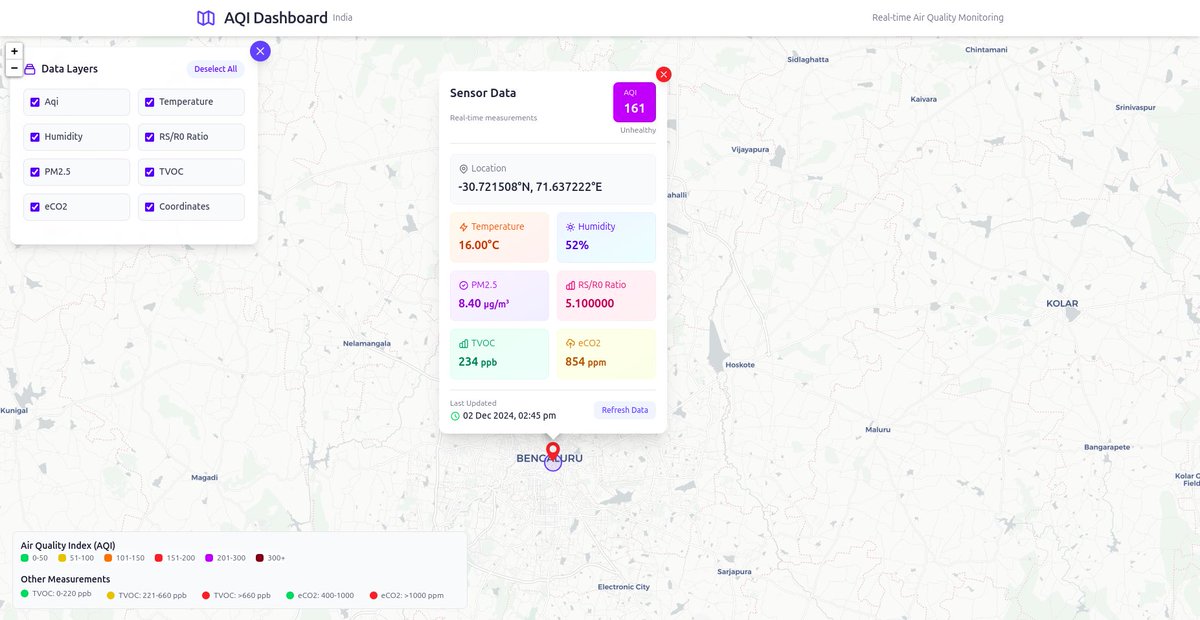
It’s time to explain about our project which we have built at #Unfold24 hackathon . Project Title: Tropic Thunder What it is?? A Local Intelligence based Climate Tech A small detailed thread 🧵 👇🏻
My favorite projects for 2025: @base @EclipseFND @0xPolygon @0xCapx @monad_xyz @0xPolygonMiden @aztecnetwork @arbitrum @_kaitoai @nufflelabs @AvailProject @fuel_network @nillionnetwork @selfchainxyz bullish 🔥🤩
comeback is always greater than setback 😌

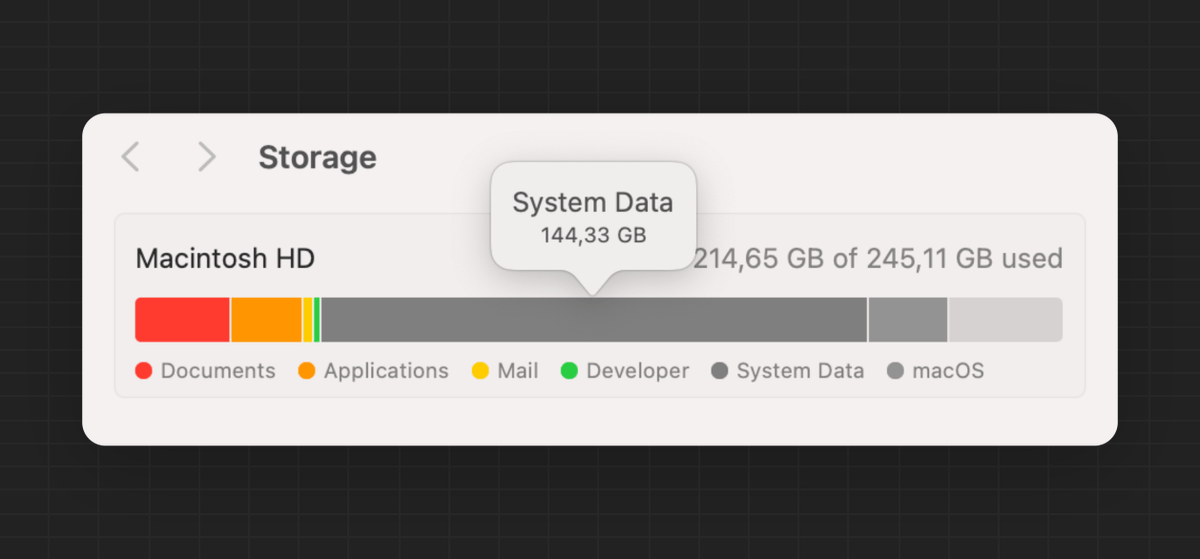
system data + macOS takes up almost 70% of total storage in macOS Sequoia this should be illegal

Ever wish you could cover your friend's gas fees? Soon you'll be able to. EIP-7702 is about to make it a reality with gas sponsorship, improve account management in @ethereum by allowing EOA to temporarily delegate control to smart contract. Excited to see where space is heading

It was an incredible experience attending #Token2049Singapore, and here are some of my key takeaways: Positive Builder Energy: Despite the current market conditions, builders are optimistic and passionate. It’s inspiring to see so many people working on innovative solutions. ⚒️…
Day 13 / 30 of the GitHub Command Challenge Command: git config --global alias Explanation: Creates aliases for commonly used Git commands, allowing you to use shorter versions of longer commands. History Fact: The git config --global alias feature was introduced to Git to…
Day 12 / 30 of the GitHub Command Challenge Command: git reflog Explanation: Shows the history of changes to the local repository. This command can be used to recover lost commits and understand the history of your work. History Fact: git reflog was created to give developers…
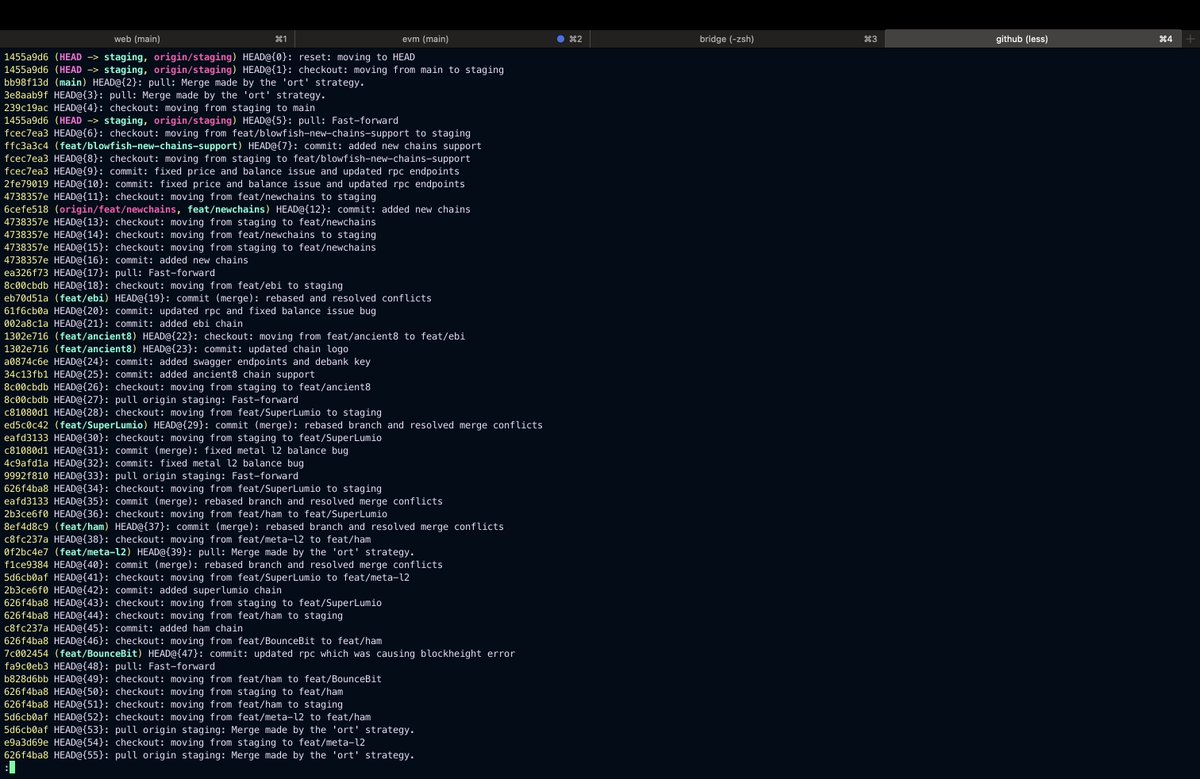
Day 11 / 30 of the GitHub Command Challenge Command: git stash Explanation: Temporarily saves changes that aren’t ready to be committed. This is useful when you need to switch branches or work on something else without committing incomplete work. History Fact: The git…

Day 10 / 30 of the GitHub Command Challenge Command: git rebase {branchName} Explanation: Reapplies commits on top of another base tip. This command is often used to clean up commit history before merging. History Fact: git rebase was introduced to simplify the commit history,…
Day 09 / 30 of the GitHub Command Challenge Command: git merge {branchName} Explanation: Merges changes from one branch into another. This command is used to combine the work done in different branches. History Fact: Merging in Git is a key feature that allows for…
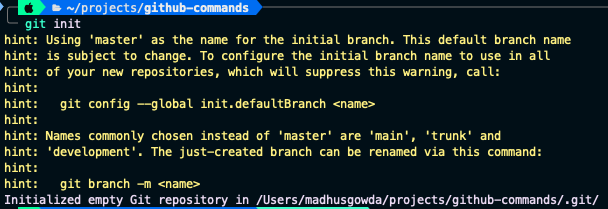
Day 01 / 30 of GitHub Command Challenge Command: git init Explanation: Initializes a new Git repository in the current directory, creating a .git directory with all the necessary repository files. This is the first step in creating a new project in Git. History Fact: git init…
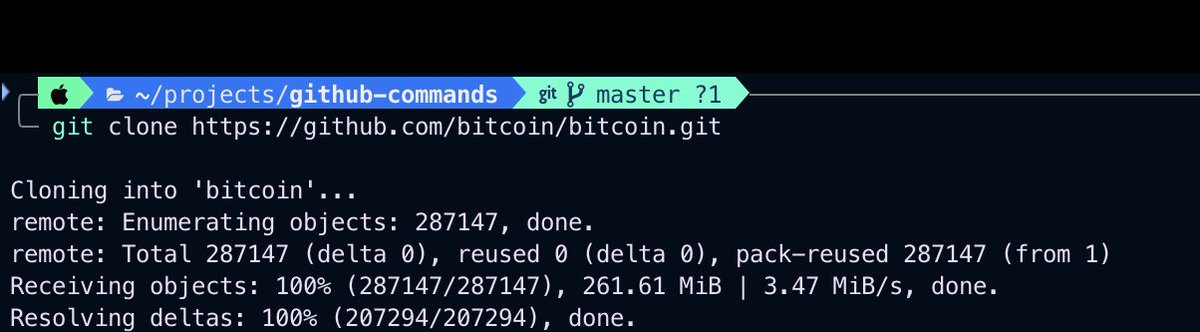
Day 02 / 30 of GitHub Command Challenge Command: git clone Explanation: Clones a repository into a new directory. This is used to copy an existing repository from a remote server to your local machine. Example: git clone github.com/bitcoin/bitcoi… History Fact: git clone was one…
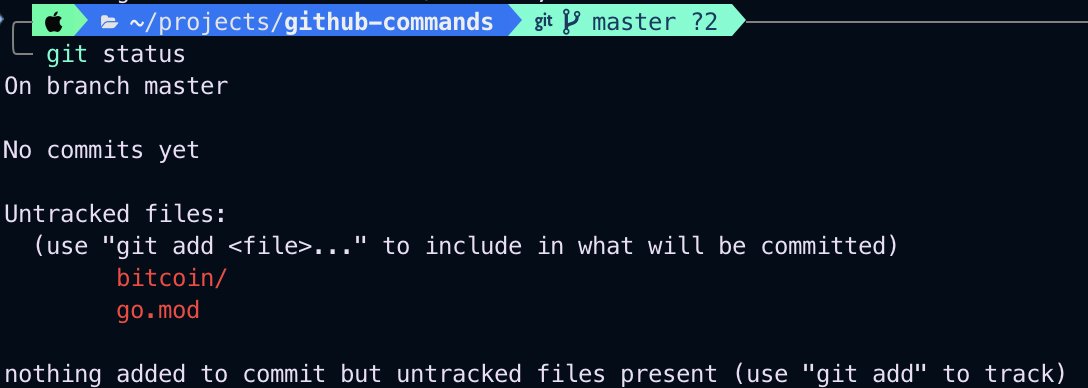
Day 03 / 30 of GitHub Command Challenge Command: git status Explanation: Displays the state of the working directory and the staging area. It shows which changes have been staged, which haven’t, and which files aren’t being tracked by Git. History Fact: The git status command…
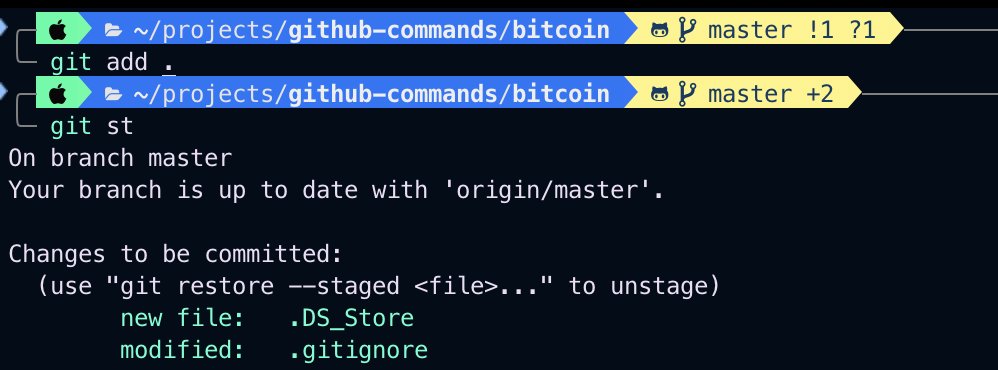
Day 04 / 30 of GitHub Command Challenge Command: git add . / git add {fileName} Explanation: Adds changes in the working directory to the staging area. This command is used to stage files for the next commit. One can add all changes using git add . or can add specific file git…
Day 05 / 30 of the GitHub Command Challenge Command: git commit Explanation: Records will be changed to the repository with a descriptive message. Commits are snapshots of the project at specific points in time. History Fact: The commit process in Git was designed to ensure…

🚀 Discover the power of gRPC: a high-performance RPC framework transforming distributed systems! Learn how gRPC's Protocol Buffers & HTTP/2 boost efficiency and scalability. Dive into a detailed example in my latest blog post:[dev.to/madhusgowda/un…] #gRPC #microservices #blog
dev.to
Understanding gRPC in Golang: A Comprehensive Guide with Examples
Introduction gRPC (gRPC Remote Procedure Calls) is a modern high-performance RPC (Remote...
Day 06 / 30 of the GitHub Command Challenge Command: git log Explanation: Displays the commit history of the repository. This command is used to view past commits and their messages History Fact: The ability to log commit history is crucial for understanding the evolution of a…
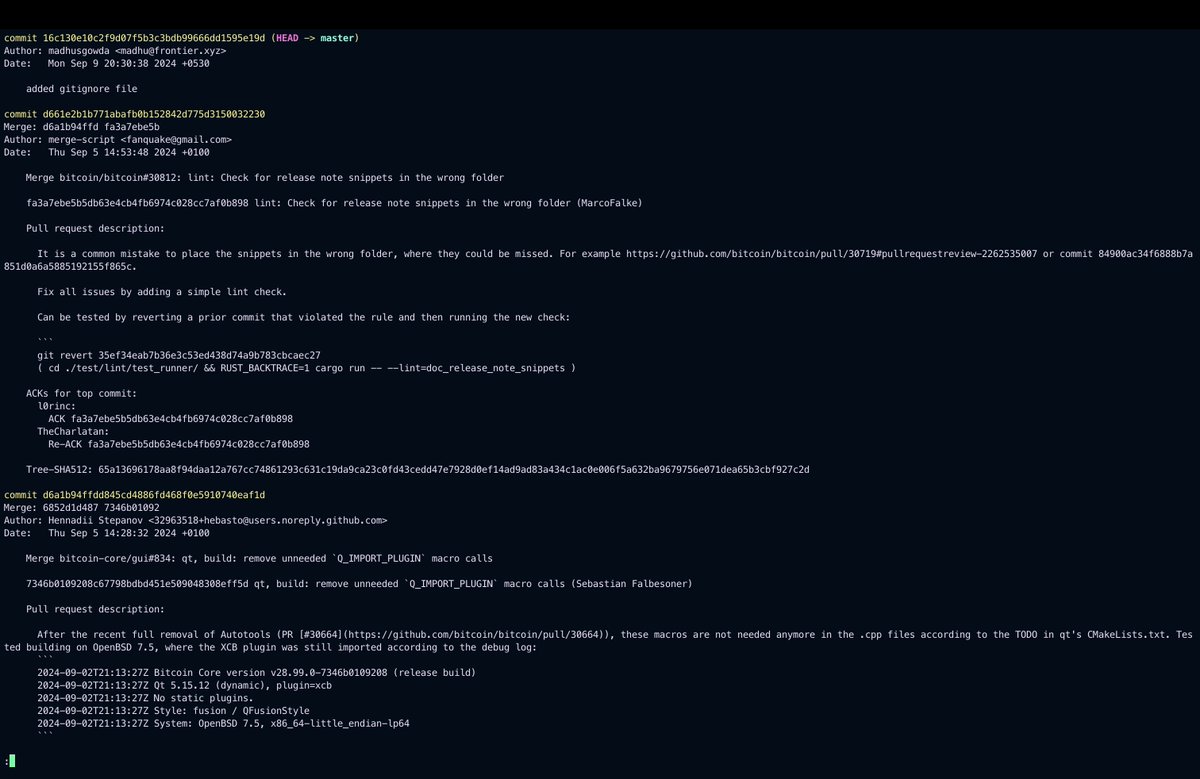
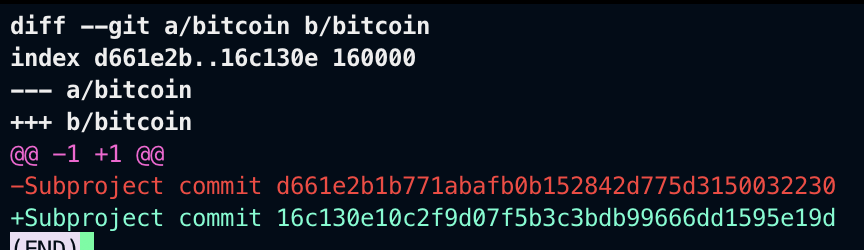
Day 07 / 30 of the GitHub Command Challenge Command: git diff Explanation: Shows the differences between commits, the working directory, and the staging area. This command helps you see what changes have been made to your files. History Fact: git diff was implemented to allow…






































United States Trends
- 1. Joe Brady N/A
- 2. Aaron Glenn N/A
- 3. Holocaust N/A
- 4. Philip Glass N/A
- 5. Daboll N/A
- 6. Engstrand N/A
- 7. Babich N/A
- 8. Jimmy Kimmel N/A
- 9. #ValentinoSpeculaMundi N/A
- 10. #Olandria N/A
- 11. #DaredevilBornAgain N/A
- 12. Juan Crow N/A
- 13. Doomsday Clock N/A
- 14. Vindman N/A
- 15. Kennedy Center N/A
- 16. #Jets N/A
- 17. Frank Reich N/A
- 18. Amazon Fresh N/A
- 19. Woody N/A
- 20. Megyn N/A
Something went wrong.
Something went wrong.