
#tcooptips kết quả tìm kiếm

#TCoopTips Have questions about how to use or access #TCoop resources, services, or facilities? Browse or search 🔎 commonly asked questions with the FAQ Search link in the new Find It search box.

Is this you? Then don't forget to grab a book from the "Popular Reading" section before heading out for Spring Break! #yourtcoop #tcooptips #uofsc #uofscstudents #springbreak #uofscspringbreak

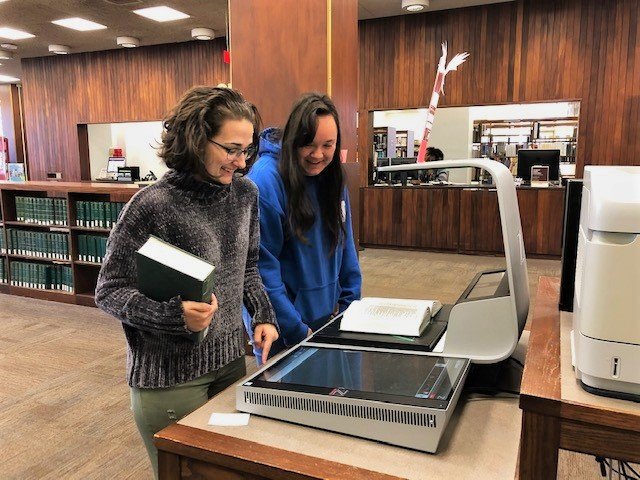
Notice anything different at #TCoop? 👀 We’re testing out a new overhead scanner! Scan books or documents and send them to your email or save them on a USB. If you couldn't tell, our library ambassadors are pretty excited about it. #TCoopTips #yourtcoop #uofsc
It's the first week of the semester #UofSCStudents and you know what that means? It's textbook time! Don't want your bank account to take a hit? 📉 See if #TCoop has your textbooks on course reserve. #TCoopTips #YourTCoop

@UofSC faculty, staff, and students now have unlimited access to NYTimes.com! Claim a pass and register online first ⬇️ guides.library.sc.edu/nytimes #TCoopTips @UofSC_SJMC


Are you trying to figure out how to print from your laptop or computer? Check out this video to learn how to print from your laptop and send it to the printers in #tcoop. #NewvideoWednesday #tcooptips #yourtcoop youtu.be/NinmbtaEowE

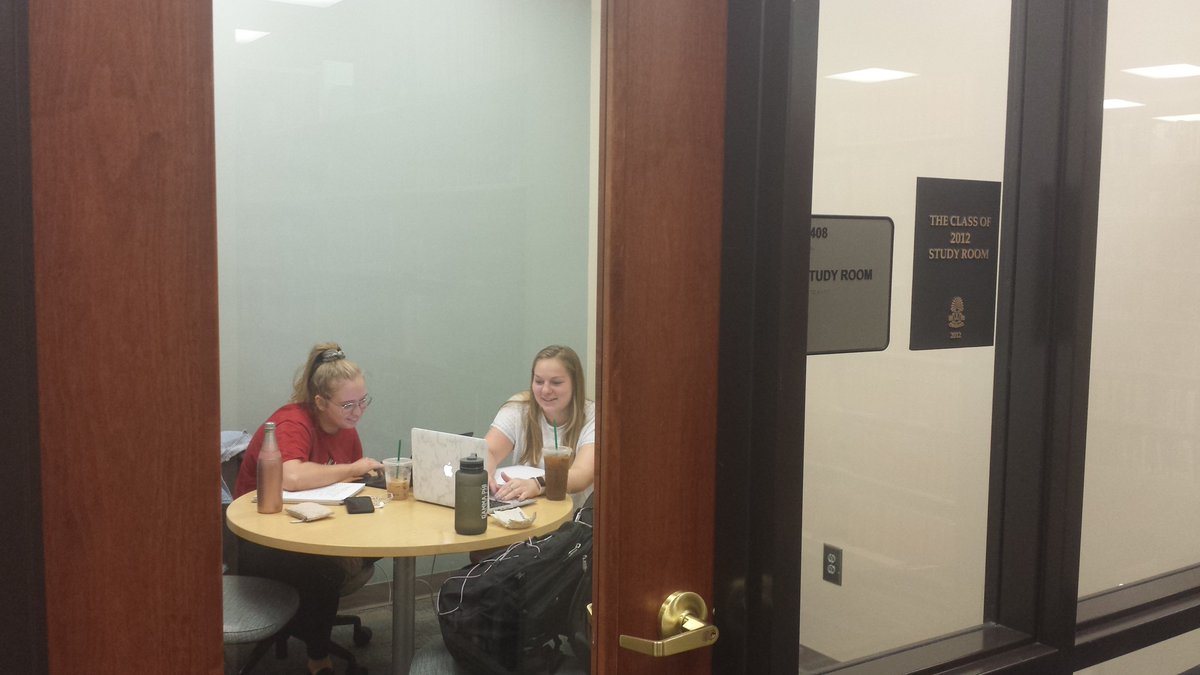
Looking for somewhere to study? This video will show you how to book a study room at Thomas Cooper Library! #tcooptips #NewVideoWednesday #youtcoop youtu.be/YsSxeaSz7vA

Hate citations? 😣 We got you. Try Zotero, a free online tool, to organize your sources and generate in-text citations and bibliographies with one click. No style manual required. Sound too good to be true? Check it out for yourself ⬇️ guides.library.sc.edu/zotero #TCoopTips #UofSC

Are you trying to learn how to navigate the #UofSCLibraries homepage? View this video to get acquainted with the homepage and get a jump on your research. #NewvideoWednesday #tcooptips #yourtcoop youtu.be/QIOYrNx7qNo

Fall break is less than one week away! Need to get schoolwork done before you leave campus? Book a study room now and then enjoy your (much needed) break - (sc.edu/about/offices_…) #TCoopTips
Need to use our research resources but not quite sure where to start? 🤔 Our subject guides will point you in the right direction for finding articles, books, and other resources specific to your discipline ⬇️ bit.ly/resourcesguides #TCoopTips #yourtcoop #uofsc

Did you know that the #tcoop #researchandinstruction dept. has their own YouTube page? This page features #tcooptips to help you with your research and navigating the library website. Look for #NewVideoWednesday. #yourtcoop #uofsclibraries youtube.com/channel/UC6TSS…

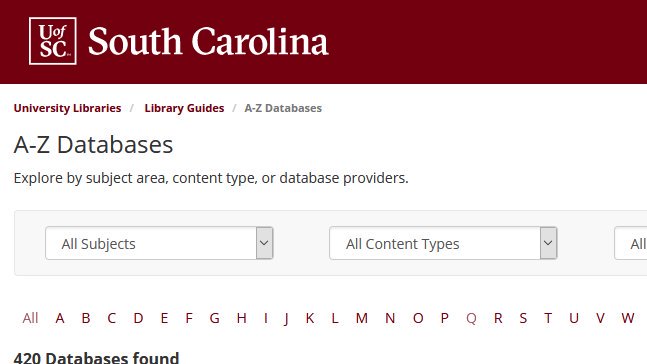
Now that Halloween's over don't let assignments scare you. Avoid the cold weather outside and settle in with some of our online databases. 👉 guides.library.sc.edu/az.php #TCoopTips #yourtcoop #uofsc
#TCoopTips: It's the last day of #transferstudentweek, but #TCoop is always here to help. Transfer students, did you know you can book a librarian to get introduced to library resources at #UofSC? 👉 bit.ly/bookalibrarian… #uofsc #yourtcoop @UofSCSSC @uofsc_ats @TauSigmaAtUSC

Thank you for the shout-out! We are sharing #newtutorials every Wednesday and #tcooptips on Fridays! Be on the lookout for more ways to make the most of your @UofSClibraries ! 🤙
Do you use Google Scholar when searching for articles? Be sure to add in your Google Scholar Library Links to see if TCoop has the article. Check out this video to see how 👉 youtube.com/watch?v=0bewzX… #yourtcoop #newtutorialwednesday #tcooptips @UofSClibraries
Trying to use the @UofSClibraries database SciFinder but not quite sure how to use it? 🤔 In today's #newtutorialwednesday #scienceslibrarin, Valerie will get you started with using this database. youtu.be/GmorTMGvvU0 #tcooptips #yourtcoop @ArtsSciencesUSC @UofSC #uofsc
#TCoopTips Trying to access an electronic journal? This video will show to how to access a journal in under 3 minutes 🕒 👉 youtube.com/watch?v=HPhD2W… #YourTCoop #NewTutorialWednesday
Hey #UofSC faculty and staff 👋 Too busy teaching and researching and basically saving the world to stop by #TCoop to pick up books? Have them mailed instead. Yep, we'll deliver books straight to your office! 👇 bit.ly/facstaffbooks #TCoopTips #YourTCoop
🖨️Did you know you can print from your own device to the printers at #TCoop from anywhere on the #UofSC campus? It's easy - just log in to mobile printing on the library website 👉 bit.ly/mobileprinting… #TCoopTips #yourtcoop
#TCoopTips Trying to access an electronic journal? This video will show to how to access a journal in under 3 minutes 🕒 👉 youtube.com/watch?v=HPhD2W… #YourTCoop #NewTutorialWednesday
#TCoopTips Have questions about how to use or access #TCoop resources, services, or facilities? Browse or search 🔎 commonly asked questions with the FAQ Search link in the new Find It search box.
Is this you? Then don't forget to grab a book from the "Popular Reading" section before heading out for Spring Break! #yourtcoop #tcooptips #uofsc #uofscstudents #springbreak #uofscspringbreak
Trying to use the @UofSClibraries database SciFinder but not quite sure how to use it? 🤔 In today's #newtutorialwednesday #scienceslibrarin, Valerie will get you started with using this database. youtu.be/GmorTMGvvU0 #tcooptips #yourtcoop @ArtsSciencesUSC @UofSC #uofsc
@UofSC faculty, staff, and students now have unlimited access to NYTimes.com! Claim a pass and register online first ⬇️ guides.library.sc.edu/nytimes #TCoopTips @UofSC_SJMC
Hate citations? 😣 We got you. Try Zotero, a free online tool, to organize your sources and generate in-text citations and bibliographies with one click. No style manual required. Sound too good to be true? Check it out for yourself ⬇️ guides.library.sc.edu/zotero #TCoopTips #UofSC
Hey #UofSC faculty and staff 👋 Too busy teaching and researching and basically saving the world to stop by #TCoop to pick up books? Have them mailed instead. Yep, we'll deliver books straight to your office! 👇 bit.ly/facstaffbooks #TCoopTips #YourTCoop
It's the first week of the semester #UofSCStudents and you know what that means? It's textbook time! Don't want your bank account to take a hit? 📉 See if #TCoop has your textbooks on course reserve. #TCoopTips #YourTCoop
Notice anything different at #TCoop? 👀 We’re testing out a new overhead scanner! Scan books or documents and send them to your email or save them on a USB. If you couldn't tell, our library ambassadors are pretty excited about it. #TCoopTips #yourtcoop #uofsc
Now that Halloween's over don't let assignments scare you. Avoid the cold weather outside and settle in with some of our online databases. 👉 guides.library.sc.edu/az.php #TCoopTips #yourtcoop #uofsc
#TCoopTips: It's the last day of #transferstudentweek, but #TCoop is always here to help. Transfer students, did you know you can book a librarian to get introduced to library resources at #UofSC? 👉 bit.ly/bookalibrarian… #uofsc #yourtcoop @UofSCSSC @uofsc_ats @TauSigmaAtUSC
🖨️Did you know you can print from your own device to the printers at #TCoop from anywhere on the #UofSC campus? It's easy - just log in to mobile printing on the library website 👉 bit.ly/mobileprinting… #TCoopTips #yourtcoop
Do you use Google Scholar when searching for articles? Be sure to add in your Google Scholar Library Links to see if TCoop has the article. Check out this video to see how 👉 youtube.com/watch?v=0bewzX… #yourtcoop #newtutorialwednesday #tcooptips @UofSClibraries
Fall break is less than one week away! Need to get schoolwork done before you leave campus? Book a study room now and then enjoy your (much needed) break - (sc.edu/about/offices_…) #TCoopTips
Thank you for the shout-out! We are sharing #newtutorials every Wednesday and #tcooptips on Fridays! Be on the lookout for more ways to make the most of your @UofSClibraries ! 🤙
Need to use our research resources but not quite sure where to start? 🤔 Our subject guides will point you in the right direction for finding articles, books, and other resources specific to your discipline ⬇️ bit.ly/resourcesguides #TCoopTips #yourtcoop #uofsc
Looking for somewhere to study? This video will show you how to book a study room at Thomas Cooper Library! #tcooptips #NewVideoWednesday #youtcoop youtu.be/YsSxeaSz7vA
Are you trying to figure out how to print from your laptop or computer? Check out this video to learn how to print from your laptop and send it to the printers in #tcoop. #NewvideoWednesday #tcooptips #yourtcoop youtu.be/NinmbtaEowE
Are you trying to learn how to navigate the #UofSCLibraries homepage? View this video to get acquainted with the homepage and get a jump on your research. #NewvideoWednesday #tcooptips #yourtcoop youtu.be/QIOYrNx7qNo
Did you know that the #tcoop #researchandinstruction dept. has their own YouTube page? This page features #tcooptips to help you with your research and navigating the library website. Look for #NewVideoWednesday. #yourtcoop #uofsclibraries youtube.com/channel/UC6TSS…
#TCoopTips Have questions about how to use or access #TCoop resources, services, or facilities? Browse or search 🔎 commonly asked questions with the FAQ Search link in the new Find It search box.
Is this you? Then don't forget to grab a book from the "Popular Reading" section before heading out for Spring Break! #yourtcoop #tcooptips #uofsc #uofscstudents #springbreak #uofscspringbreak
Notice anything different at #TCoop? 👀 We’re testing out a new overhead scanner! Scan books or documents and send them to your email or save them on a USB. If you couldn't tell, our library ambassadors are pretty excited about it. #TCoopTips #yourtcoop #uofsc
It's the first week of the semester #UofSCStudents and you know what that means? It's textbook time! Don't want your bank account to take a hit? 📉 See if #TCoop has your textbooks on course reserve. #TCoopTips #YourTCoop
@UofSC faculty, staff, and students now have unlimited access to NYTimes.com! Claim a pass and register online first ⬇️ guides.library.sc.edu/nytimes #TCoopTips @UofSC_SJMC
Looking for somewhere to study? This video will show you how to book a study room at Thomas Cooper Library! #tcooptips #NewVideoWednesday #youtcoop youtu.be/YsSxeaSz7vA
Hate citations? 😣 We got you. Try Zotero, a free online tool, to organize your sources and generate in-text citations and bibliographies with one click. No style manual required. Sound too good to be true? Check it out for yourself ⬇️ guides.library.sc.edu/zotero #TCoopTips #UofSC
Are you trying to learn how to navigate the #UofSCLibraries homepage? View this video to get acquainted with the homepage and get a jump on your research. #NewvideoWednesday #tcooptips #yourtcoop youtu.be/QIOYrNx7qNo
Are you trying to figure out how to print from your laptop or computer? Check out this video to learn how to print from your laptop and send it to the printers in #tcoop. #NewvideoWednesday #tcooptips #yourtcoop youtu.be/NinmbtaEowE
#TCoopTips: It's the last day of #transferstudentweek, but #TCoop is always here to help. Transfer students, did you know you can book a librarian to get introduced to library resources at #UofSC? 👉 bit.ly/bookalibrarian… #uofsc #yourtcoop @UofSCSSC @uofsc_ats @TauSigmaAtUSC
Need to use our research resources but not quite sure where to start? 🤔 Our subject guides will point you in the right direction for finding articles, books, and other resources specific to your discipline ⬇️ bit.ly/resourcesguides #TCoopTips #yourtcoop #uofsc
Fall break is less than one week away! Need to get schoolwork done before you leave campus? Book a study room now and then enjoy your (much needed) break - (sc.edu/about/offices_…) #TCoopTips
Did you know that the #tcoop #researchandinstruction dept. has their own YouTube page? This page features #tcooptips to help you with your research and navigating the library website. Look for #NewVideoWednesday. #yourtcoop #uofsclibraries youtube.com/channel/UC6TSS…
Now that Halloween's over don't let assignments scare you. Avoid the cold weather outside and settle in with some of our online databases. 👉 guides.library.sc.edu/az.php #TCoopTips #yourtcoop #uofsc
Something went wrong.
Something went wrong.
United States Trends
- 1. Mariota 2,984 posts
- 2. Tomlin 21.4K posts
- 3. #RHOP 6,772 posts
- 4. Steelers 57.9K posts
- 5. #Married2Med 1,111 posts
- 6. Maxey 3,228 posts
- 7. Vikings 34.4K posts
- 8. Jalen Johnson 2,332 posts
- 9. Bills 88K posts
- 10. Josh Allen 14.1K posts
- 11. #RaiseHail 1,983 posts
- 12. Bo Nix 2,539 posts
- 13. Rodgers 14.6K posts
- 14. #BroncosCountry 2,125 posts
- 15. Ole Miss 114K posts
- 16. Cavs 4,970 posts
- 17. Brock Bowers 4,373 posts
- 18. Justin Jefferson 5,415 posts
- 19. #90DayFiance N/A
- 20. Collinsworth N/A