
#webflowupdate search results

Introducing search in the asset manager, which lets you quickly find assets based on their file names. 🔍🥳 #WebflowUpdate⚡️
#WebflowUpdate⚡️ Now you can choose from a range of prebuilt layouts to build your site faster – all without writing a line of code. Learn more: wfl.io/prebuiltlayouts
Rich text elements just got a *lot* richer. 🥳 Now you can maximize your long-form content by plugging third-party embeds, HTML, CSS, or even JavaScript right into your rich text elements. 😎 Learn more: wfl.io/RTE-Twitter #WebflowUpdate⚡️
Drop in as many as 25 images into each field. Plus, you can reorder them however you’d like.👏 #WebflowUpdate ⚡️
Now you can simply right-click on a div block to convert it to a link block (and vice versa). 👏 #WebflowUpdate⚡️
You can now capture custom information from your ecommerce customers as they check out! ✍️🥳 #WebflowUpdate⚡️
Upload up to 25 images at once with the *new* multi-image field! 🎉😱🚀 wfl.io/dynamic-cms-up… #WebflowUpdate ⚡️
#WebflowUpdate⚡️ Browse and search for assets faster with the new *wide* view in the asset manager! 🥳 Learn more: wfl.io/wideviewassets
PayPal Checkout for Webflow Ecommerce is officially here! 🥳🎉 You can now open an online store and accept payments in all of @PayPal's merchant-supported countries. Learn more: wfl.io/PayPal-Twitter #WebflowUpdate⚡️
#WebflowUpdate⚡️ Control image resizing within elements using object-fit – giving you a more accessible and faster-loading alternative to background images. 🤩 👉 wfl.io/object-fit
Introducing custom easing curves for interactions ↩️↪️ Now you can set custom easing curves for each step of your interactions, in addition to the existing preset options. 🥳 Learn more: wfl.io/ixcurves-twitt… #WebflowUpdate⚡️
Now you can quickly find and view CMS-connected pages and elements, including: 1. Easily jump to a page in the Designer where the CMS connection exists. ✅ 2. Jump to the specific element in the Designer that’s connected to a CMS item. ✅ #WebflowUpdate⚡
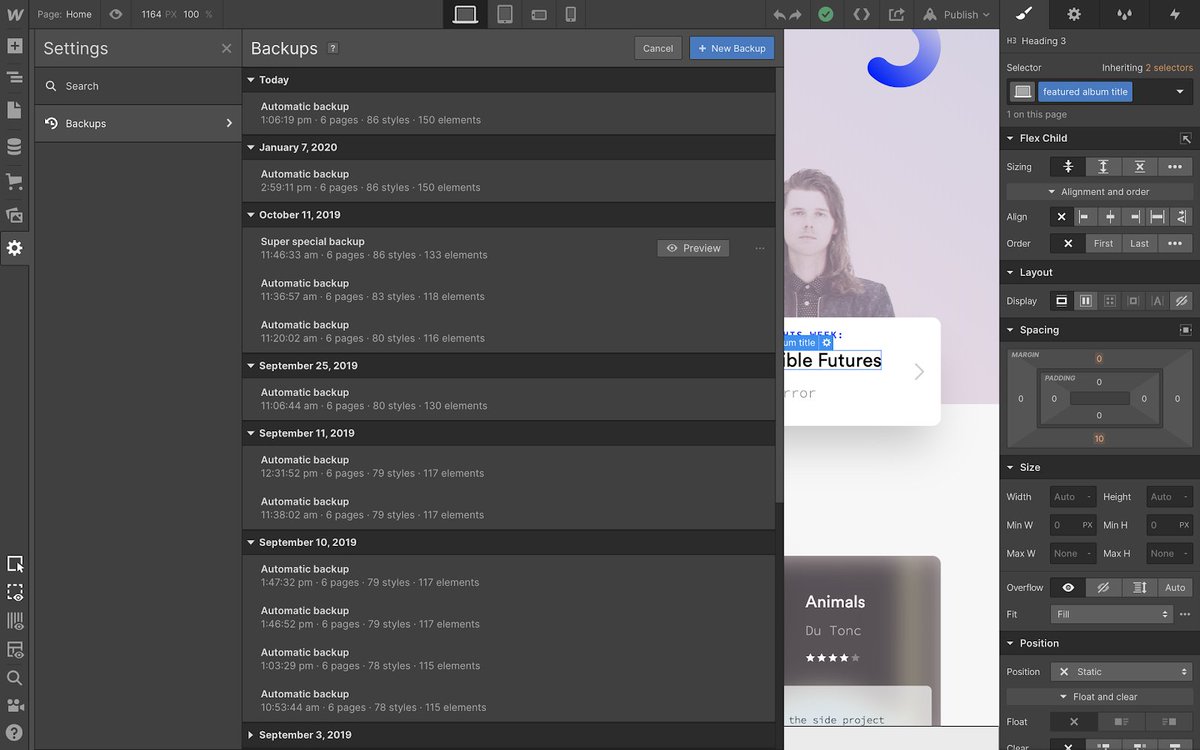
#WebflowUpdate⚡️ Preview, restore, and rename backups from the Designer without needing to hop into the dashboard. 🥳 👉 webflow.com/feature/previe…
As a first step toward better supporting digital goods, you can now indicate whether the product requires shipping or not. 😱🥳 Toggle it off to offer a faster, simpler experience for orders that won’t be shipped. 😎 Learn more: wfl.io/noshipping #WebflowUpdate⚡️
#WebflowUpdate⚡️ Now you can dynamically show or hide elements for unique product variants and order data. 😎 Learn more: wfl.io/conditionalvis…
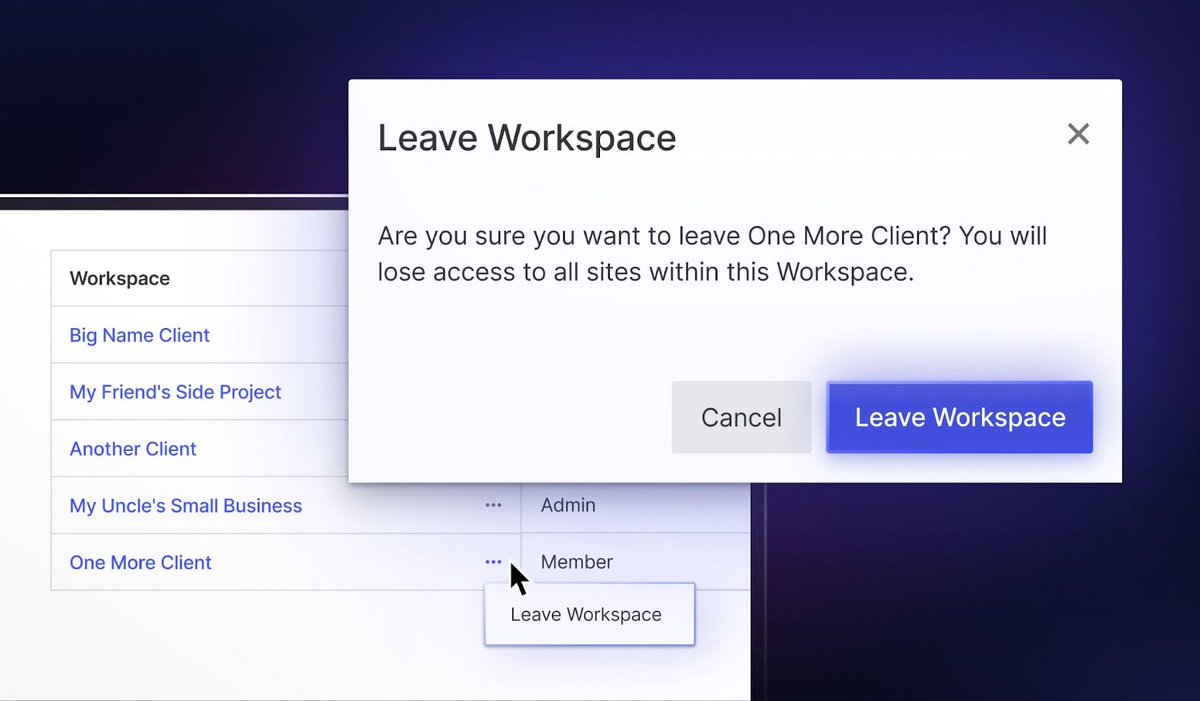
#WebflowUpdate⚡️ Create a better browsing experience with "or" collection filtering (and *two* other enhancements). 😍 Learn more: wfl.io/or-filtering (continued in thread)
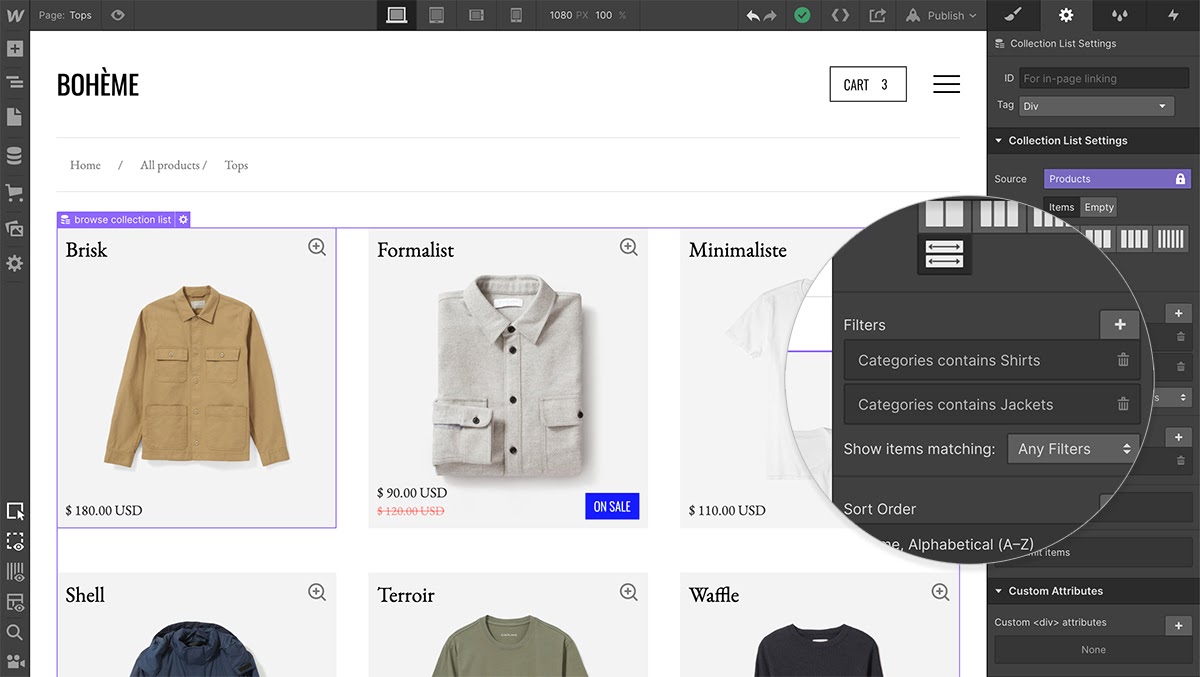

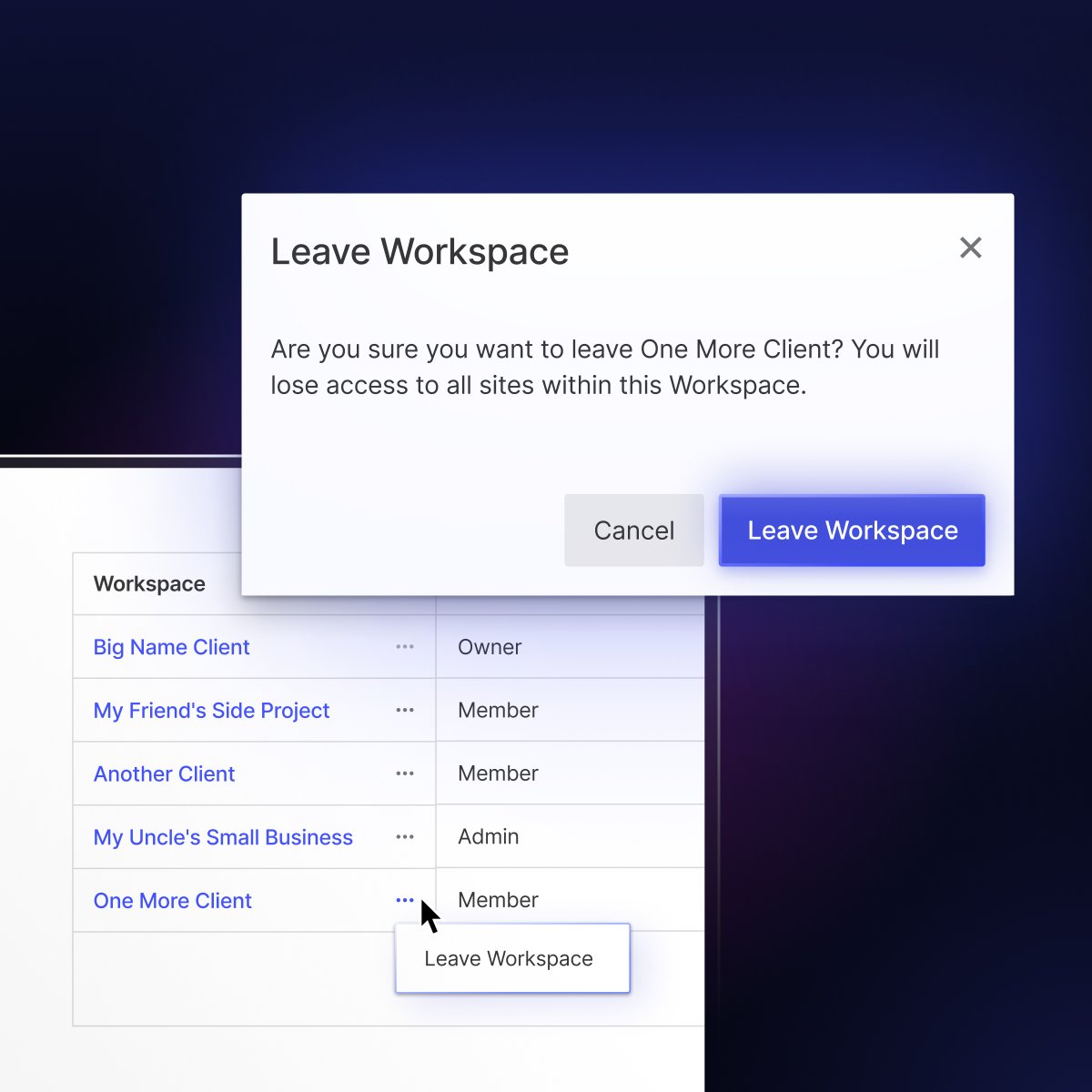
Remove yourself from a Webflow Workspace. Webflow new update 2023. #webflow #webflowupdate #webdevelopment

⚠️⚠️ Hey Fri3nds! There’s a @webflow update that makes us crazy! ⚠️⚠️ Now you can quickly find and edit your interactions with the all new *search bar* in the Interactions panel! 🎉 #webflowupdate #websitegoals #development

My take on the Webflow's new Designer interface update 🎨! Very Figma-esque for designers, but devs might find the CSS translations (Flex & Grid) a bit too literal. Is it still the go-to for learning CSS? 🤔... For now, YES. #WebflowUpdate #DesignerTalk #NoCodeMagic
Say hello to the newly designed layout controls in the Style panel ✨ New flex controls. Improved grid layout. Simplified UI with a more modern and intuitive interface. Rolling out March 4th: webflow.com/updates/style-…

Esta nueva #WebflowUpdate simplifica el proceso de importar diseños y anulaciones de Figma a Webflow. 😄
Remove yourself from a Webflow Workspace. Webflow new update 2023. #webflow #webflowupdate #webdevelopment
#WebflowUpdate Ahora ya puedes dejar un espacio de trabajo 💻 cuando tú quieras sin ayuda del administrador👨💼
Thanks to some recent feedback from customers, it’s now possible for you to remove *yourself* from a Workspace (even if you’re a guest). No more waiting around for an admin to help. Learn more about this update here: wfl.io/rywtw
⚠️⚠️ Hey Fri3nds! There’s a @webflow update that makes us crazy! ⚠️⚠️ Now you can quickly find and edit your interactions with the all new *search bar* in the Interactions panel! 🎉 #webflowupdate #websitegoals #development
#WebflowUpdate todo sobre Webflow Labs y el nuevo plugin Figma a Webflow en el 🧵 de ayer. Léelo completo aquí:
¿Qué te pareció la nueva #webflowupdate de hoy? ¿Estás listo/a para usarla?😁 No te olvides de darle ❤️ a este #thread y nos vemos en el próximo 🧵 de Yungle.
#WebflowUpdate⚡️ Create a better browsing experience with "or" collection filtering (and *two* other enhancements). 😍 Learn more: wfl.io/or-filtering (continued in thread)

A small step in the journey of making Asset Manager better 😉🎉 #LoveMyJob #WebflowUpdate
#WebflowUpdate⚡️ Browse and search for assets faster with the new *wide* view in the asset manager! 🥳 Learn more: wfl.io/wideviewassets
#WebflowUpdate⚡️ Browse and search for assets faster with the new *wide* view in the asset manager! 🥳 Learn more: wfl.io/wideviewassets
#WebflowUpdate⚡️ Now you can dynamically show or hide elements for unique product variants and order data. 😎 Learn more: wfl.io/conditionalvis…
#WebflowUpdate⚡️ Better manage emails for your Ecommerce customers and team with three new enhancements. 📨 (continued in thread)
#WebflowUpdate⚡️ Now you can choose from a range of prebuilt layouts to build your site faster – all without writing a line of code. Learn more: wfl.io/prebuiltlayouts
#WebflowUpdate⚡️ Preview, restore, and rename backups from the Designer without needing to hop into the dashboard. 🥳 👉 webflow.com/feature/previe…
#WebflowUpdate⚡️ Control image resizing within elements using object-fit – giving you a more accessible and faster-loading alternative to background images. 🤩 👉 wfl.io/object-fit
As a first step toward better supporting digital goods, you can now indicate whether the product requires shipping or not. 😱🥳 Toggle it off to offer a faster, simpler experience for orders that won’t be shipped. 😎 Learn more: wfl.io/noshipping #WebflowUpdate⚡️
Introducing custom easing curves for interactions ↩️↪️ Now you can set custom easing curves for each step of your interactions, in addition to the existing preset options. 🥳 Learn more: wfl.io/ixcurves-twitt… #WebflowUpdate⚡️
Rich text elements just got a *lot* richer. 🥳 Now you can maximize your long-form content by plugging third-party embeds, HTML, CSS, or even JavaScript right into your rich text elements. 😎 Learn more: wfl.io/RTE-Twitter #WebflowUpdate⚡️
PayPal Checkout for Webflow Ecommerce is officially here! 🥳🎉 You can now open an online store and accept payments in all of @PayPal's merchant-supported countries. Learn more: wfl.io/PayPal-Twitter #WebflowUpdate⚡️

Another fab #WebflowUpdate and this one is very welcome as it's usually a requirement for most ecommerce clients of ours. No other ecommerce platform I know makes it this easy ❤️
You can now capture custom information from your ecommerce customers as they check out! ✍️🥳 #WebflowUpdate⚡️
Introducing search in the asset manager, which lets you quickly find assets based on their file names. 🔍🥳 #WebflowUpdate⚡️
Now you can simply right-click on a div block to convert it to a link block (and vice versa). 👏 #WebflowUpdate⚡️
You can now capture custom information from your ecommerce customers as they check out! ✍️🥳 #WebflowUpdate⚡️
Upload up to 25 images at once with the *new* multi-image field! 🎉😱🚀 wfl.io/dynamic-cms-up… #WebflowUpdate ⚡️
#WebflowUpdate⚡️ Browse and search for assets faster with the new *wide* view in the asset manager! 🥳 Learn more: wfl.io/wideviewassets
Now you can quickly find and view CMS-connected pages and elements, including: 1. Easily jump to a page in the Designer where the CMS connection exists. ✅ 2. Jump to the specific element in the Designer that’s connected to a CMS item. ✅ #WebflowUpdate⚡
#WebflowUpdate⚡️ Now you can dynamically show or hide elements for unique product variants and order data. 😎 Learn more: wfl.io/conditionalvis…
#WebflowUpdate⚡️ Preview, restore, and rename backups from the Designer without needing to hop into the dashboard. 🥳 👉 webflow.com/feature/previe…
Introducing custom easing curves for interactions ↩️↪️ Now you can set custom easing curves for each step of your interactions, in addition to the existing preset options. 🥳 Learn more: wfl.io/ixcurves-twitt… #WebflowUpdate⚡️
#WebflowUpdate⚡️ Control image resizing within elements using object-fit – giving you a more accessible and faster-loading alternative to background images. 🤩 👉 wfl.io/object-fit
As a first step toward better supporting digital goods, you can now indicate whether the product requires shipping or not. 😱🥳 Toggle it off to offer a faster, simpler experience for orders that won’t be shipped. 😎 Learn more: wfl.io/noshipping #WebflowUpdate⚡️
#WebflowUpdate⚡️ Create a better browsing experience with "or" collection filtering (and *two* other enhancements). 😍 Learn more: wfl.io/or-filtering (continued in thread)
Remove yourself from a Webflow Workspace. Webflow new update 2023. #webflow #webflowupdate #webdevelopment
Something went wrong.
Something went wrong.
United States Trends
- 1. #ForTT_Telegram_sam11adel N/A
- 2. Broncos 48K posts
- 3. Happy New Month 238K posts
- 4. Mariota 13.3K posts
- 5. Commanders 33.6K posts
- 6. Bo Nix 10.2K posts
- 7. #BaddiesUSA 27.6K posts
- 8. #RaiseHail 5,805 posts
- 9. Riley Moss 2,300 posts
- 10. #ITWelcomeToDerry 20.9K posts
- 11. Washington 120K posts
- 12. Treylon Burks 12.5K posts
- 13. Dolly 14.8K posts
- 14. Root 40.9K posts
- 15. #RHOP 13.1K posts
- 16. Chrisean 10.2K posts
- 17. Deebo 3,148 posts
- 18. Ertz 3,133 posts
- 19. Bobby Wagner 1,071 posts
- 20. Dan Quinn N/A