
#powershelltip نتائج البحث

Did you know the #PowerShell split method has a 'MaxSubString' parameter? If you specify .split('.',2) it'll split the string at the first two . and then stop #PowerShellTip


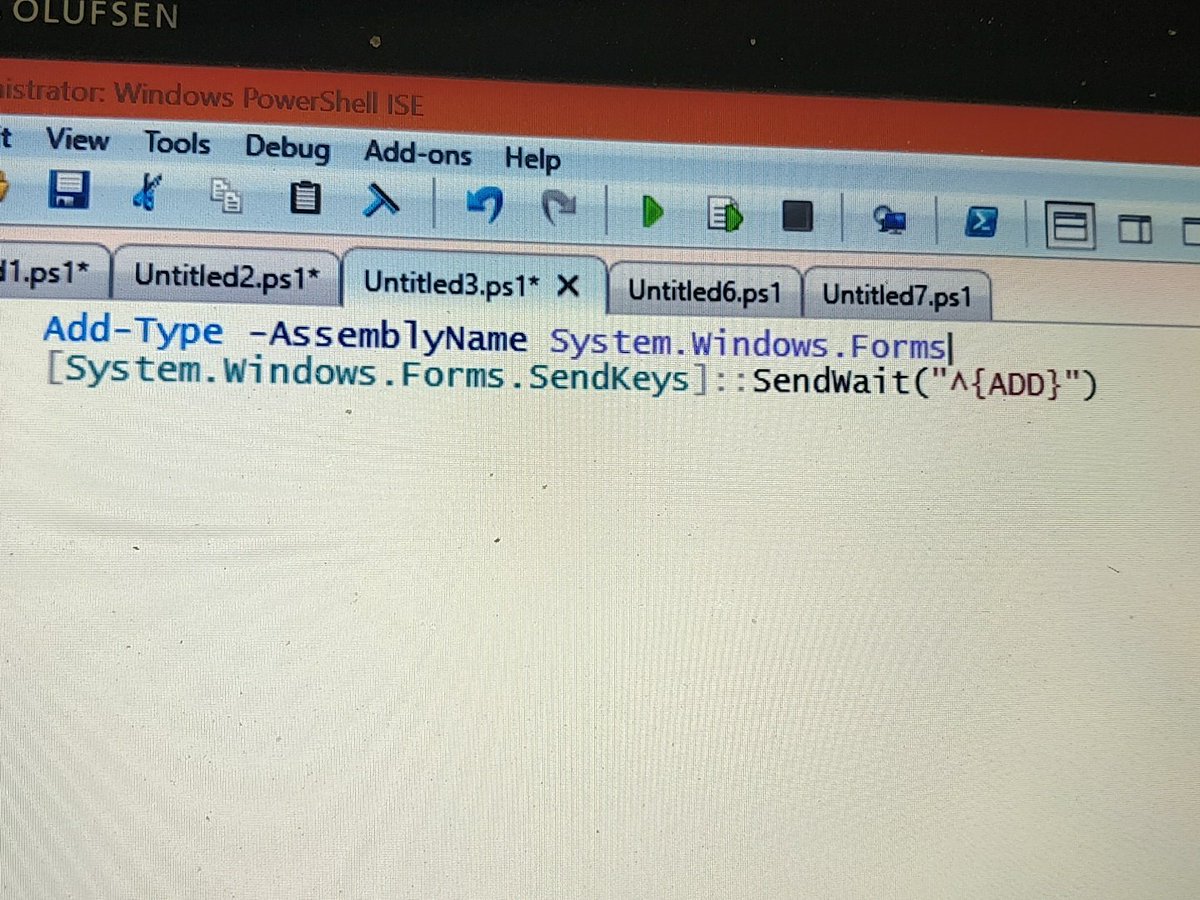
#PowerShellTip to zoom in ISE or VS Code by sendkeys class and sendwaitmethod() ^ is 'CTRL' and {ADD} is '+' Zoom by 5% 😉

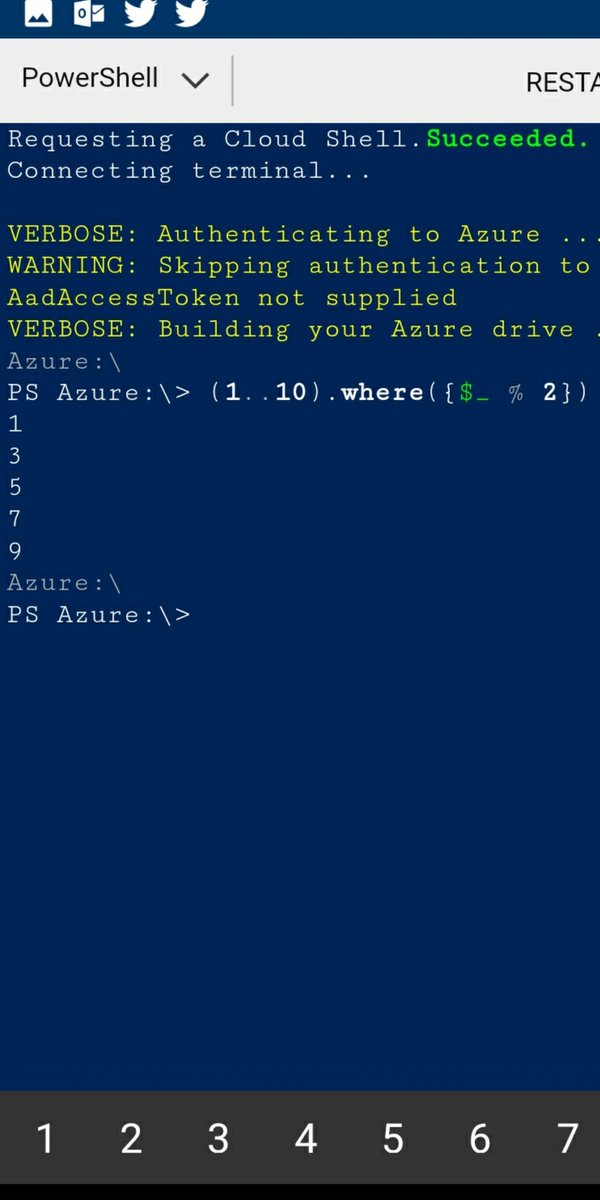
Did you know that you can assign multiple variables via the Split operator (and string method)? #PowerShell #PowerShellTip

----------#PowerShell Tip #2---------- Get-Help automatically adds the wildcard characters behind the scenes. In the example, the (*) wildcard characters are not required and omitting them produces the same result. #PowerShellTip #girlswhocode #100DaysOfCode #azure #Microsoft

![ChendrayanV's tweet image. #PowerShellTip to find methods overload definitions [math]::abs](https://pbs.twimg.com/media/DSyyss5VAAErs6F.jpg)

Make your code editor window the same size as your normal column length to discourage long lines. #PowerShellTip


#PowerShellTip: To change your prompt, use the following syntax: function prompt { 'Test: ' + (Get-Location) + '> '} You can then retrieve the contents of the function with the following: Get-Content function:\prompt


If you are using PowerShell as your terminal in VSCode, you can pipe any output or variable to 'New-EditorFile'. 😎#powershelltip

#PowerShellTip to render HTML on browser using #Polaris module! Working on own middleware template.... Try it yourself! github.com/PowerShell/Pol…


#PowershellTip: if you want somewhat equiv of multi thread capabilities when invoking remote commands/scripts, build a foreach loop and use start-job to kick off the scripts on each remote machine. Can also monitor all jobs progress in one window with get-job ran on each system
#PowerShellTip #PowerShell one liner Get previous month last date ([DateTime]::Today.AddDays(- ([datetime]::Today.Day))).ToLongDateString()
![ChendrayanV's tweet image. #PowerShellTip #PowerShell one liner
Get previous month last date
([DateTime]::Today.AddDays(- ([datetime]::Today.Day))).ToLongDateString()](https://pbs.twimg.com/media/EOaM-87U4AArrGO.jpg)

@orzelc: If you access that reference sys via Windows, this should help: blogs.technet.com/b/heyscripting… #powershelltip

#Powershelltip: Need to track or review what you do in powershell? Use Start-Transcript to log to a file. http://bit.ly/9jfz9c
TIL that you can label your loops in PowerShell and then control which one you break out of by referencing the label. That's pretty neat! #PowerShellTip e.g. github.com/jpomfret/Adven…
#PowerShellTip: if you want to open the current directory you're in in file explorer, type "ii ."
#PowerShellTip: You can add registry hives/directory locations to a stack, and navigate through that stack using *location cmdlets such as push-location, set-location, get-location and pop-location

#sqltip #powershelltip #dostip #checkport powershell tnc <hostname> -port <num> e.g. tnc winpc1 -port445 "WARNING: TCP Connect to winpc1:445 failed"
Something went wrong.
Something went wrong.
United States Trends
- 1. Kilmar Abrego Garcia 1,629 posts
- 2. #thursdayvibes 2,547 posts
- 3. Godzilla 29.1K posts
- 4. Sora 49.3K posts
- 5. NASCAR 8,971 posts
- 6. Good Thursday 39.3K posts
- 7. Usher 4,433 posts
- 8. Johnny Morris N/A
- 9. Michigan Man 7,051 posts
- 10. Person of the Year 11.8K posts
- 11. #RIME_AIlogistics N/A
- 12. #NXXT_NEWS N/A
- 13. Shaggy 2,687 posts
- 14. #PiratasDelImperio 3,184 posts
- 15. #thursdaymotivation 2,996 posts
- 16. JUNGKOOK FOR CHANEL BEAUTY 169K posts
- 17. Dolly Parton 6,538 posts
- 18. Trey Songz N/A
- 19. Lupin 4,471 posts
- 20. Happy Friday Eve N/A