
#decodingmaya 검색 결과

Have you tried out the Smooth (Butterworth) filter in #Maya2020 yet? We brought the Butterworth filter from Motion Builder into Maya! You can access it in the Graph Editor's Curves menu. #gamedev #decodingMaya #maya3d #animation #mocap

Did you know you can scale #animation curves without switching to scale in Maya? Select your curve/keys & hold ctrl+shift+right-click, you can snap to keys or be in any area you want. Time or Value, how cool is that! #AutodeskMaya #DecodingMaya #Maya2018 #gamedev
Hey all! #Maya2020 Update 1 came out yesterday, and there's a bunch of cool new updates to bookmarks! You can now move and scale your bookmarks directly from the time slider by holding Control and left clicking on the bookmark. #animation #decodingmaya #maya3d #gamedev

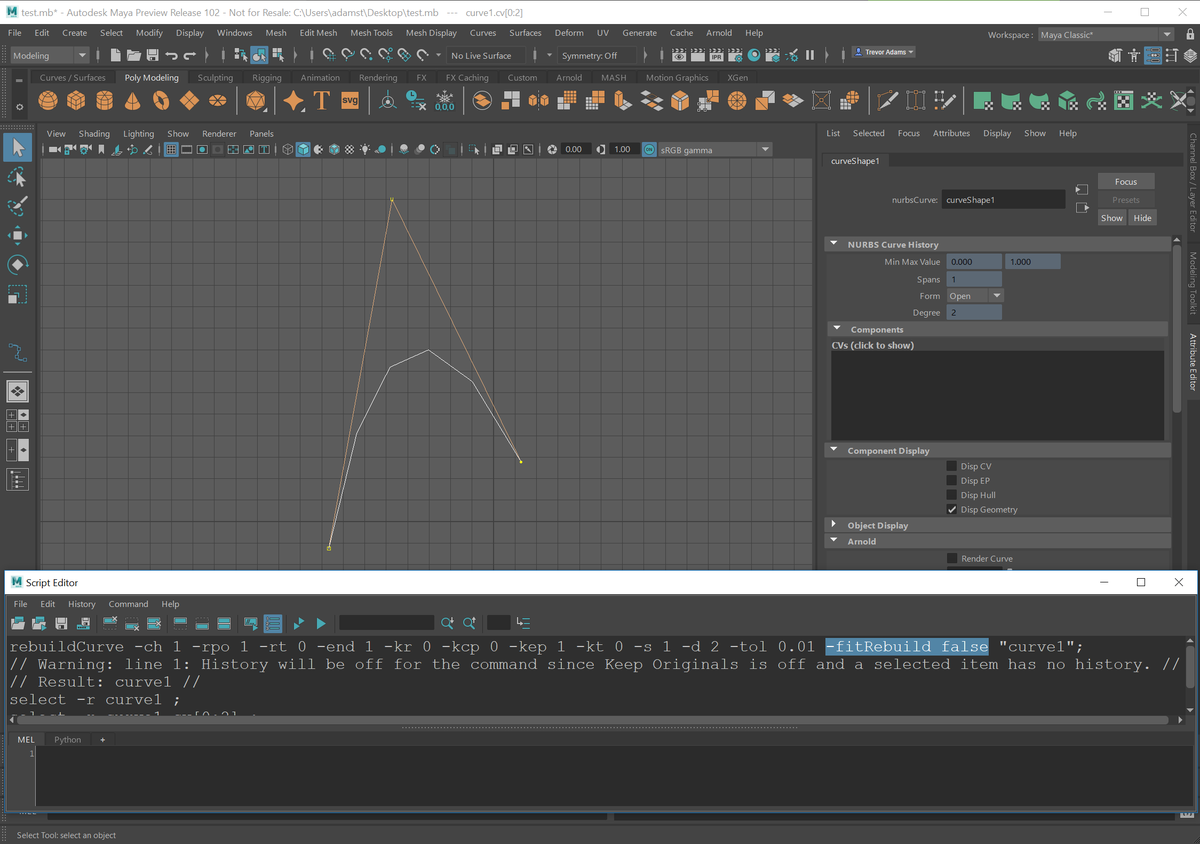
Is Maya's Rebuild Curve creating one too many spans? There's a MEL argument for that: fitRebuild. Set this to false to avoid using the Best Fit (Least Squares) method when rebuilding curves (which can ignore your span and degree settings). #DecodingMaya #AdskMaya #Maya #gamedev
Another little update from #Maya2020 Update 1: we fixed up the bookmark manager so that bookmarks are ordered based on timing (start frame) rather than creation time. #decodingMaya #gamedev #maya3d #animation
In #Maya2020, you can adjust where to position the time ruler in the graph editor - either top or bottom. We got the request to have it bottom aligned from many customers so now you can customize it from the GE's View menu. #decodingmaya #maya3d #gamedev #animation
When working with bookmarks in #Maya2020, you can set an existing bookmark to a selected range on the time slider by right clicking on the bookmark and using 'Update Bookmark with Selection.' #decodingMaya #maya3d #animation #gamedev
You can adjust the draw style of your keys and tangents in the #Maya2020 graph editor between detailed and simple views. You can find this setting in the 'View' menu under 'Key View.' #decodingmaya #animation #maya3d #gamedev

@smedryx I like all the Maya tips you’ve been posting :) do you know a safe way to scale the timing of your animation in Maya? #DecodingMaya
When working with bookmarks in #Maya2020, you can set an existing bookmark to a selected range on the time slider by right clicking on the bookmark and using 'Update Bookmark with Selection.' #decodingMaya #maya3d #animation #gamedev
Have you tried out the Smooth (Butterworth) filter in #Maya2020 yet? We brought the Butterworth filter from Motion Builder into Maya! You can access it in the Graph Editor's Curves menu. #gamedev #decodingMaya #maya3d #animation #mocap
Another little update from #Maya2020 Update 1: we fixed up the bookmark manager so that bookmarks are ordered based on timing (start frame) rather than creation time. #decodingMaya #gamedev #maya3d #animation
Hey all! #Maya2020 Update 1 came out yesterday, and there's a bunch of cool new updates to bookmarks! You can now move and scale your bookmarks directly from the time slider by holding Control and left clicking on the bookmark. #animation #decodingmaya #maya3d #gamedev
In #Maya2020, you can adjust where to position the time ruler in the graph editor - either top or bottom. We got the request to have it bottom aligned from many customers so now you can customize it from the GE's View menu. #decodingmaya #maya3d #gamedev #animation
You can adjust the draw style of your keys and tangents in the #Maya2020 graph editor between detailed and simple views. You can find this setting in the 'View' menu under 'Key View.' #decodingmaya #animation #maya3d #gamedev
One of the big complaints we had about the modern graph editor was that the key size was too big. We've adjusted the key size to be smaller by default in #Maya2020. #decodingmaya #gamedev #maya3d #animation
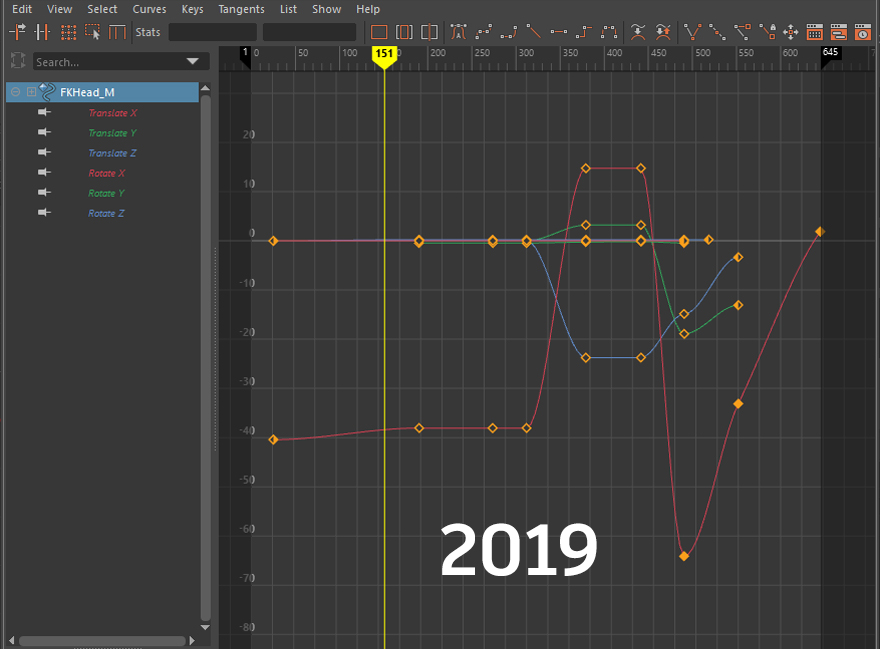
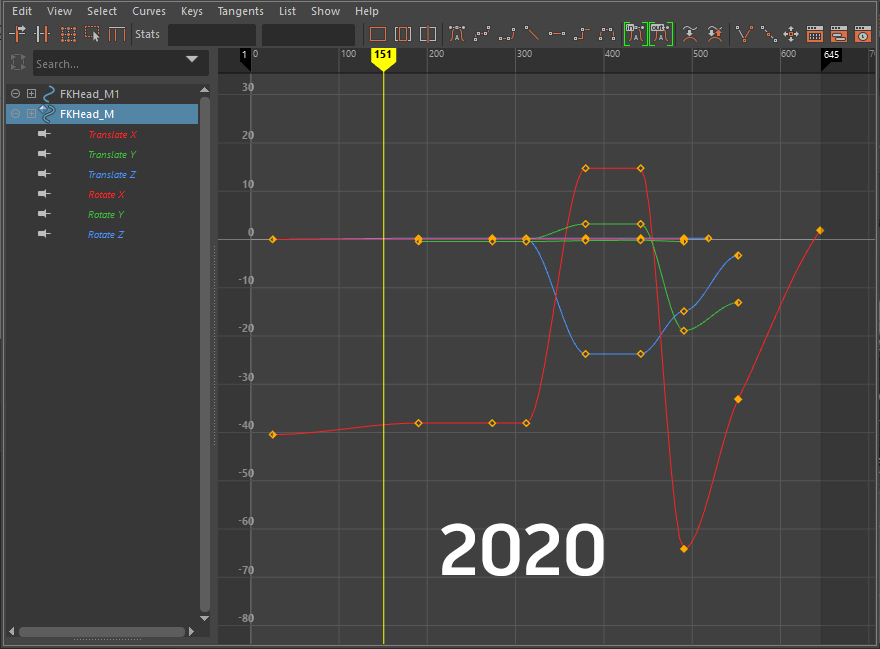
You can export and share your own custom created Graph Editor color themes in #Maya2020. Exporting generates a python script that you can save out and share with your pals :3 #decodingmaya #maya3d #gamedev #animation
Is Maya's Rebuild Curve creating one too many spans? There's a MEL argument for that: fitRebuild. Set this to false to avoid using the Best Fit (Least Squares) method when rebuilding curves (which can ignore your span and degree settings). #DecodingMaya #AdskMaya #Maya #gamedev
Did you know you can scale #animation curves without switching to scale in Maya? Select your curve/keys & hold ctrl+shift+right-click, you can snap to keys or be in any area you want. Time or Value, how cool is that! #AutodeskMaya #DecodingMaya #Maya2018 #gamedev
Have you tried out the Smooth (Butterworth) filter in #Maya2020 yet? We brought the Butterworth filter from Motion Builder into Maya! You can access it in the Graph Editor's Curves menu. #gamedev #decodingMaya #maya3d #animation #mocap
Another little update from #Maya2020 Update 1: we fixed up the bookmark manager so that bookmarks are ordered based on timing (start frame) rather than creation time. #decodingMaya #gamedev #maya3d #animation
Hey all! #Maya2020 Update 1 came out yesterday, and there's a bunch of cool new updates to bookmarks! You can now move and scale your bookmarks directly from the time slider by holding Control and left clicking on the bookmark. #animation #decodingmaya #maya3d #gamedev
In #Maya2020, you can adjust where to position the time ruler in the graph editor - either top or bottom. We got the request to have it bottom aligned from many customers so now you can customize it from the GE's View menu. #decodingmaya #maya3d #gamedev #animation
When working with bookmarks in #Maya2020, you can set an existing bookmark to a selected range on the time slider by right clicking on the bookmark and using 'Update Bookmark with Selection.' #decodingMaya #maya3d #animation #gamedev
You can adjust the draw style of your keys and tangents in the #Maya2020 graph editor between detailed and simple views. You can find this setting in the 'View' menu under 'Key View.' #decodingmaya #animation #maya3d #gamedev
Something went wrong.
Something went wrong.
United States Trends
- 1. Spotify 1.09M posts
- 2. Chris Paul 30.3K posts
- 3. Clippers 42.9K posts
- 4. Hartline 10.6K posts
- 5. Henry Cuellar 6,133 posts
- 6. #HappyBirthdayJin 104K posts
- 7. ethan hawke 4,396 posts
- 8. David Corenswet 7,448 posts
- 9. Jonathan Bailey 8,648 posts
- 10. GreetEat Corp 1,170 posts
- 11. Ty Lue 1,825 posts
- 12. South Florida 6,284 posts
- 13. Apple Music 249K posts
- 14. #NSD26 25.6K posts
- 15. Chris Henry 2,376 posts
- 16. Klein 16.7K posts
- 17. Adam Sandler 5,002 posts
- 18. Nashville 33.8K posts
- 19. #JINDAY 82.3K posts
- 20. #OurSuperMoonJin 82K posts