

kmzmap's profile picture.

kmzmap

@kmzmap

Épinglé

💬 Feedback & Suggestions Got an idea for a new feature or found a bug? Share it in the comments below. Your feedback helps decide what to build and improve next. #feedback #FeatureRequest #BugReport


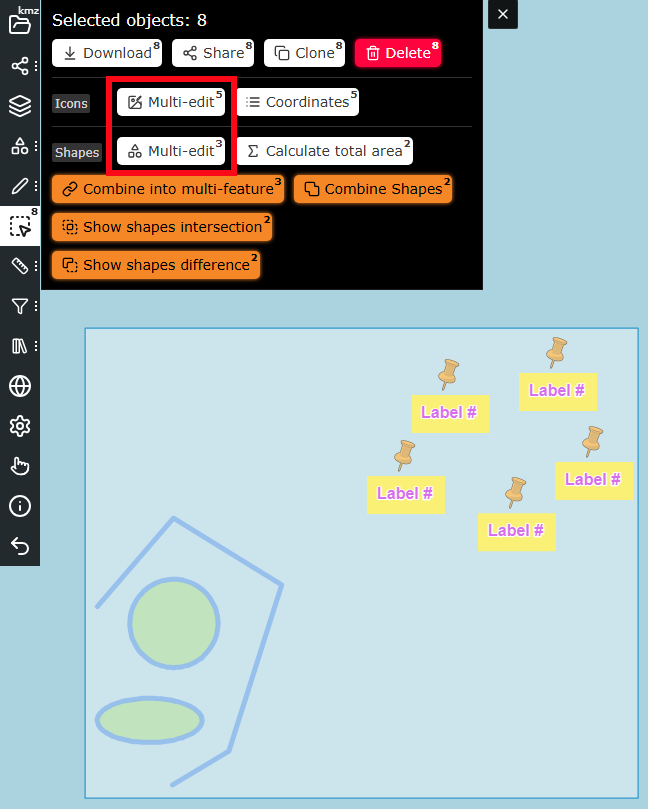
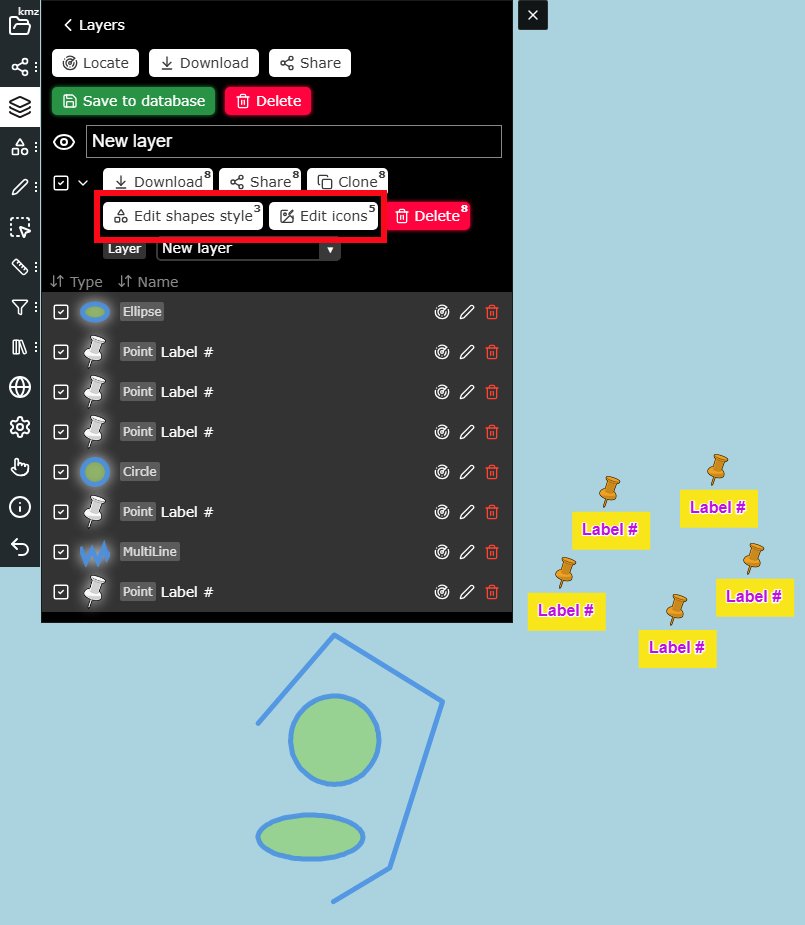
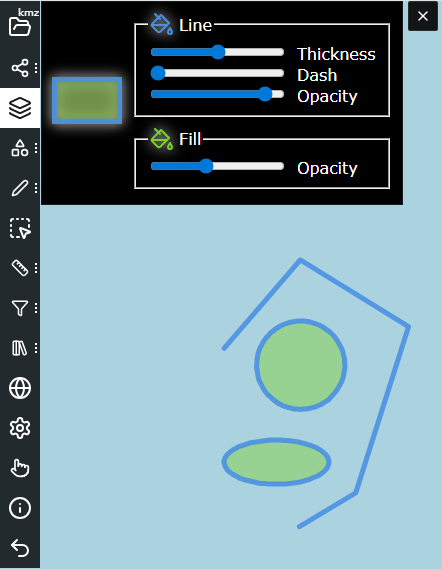
Update on kmzmap.com You can now edit multiple features at once. Select items on the layer page or in selection mode, then change their shapes, styles, text or icons. #MultiEdit #EditMultiple #MapEditing #GIS
kmzmap's tweet image. Update on kmzmap.com

You can now edit multiple features at once. Select items on the layer page or in selection mode, then change their shapes, styles, text or icons.

#MultiEdit #EditMultiple #MapEditing #GIS
kmzmap's tweet image. Update on kmzmap.com

You can now edit multiple features at once. Select items on the layer page or in selection mode, then change their shapes, styles, text or icons.

#MultiEdit #EditMultiple #MapEditing #GIS
kmzmap's tweet image. Update on kmzmap.com

You can now edit multiple features at once. Select items on the layer page or in selection mode, then change their shapes, styles, text or icons.

#MultiEdit #EditMultiple #MapEditing #GIS
kmzmap's tweet image. Update on kmzmap.com

You can now edit multiple features at once. Select items on the layer page or in selection mode, then change their shapes, styles, text or icons.

#MultiEdit #EditMultiple #MapEditing #GIS

Update on kmzmap.com Now you have more control over the text labels. New options: Text stroke color - outline color around the text. Text box background color - background color behind the text. Text box padding - spacing inside the text box. #maps #gis #labels
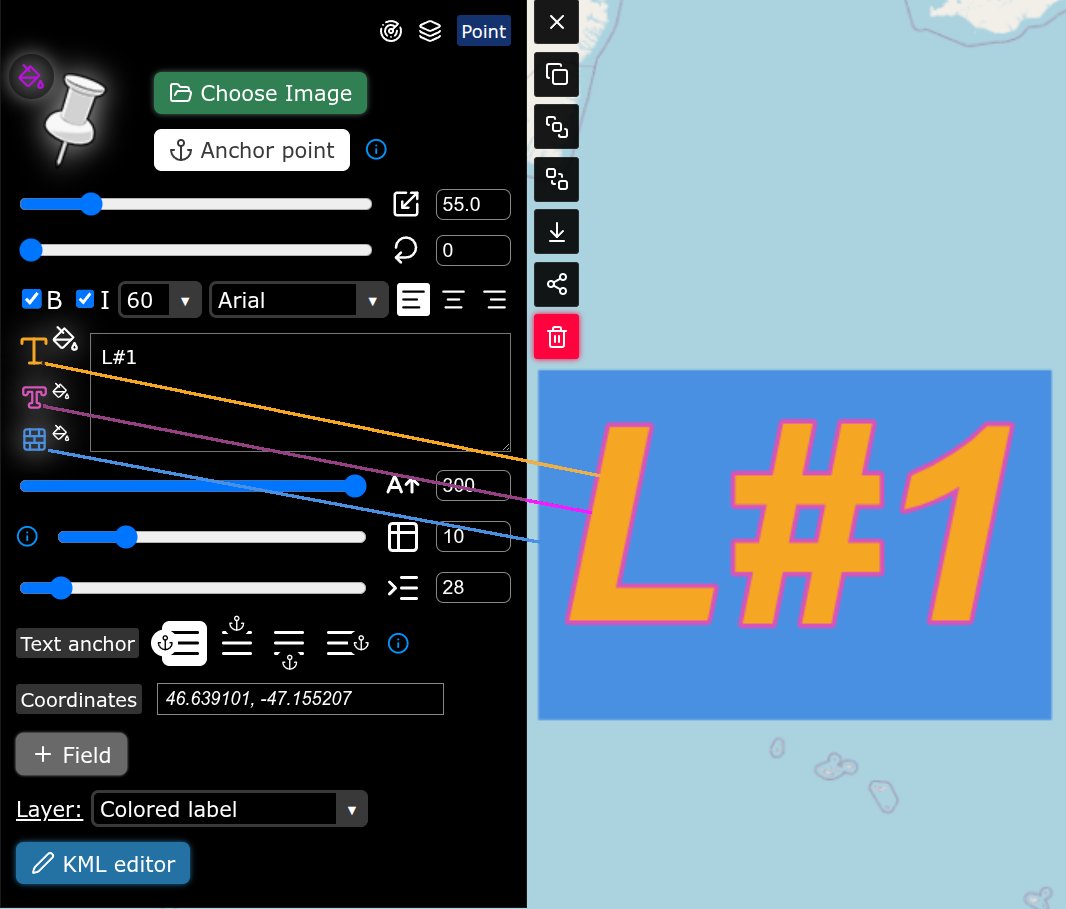
kmzmap's tweet image. Update on kmzmap.com

Now you have more control over the text labels. New options:
Text stroke color - outline color around the text.
Text box background color - background color behind the text.
Text box padding - spacing inside the text box.

#maps #gis #labels

Update on kmzmap.com Clicking the map now opens an info window with exact coordinates. Copy them instantly or place an icon at that spot. #mapping #coordinates #gis
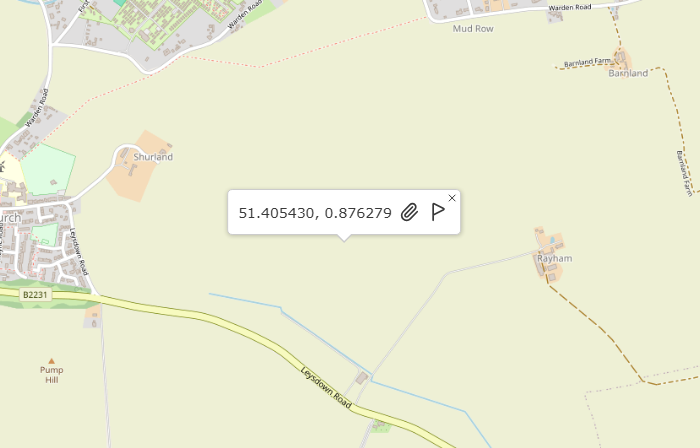
kmzmap's tweet image. Update on kmzmap.com

Clicking the map now opens an info window with exact coordinates. Copy them instantly or place an icon at that spot.

#mapping #coordinates #gis

UI update on kmzmap.com The Transform button has been removed from the menu. Transformation (move, rotate, reshape) is now always available when the Feature Editor is open. #KMZ #GIS #mapping
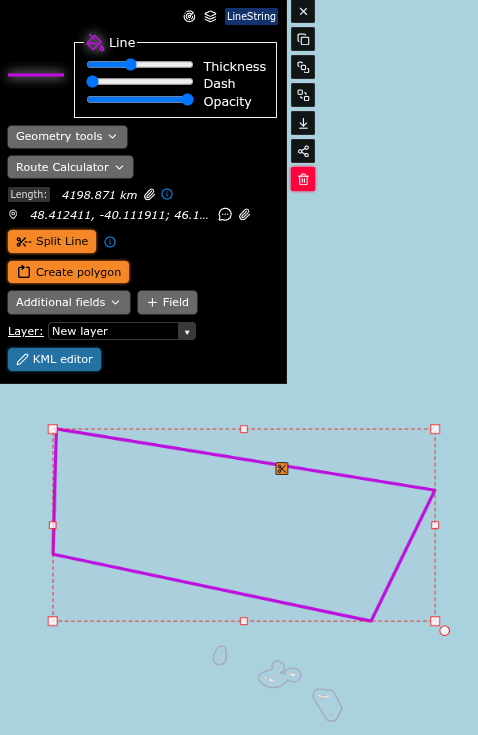
kmzmap's tweet image. UI update on kmzmap.com

The Transform button has been removed from the menu. Transformation (move, rotate, reshape) is now always available when the Feature Editor is open.

#KMZ #GIS #mapping

Major Layers update on kmzmap.com Merge layers from the Layers Menu. The Layer Page now lets you select & sort features, clone features, move them between layers, and delete in bulk. #gis #maps
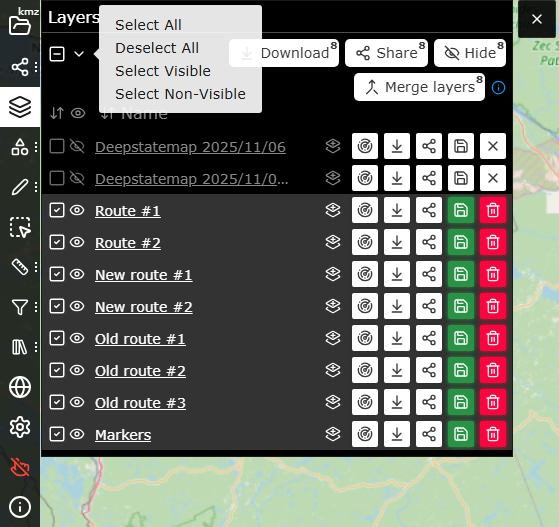
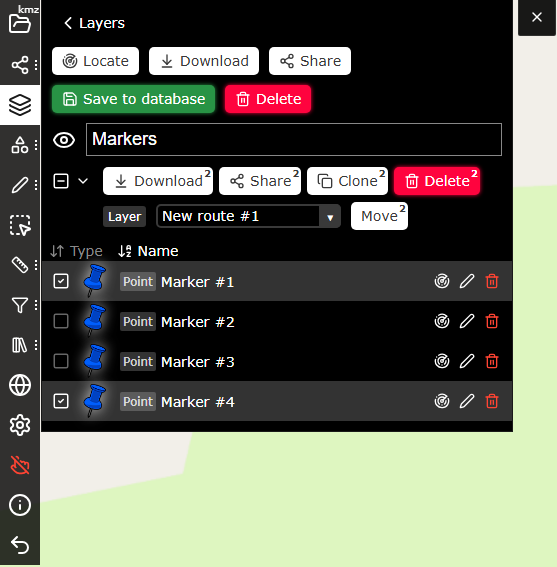
kmzmap's tweet image. Major Layers update on kmzmap.com

Merge layers from the Layers Menu.
The Layer Page now lets you select & sort features, clone features, move them between layers, and delete in bulk.

#gis #maps
kmzmap's tweet image. Major Layers update on kmzmap.com

Merge layers from the Layers Menu.
The Layer Page now lets you select & sort features, clone features, move them between layers, and delete in bulk.

#gis #maps

New on kmzmap.com: more control over point features Rotate icons directly on the map Align multiline text (add lines with Shift + Enter) Adjust text spacing from the icon Choose which part of the text anchors to the icon #maps #icons #gis
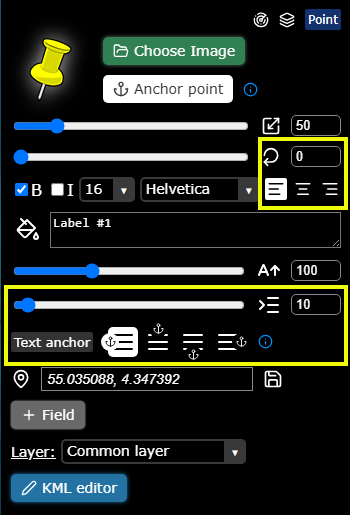
kmzmap's tweet image. New on kmzmap.com: more control over point features

Rotate icons directly on the map
Align multiline text (add lines with Shift + Enter)
Adjust text spacing from the icon
Choose which part of the text anchors to the icon

#maps #icons #gis

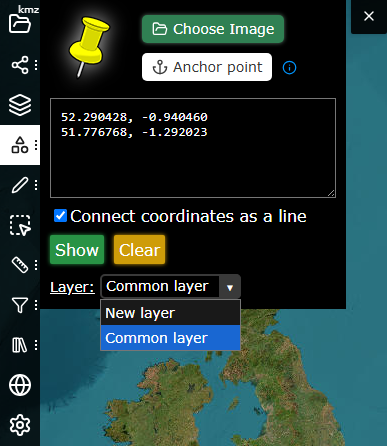
New: Move items between layers You can now move any object to a different layer - click an object and use the Layer dropdown in the Object editor. You can also choose a layer while creating new objects in Locate coordinates or Draw figures windows. #map #gis #layers
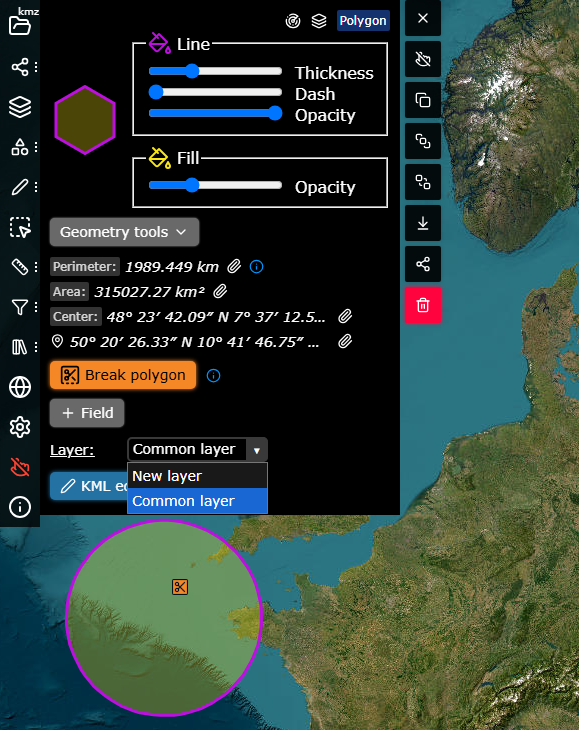
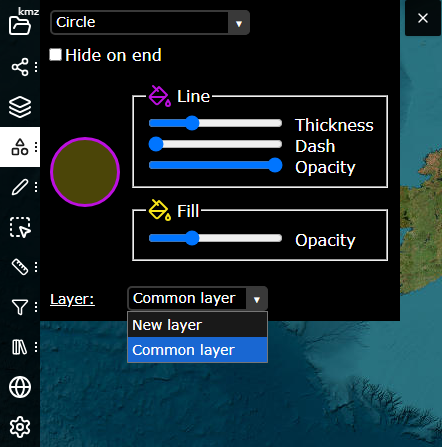
kmzmap's tweet image. New: Move items between layers

You can now move any object to a different layer - click an object and use the Layer dropdown in the Object editor.
You can also choose a layer while creating new objects in Locate coordinates or Draw figures windows.

#map #gis #layers
kmzmap's tweet image. New: Move items between layers

You can now move any object to a different layer - click an object and use the Layer dropdown in the Object editor.
You can also choose a layer while creating new objects in Locate coordinates or Draw figures windows.

#map #gis #layers
kmzmap's tweet image. New: Move items between layers

You can now move any object to a different layer - click an object and use the Layer dropdown in the Object editor.
You can also choose a layer while creating new objects in Locate coordinates or Draw figures windows.

#map #gis #layers

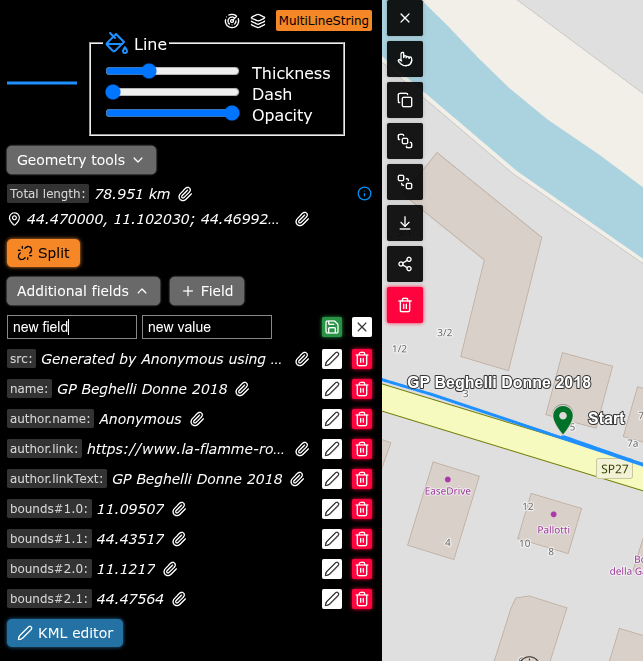
New: Add, edit, or remove any feature property directly on the map. Click an object, then + Field to add a new property, or tap Additional Fields to edit or delete existing ones. #maps #gis #mapping
kmzmap's tweet image. New: Add, edit, or remove any feature property directly on the map. 

Click an object, then + Field to add a new property, or tap Additional Fields to edit or delete existing ones.

#maps #gis #mapping

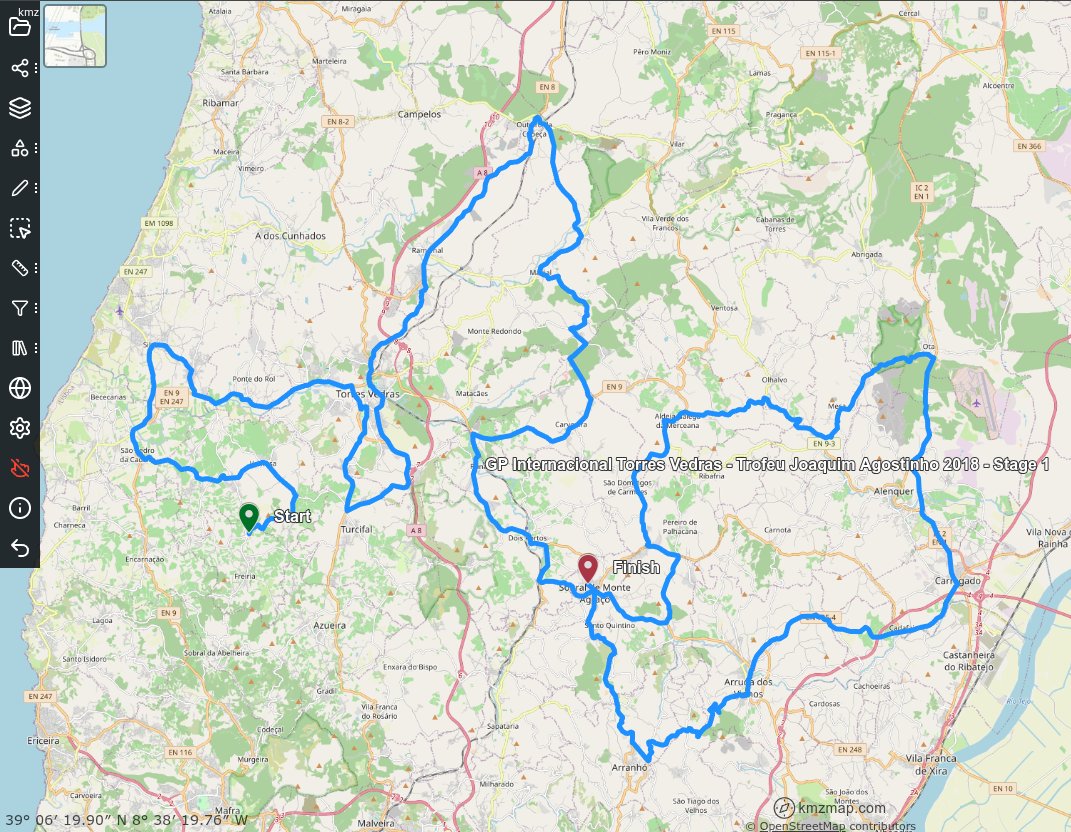
New: GPX file support You can now upload or drag and drop GPX tracks directly onto the map. Instantly view routes from your Garmin or any other GPS device in your web browser, in a simplified format - no extra tools or setup required. #mapping #gpx #gis #maps
kmzmap's tweet image. New: GPX file support

You can now upload or drag and drop GPX tracks directly onto the map. Instantly view routes from your Garmin or any other GPS device in your web browser, in a simplified format - no extra tools or setup required.

#mapping #gpx #gis #maps

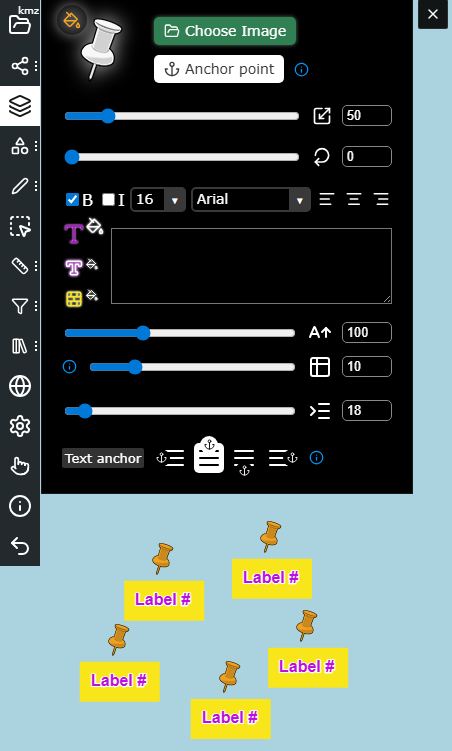
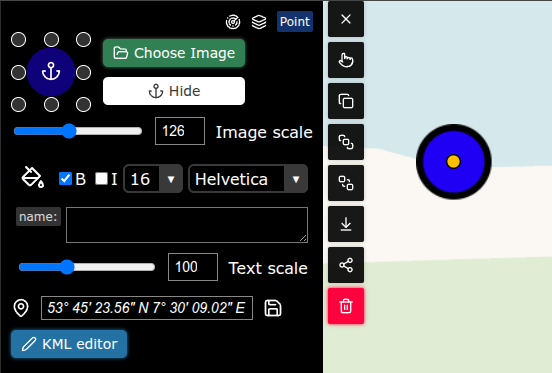
New: Edit anchor points for your map icons. Just like in ArcGIS, now you can choose which part of an icon is pinned to the map. Open Feature Editor → Anchor Point, or select an area → Edit Icons to adjust multiple markers. #mapping #GIS #kml #maps
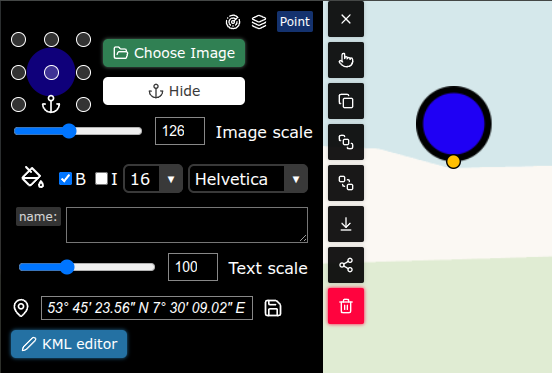
kmzmap's tweet image. New: Edit anchor points for your map icons.

Just like in ArcGIS, now you can choose which part of an icon is pinned to the map.
Open Feature Editor → Anchor Point, or select an area → Edit Icons to adjust multiple markers.

#mapping #GIS #kml #maps
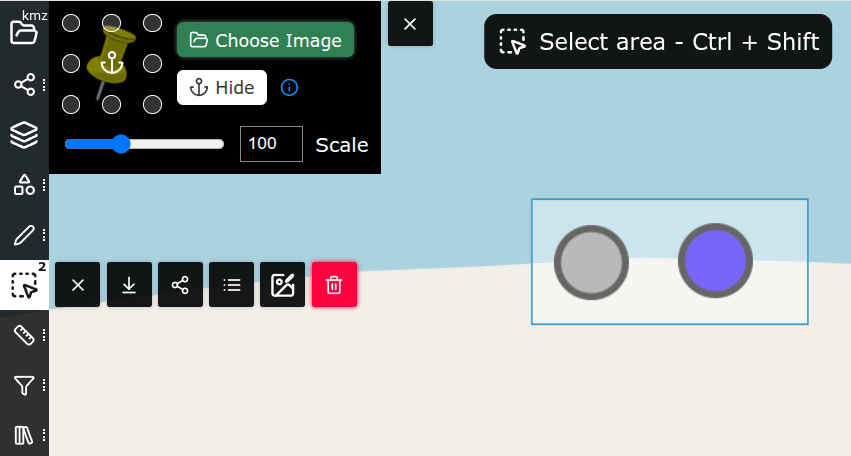
kmzmap's tweet image. New: Edit anchor points for your map icons.

Just like in ArcGIS, now you can choose which part of an icon is pinned to the map.
Open Feature Editor → Anchor Point, or select an area → Edit Icons to adjust multiple markers.

#mapping #GIS #kml #maps
kmzmap's tweet image. New: Edit anchor points for your map icons.

Just like in ArcGIS, now you can choose which part of an icon is pinned to the map.
Open Feature Editor → Anchor Point, or select an area → Edit Icons to adjust multiple markers.

#mapping #GIS #kml #maps

In the military signs section (kmzmap.com/uk?mode=mil-si…), you can now set a direction arrow showing an object's movement. Adjust its angle and length to indicate direction and speed. #MilitarySymbology
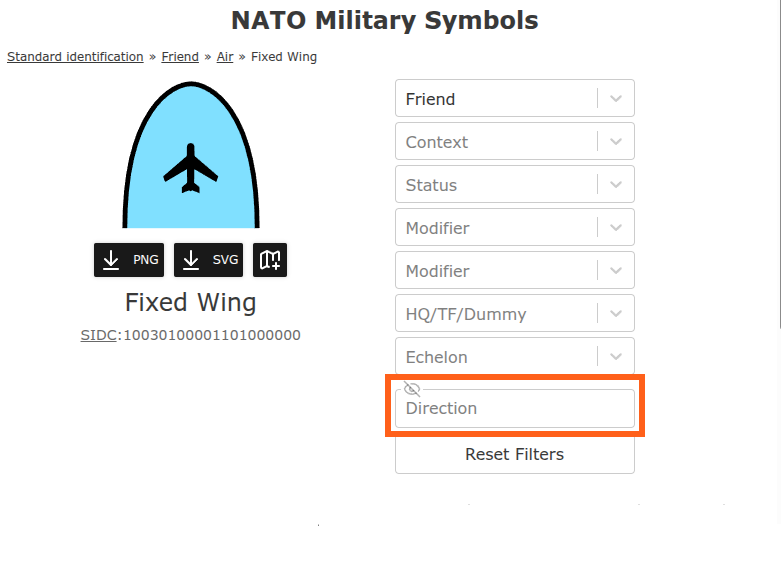
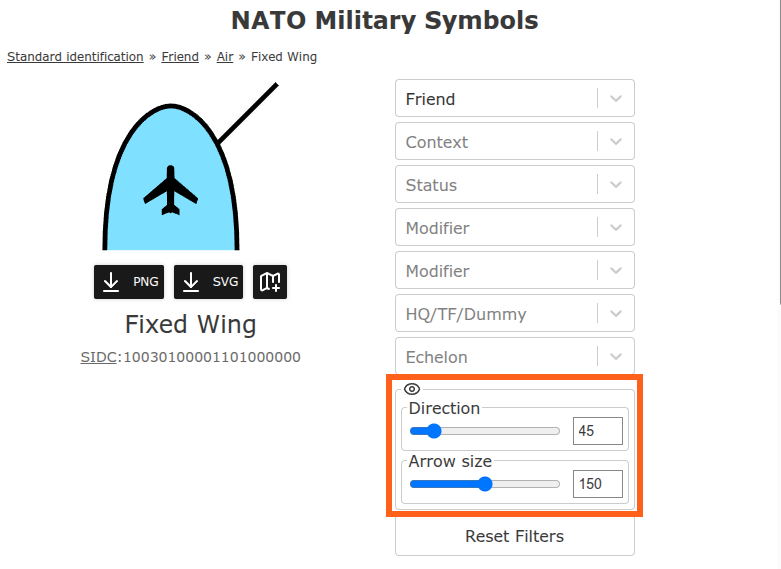
kmzmap's tweet image. In the military signs section (kmzmap.com/uk?mode=mil-si…), you can now set a direction arrow showing an object's movement. Adjust its angle and length to indicate direction and speed. #MilitarySymbology

Fixed a bug that caused long loading times for large KMZ files (1000+ features). Loading is now about three times faster. #KMZ #KML #Performance #Update


Big update on kmzmap.com ➕ Feature Editor now lets you jump to a feature’s layer or locate it on the map 🆕 New Layer Screen shows all layer objects with quick locate & edit options #mapping #gis
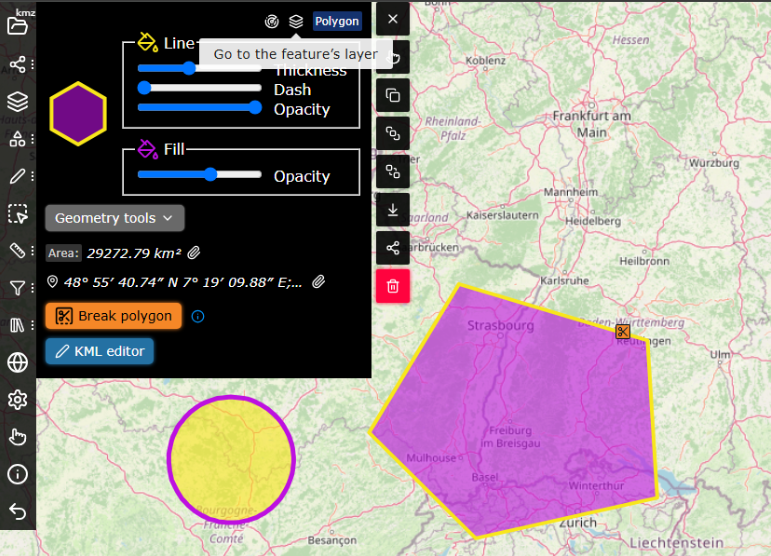
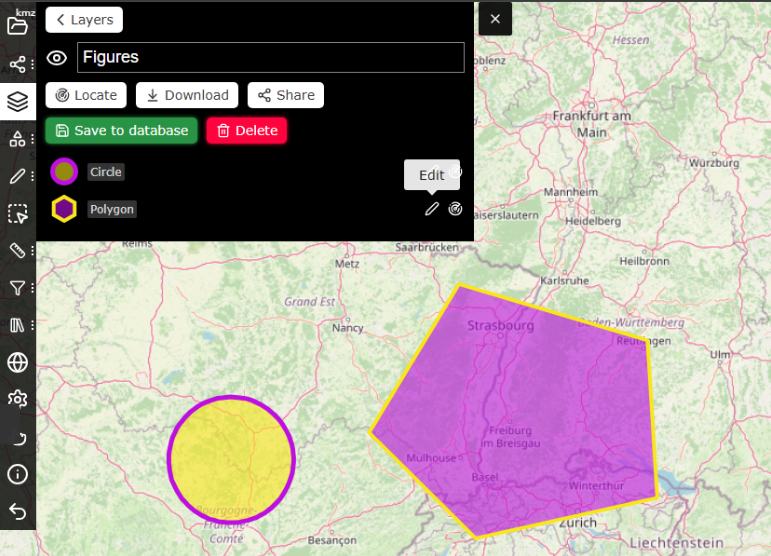
kmzmap's tweet image. Big update on kmzmap.com

➕ Feature Editor now lets you jump to a feature’s layer or locate it on the map
🆕 New Layer Screen shows all layer objects with quick locate & edit options

#mapping #gis
kmzmap's tweet image. Big update on kmzmap.com

➕ Feature Editor now lets you jump to a feature’s layer or locate it on the map
🆕 New Layer Screen shows all layer objects with quick locate & edit options

#mapping #gis

Welcome to kmzmap.com on X! Stay updated, share feedback, and tell us your ideas. #kmz #maps #MapTools


Ce compte n’a pas encore de followers

United States Tendances

Loading...

Something went wrong.


Something went wrong.