

내가 좋아할 만한 콘텐츠


SwiftUI - Understanding DatePicker (Part 3) is now available to LACWE members 🎉 4 new visuals → learnandcodewithenid.com

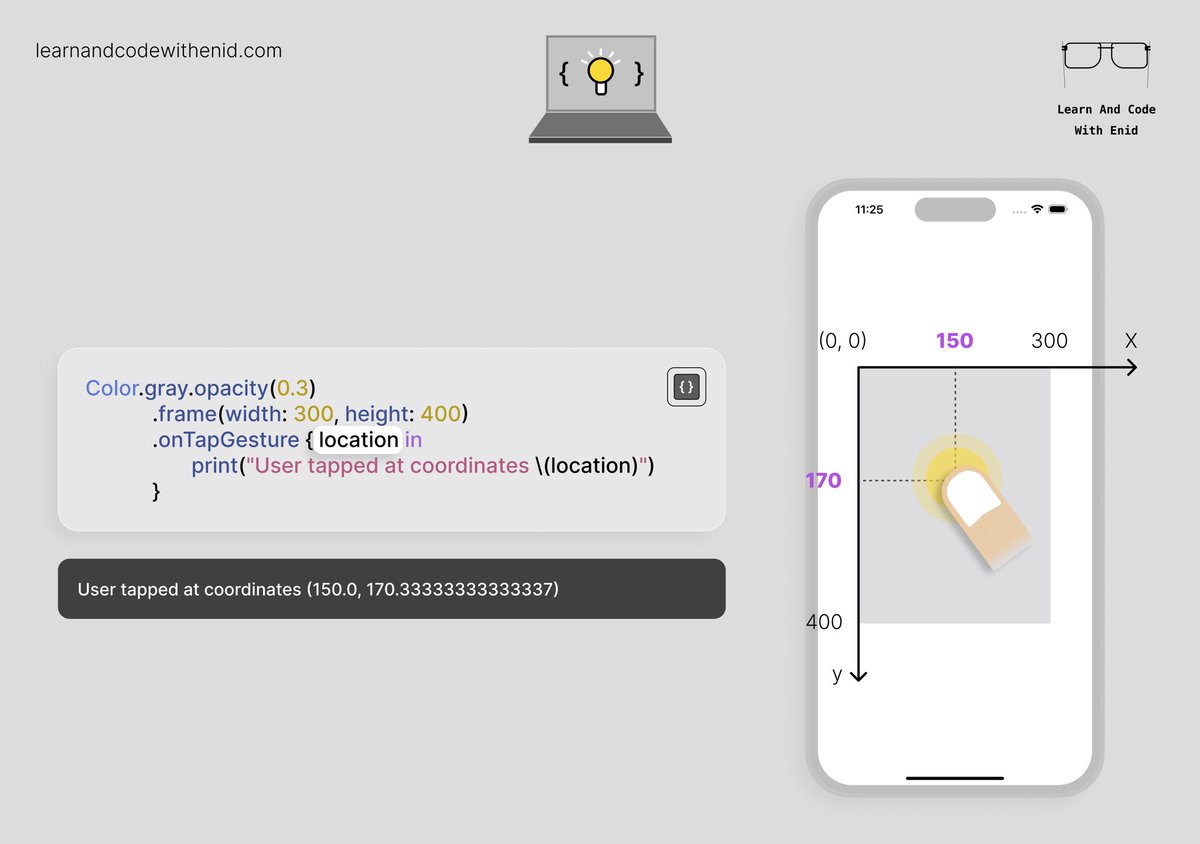
SwiftUI Tip 💡 You can detect the exact tap position inside a view using onTapGesture(). → learnandcodewithenid.com
SwiftUI Tip 💡 In iOS 26.0+, use GlassEffectContainer to blend nearby glass views into one continuous Liquid Glass shape. → learnandcodewithenid.com

SwiftUI Tip 💡 You can style an SF Symbol the way you prefer by using a combination of modifiers. → learnandcodewithenid.com

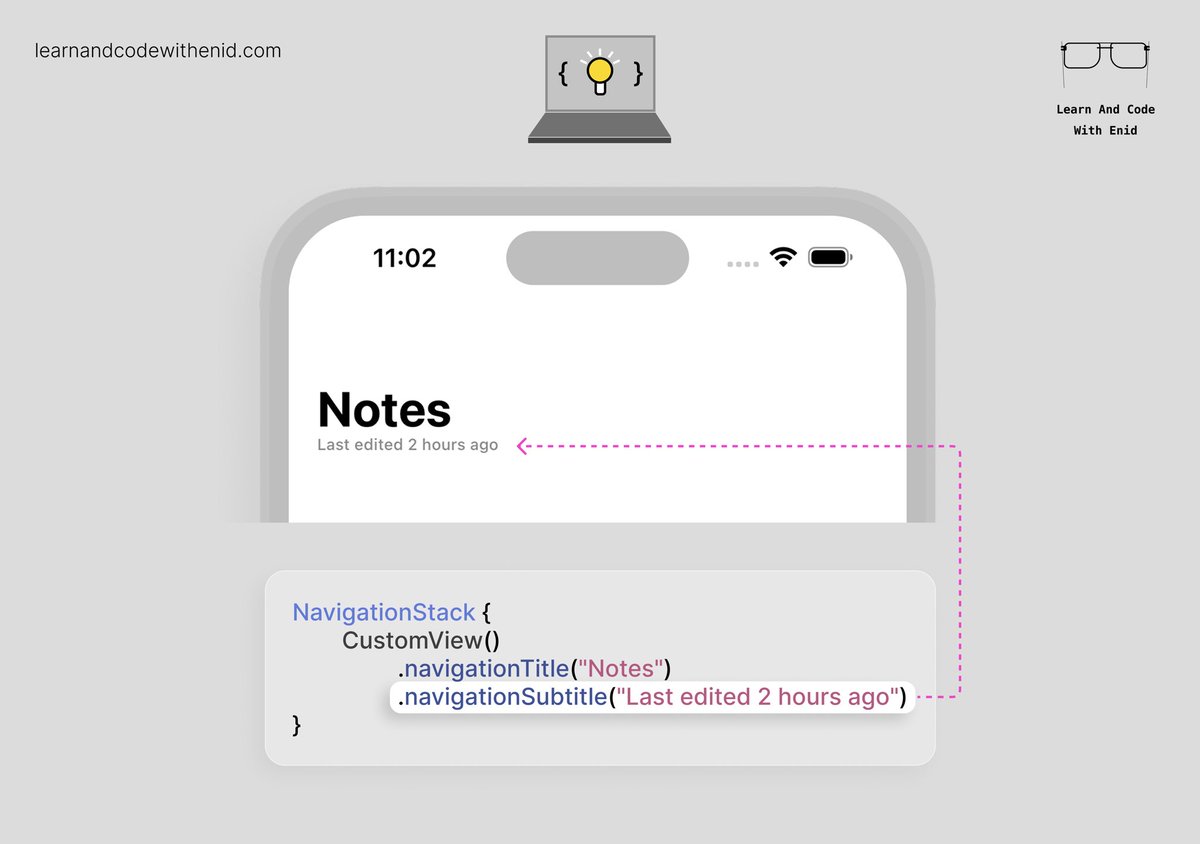
SwiftUI Tip 💡 In iOS 26.0+, you can finally display a subtitle in the navigation bar using the navigationSubtitle() modifier. → learnandcodewithenid.com
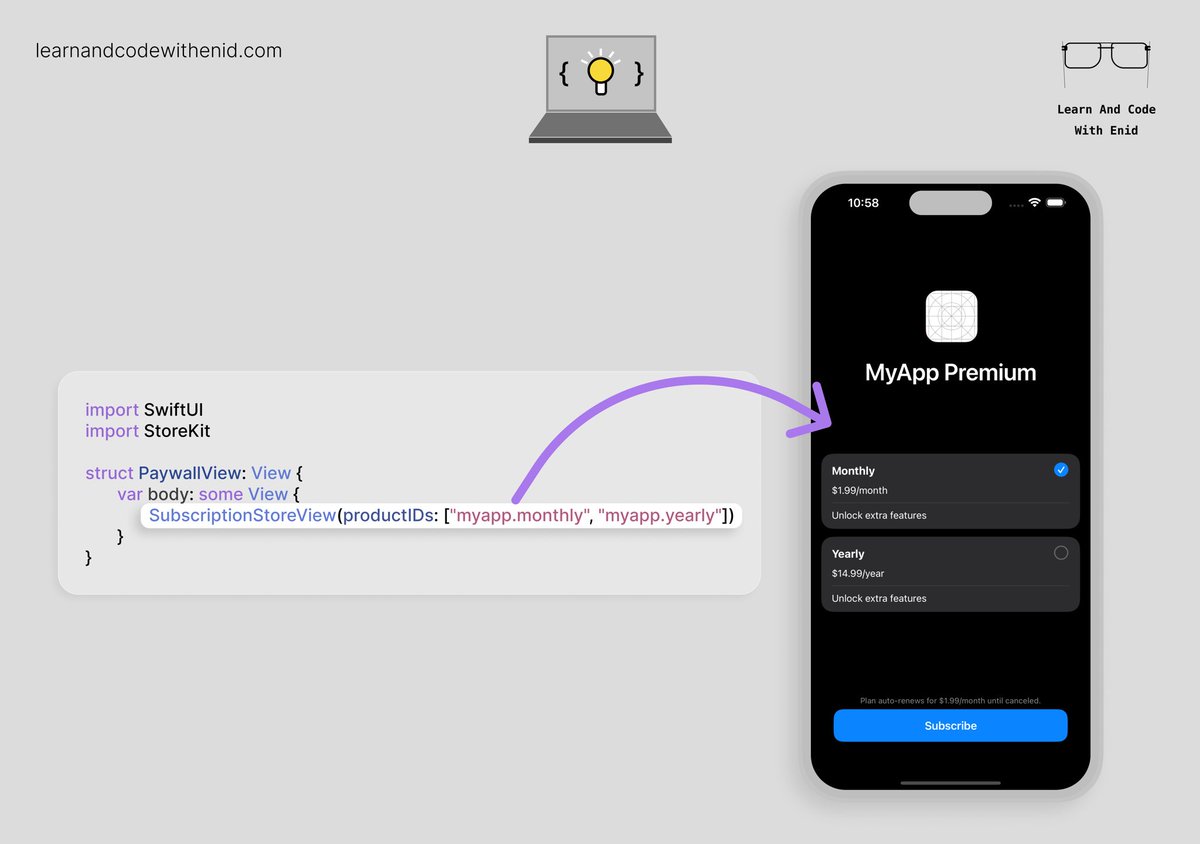
SwiftUI Tip 💡 Did you know? StoreKit lets you present a full paywall with all your subscription plans using just a single line of code. → learnandcodewithenid.com
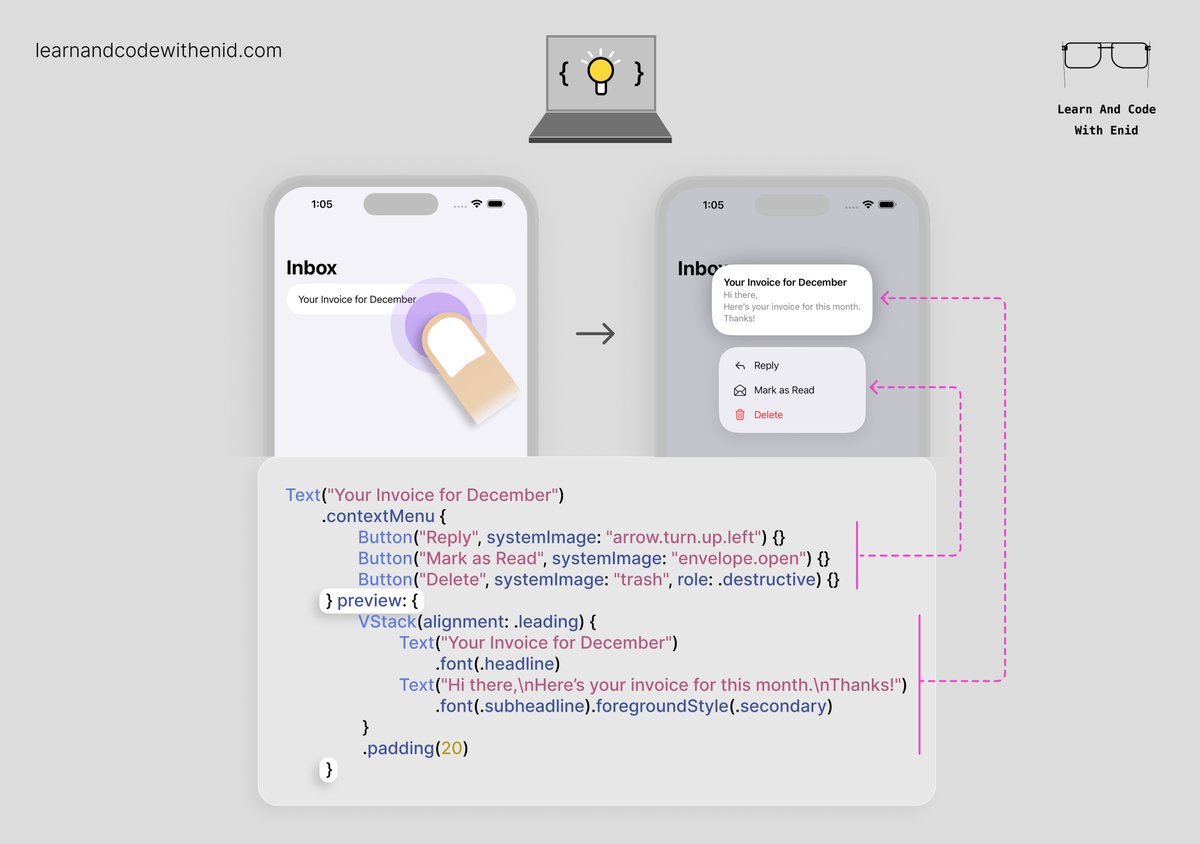
SwiftUI Tip 💡 You can add a custom preview to your context menu using the preview parameter. Perfect for showing more details before the user chooses an action. → learnandcodewithenid.com
SwiftUI - Understanding DatePicker (Part 2) is now available to LACWE members 🎉 4 new visuals → learnandcodewithenid.com
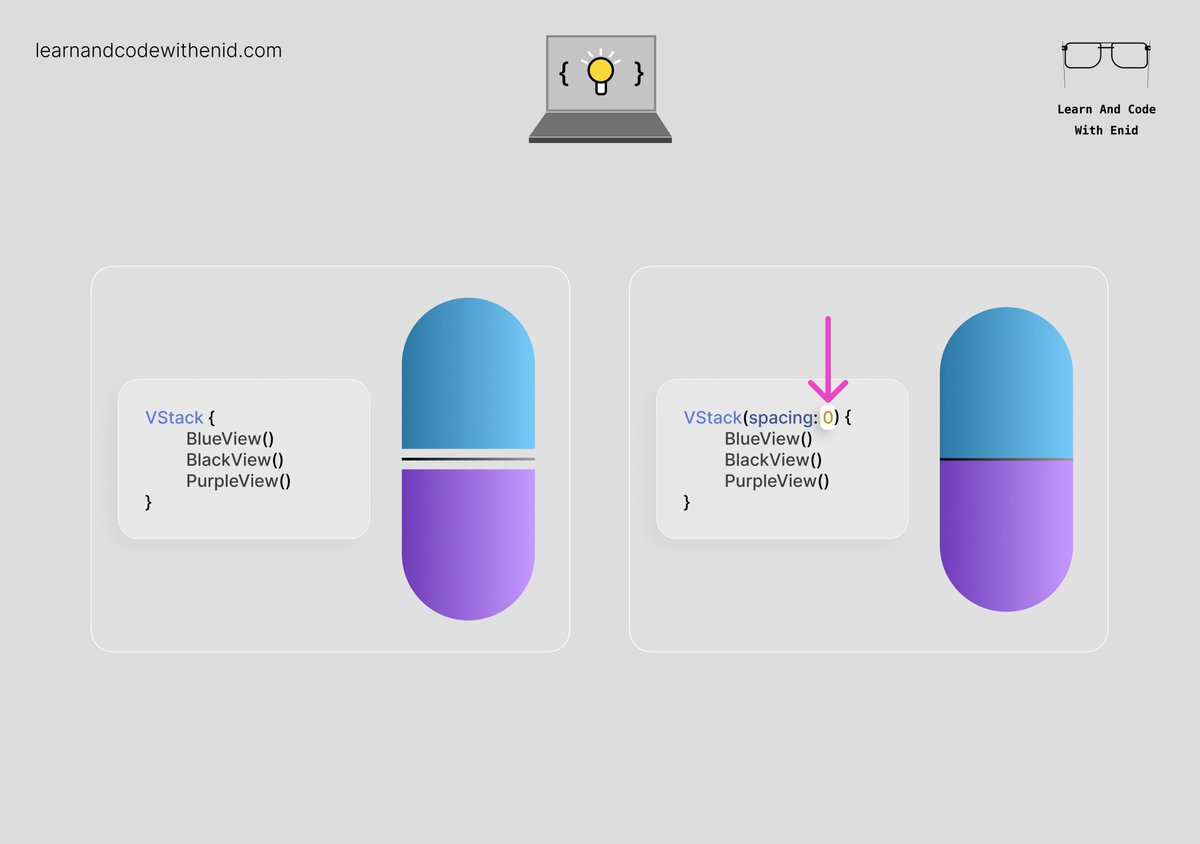
SwiftUI Tip 💡 By default, containers like VStack apply built-in spacing. You can remove it by passing 0 to the spacing parameter. → learnandcodewithenid.com
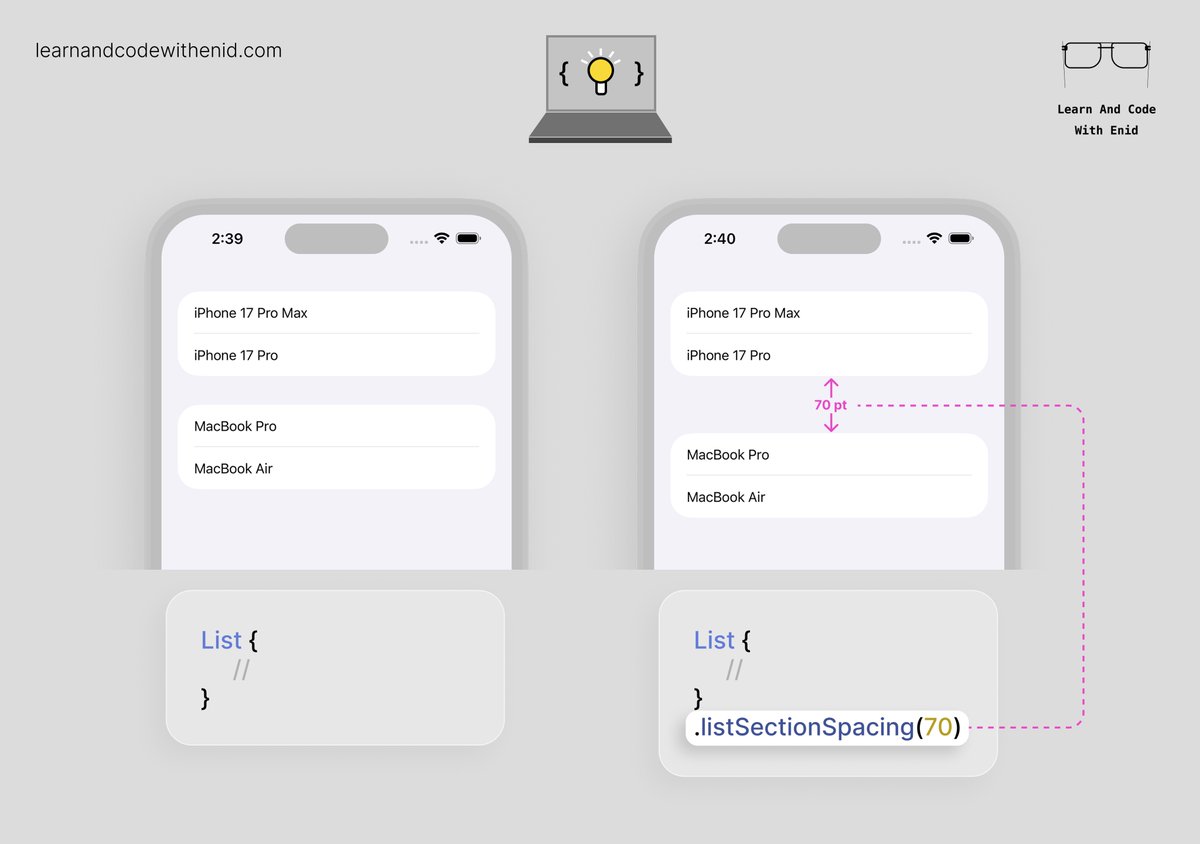
SwiftUI Tip 💡 In iOS 17.0+, use listSectionSpacing() to control the vertical space between sections in a List. → learnandcodewithenid.com
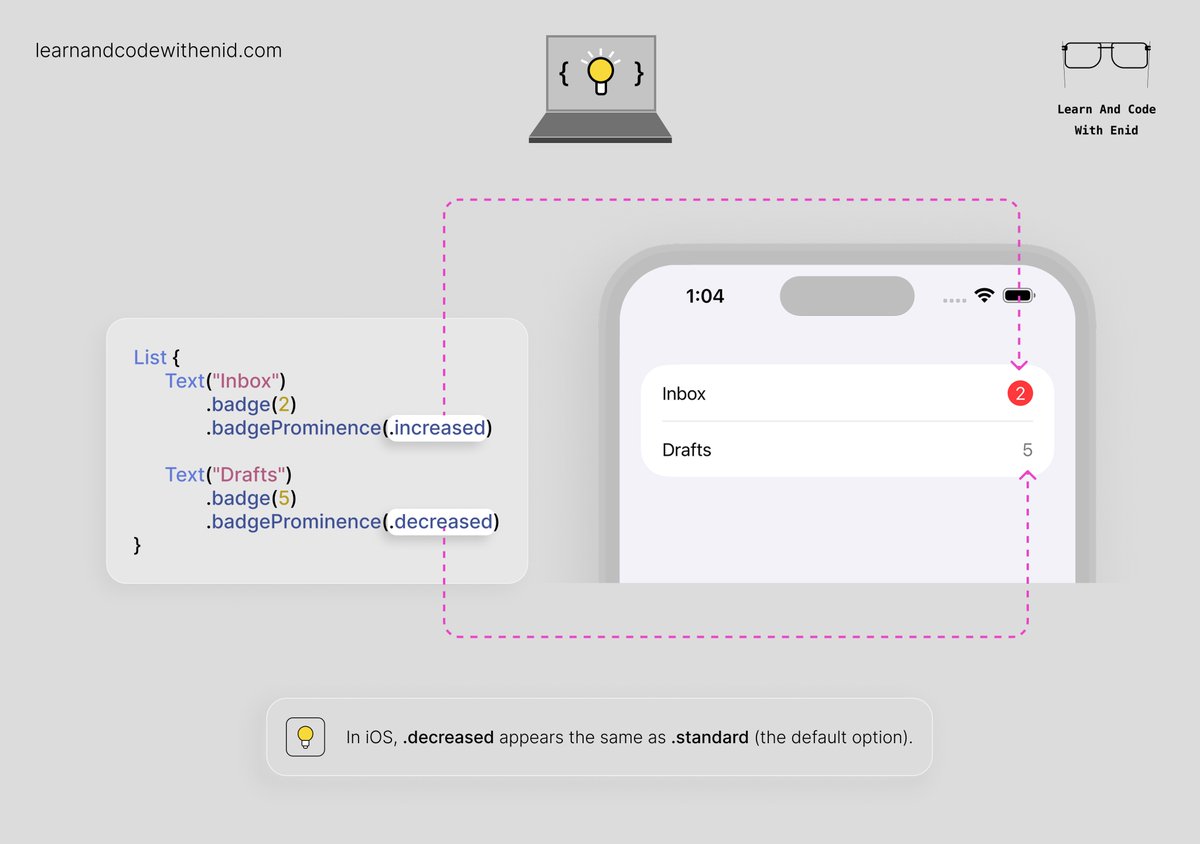
SwiftUI Tip 💡 In iOS 17.0+, use the badgeProminence() modifier to control how noticeable a badge appears. → learnandcodewithenid.com
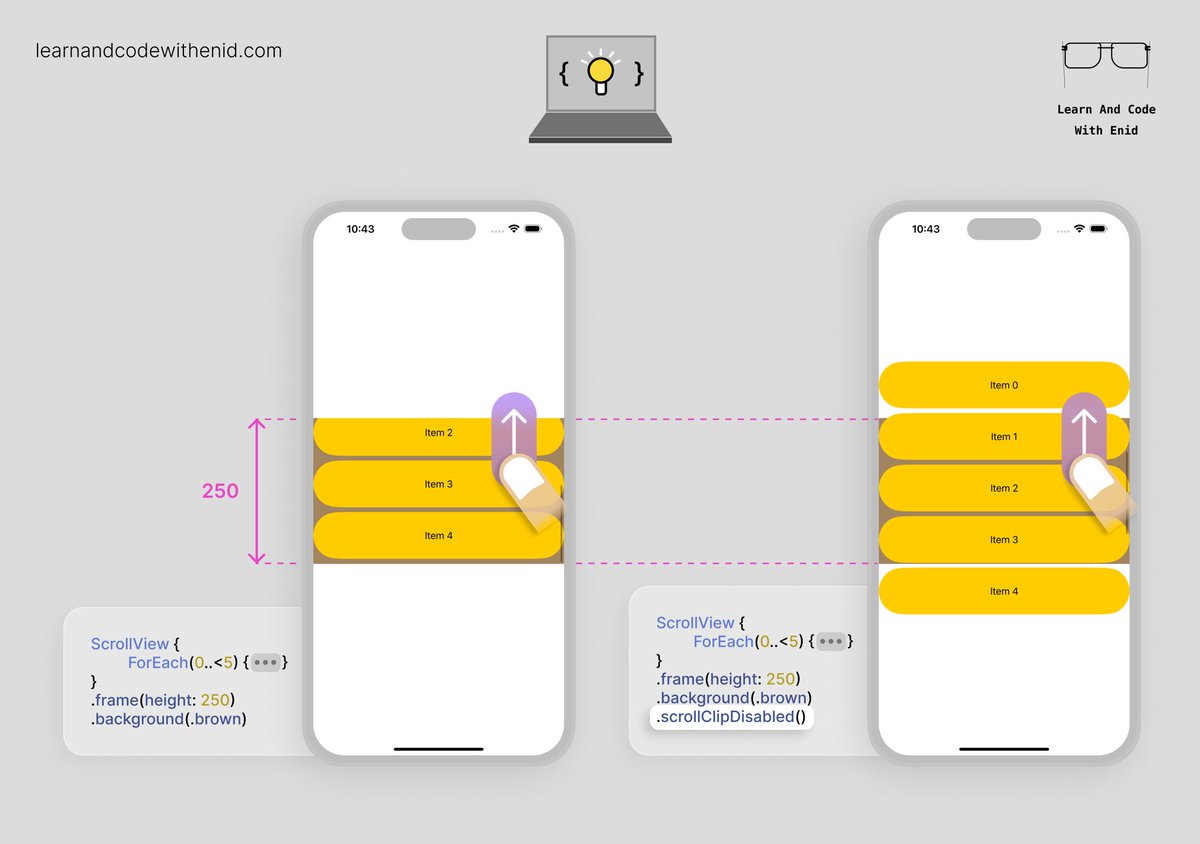
SwiftUI Tip 💡 By default, a scroll view clips anything that extends past its bounds. In iOS 17.0+, use scrollClipDisabled() to let items extend beyond the scroll view’s bounds → learnandcodewithenid.com
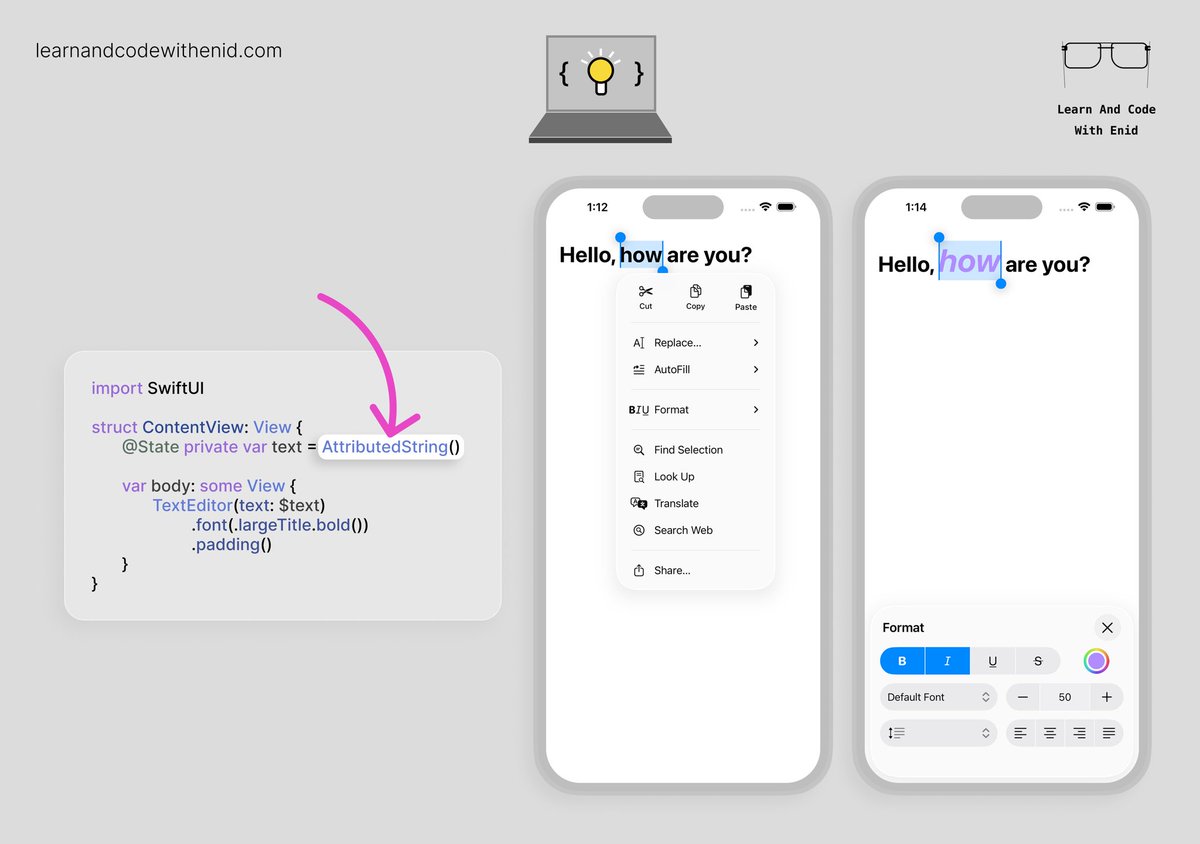
SwiftUI Tip 💡 In iOS 26.0+, TextEditor supports rich text editing when you bind it to an AttributedString. This instantly unlocks system-native formatting tools - bold, italics, underline, colors, alignment, and more. → learnandcodewithenid.com
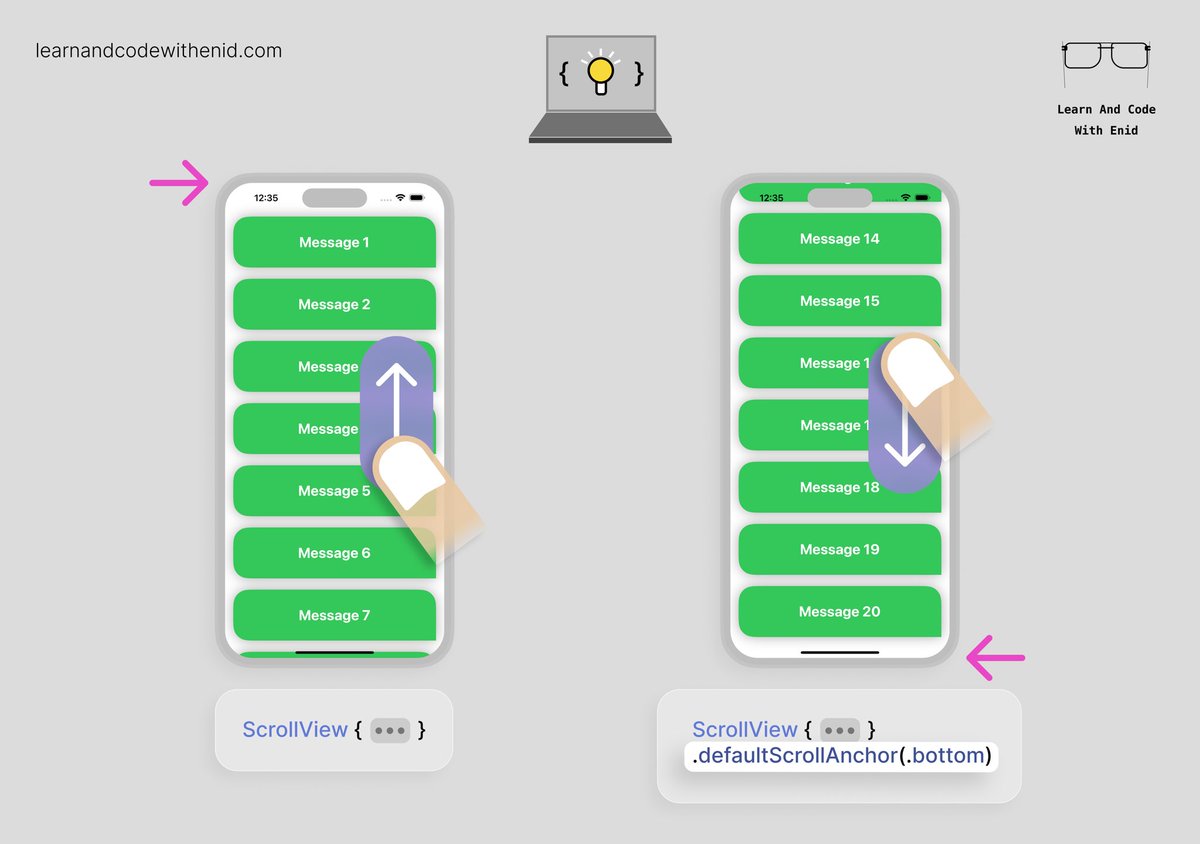
SwiftUI Tip 💡 In iOS 17+, you can choose where your scroll view starts scrolling from using defaultScrollAnchor(). For example, use .top to begin at the start, or .bottom to jump to the latest content - perfect for chat views or message feeds. → learnandcodewithenid.com
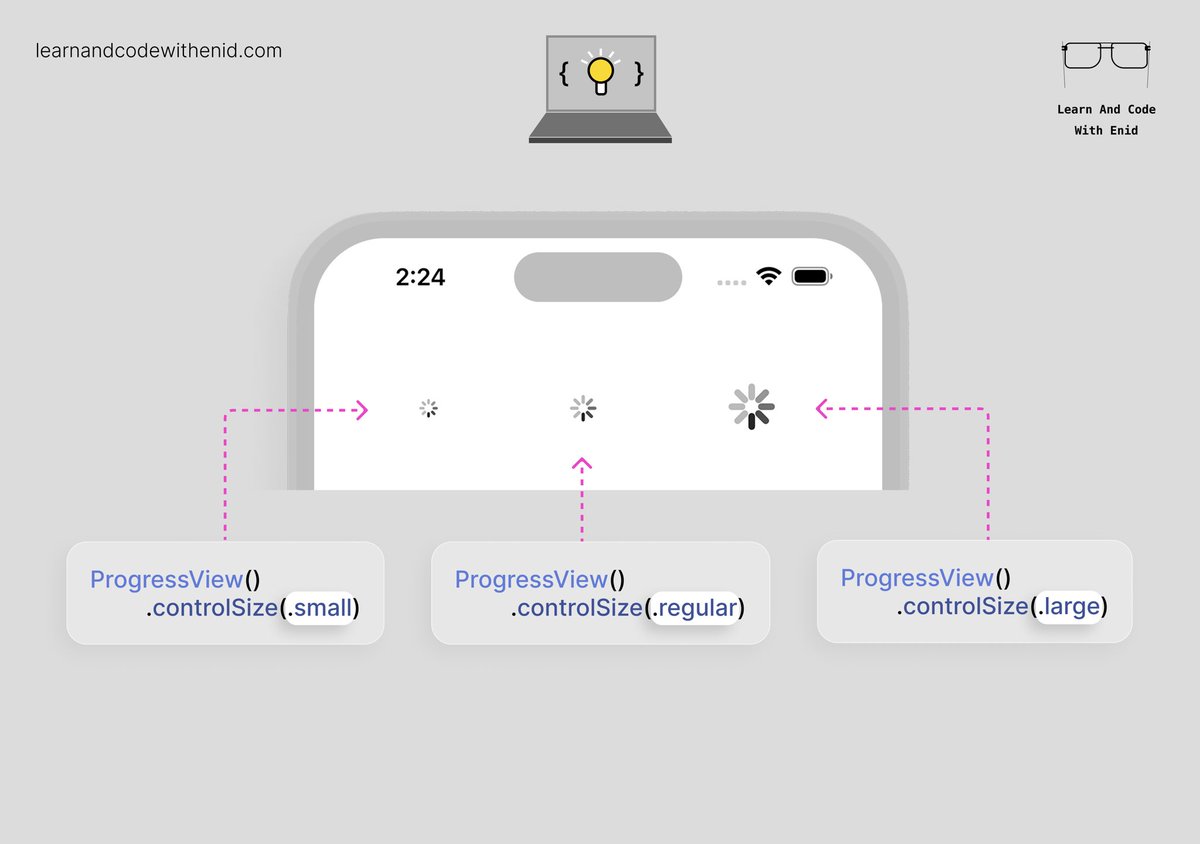
SwiftUI Tip 💡 Did you know? You can change the size of a circular ProgressView using the controlSize() modifier. → learnandcodewithenid.com
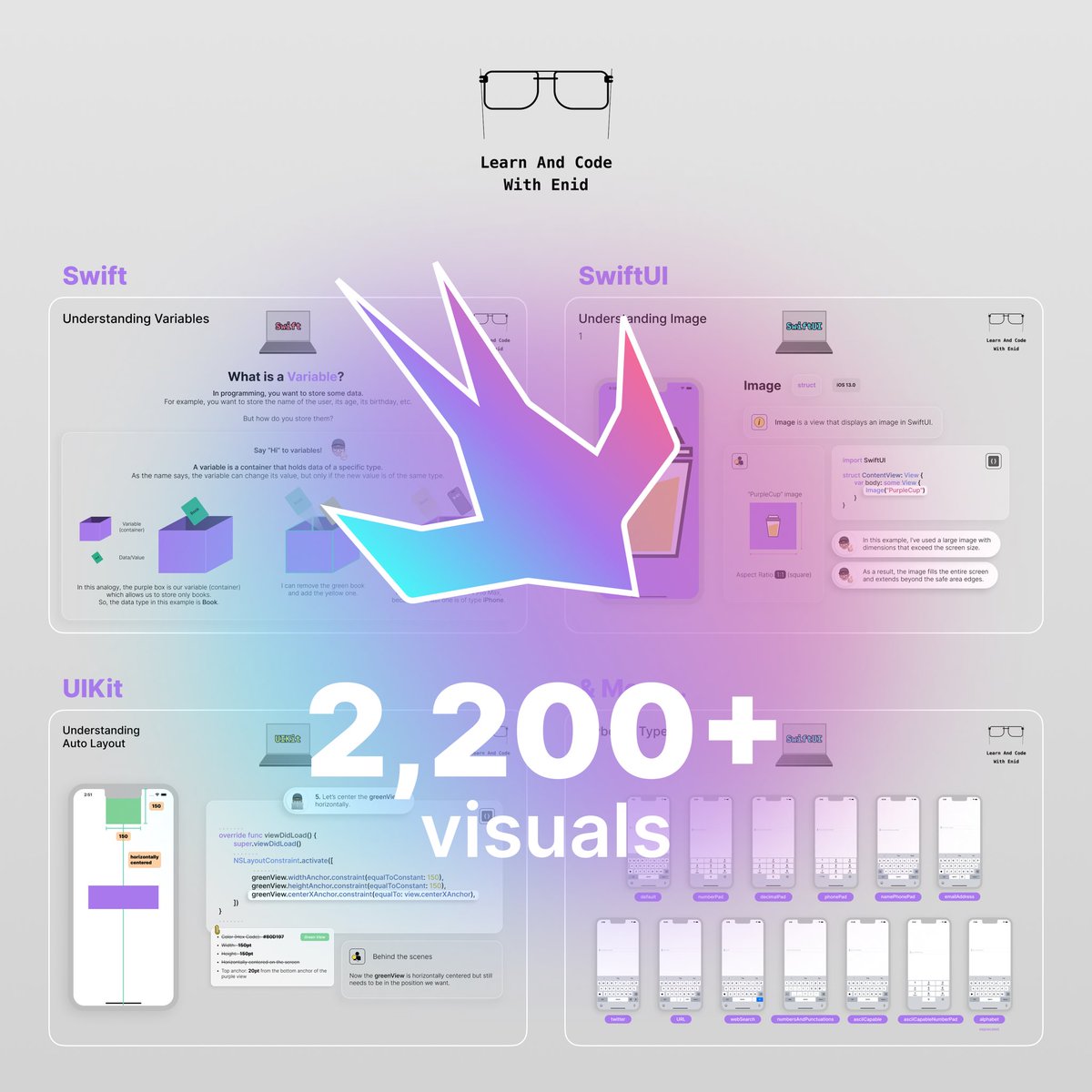
🚀 As always, new chapters, lessons, and updates are on the way. You can join with a 50% lifetime discount on the yearly plan — the offer expires soon. → learnandcodewithenid.com
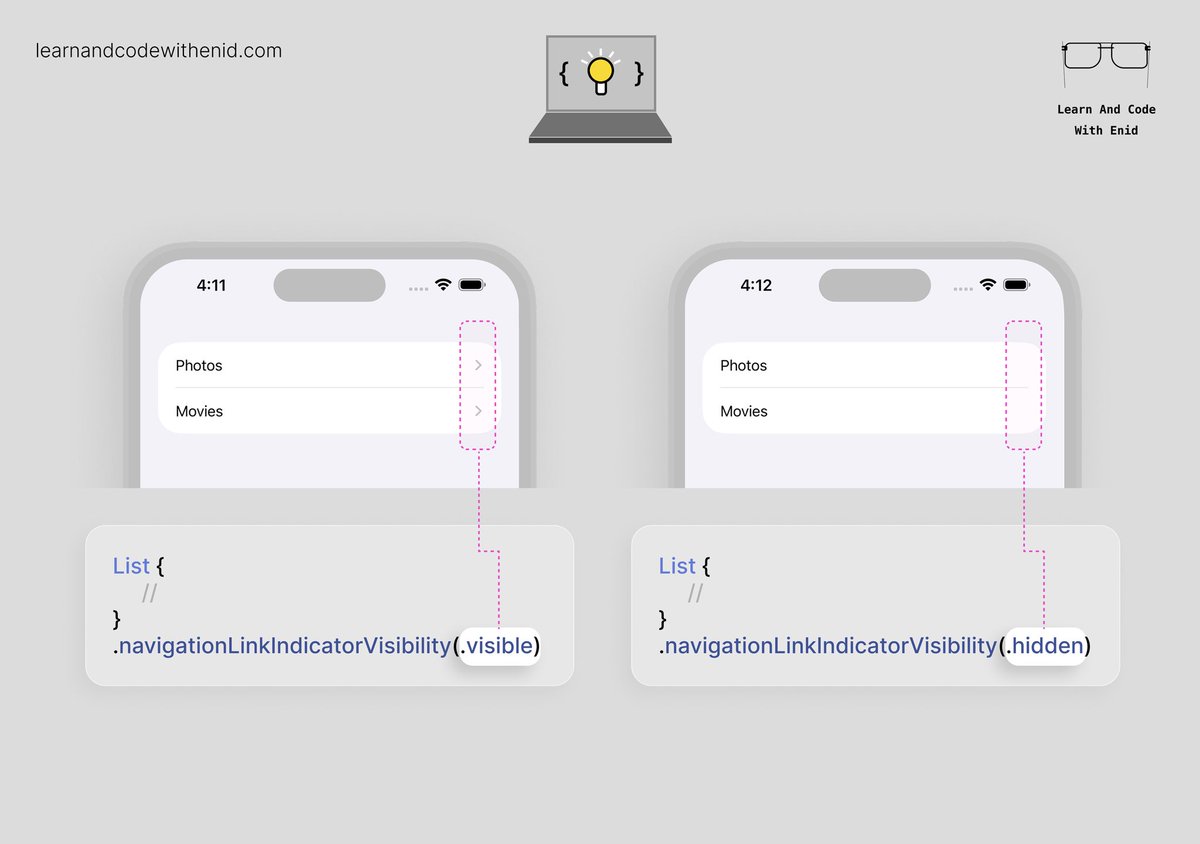
SwiftUI Tip 💡 In iOS 17.0+, use navigationLinkIndicatorVisibility() to control whether a NavigationLink shows its disclosure indicator. Perfect for cleaner lists, or when you want full control over row styling. → learnandcodewithenid.com
SwiftUI - Understanding DatePicker (Part 1) is now available to LACWE members 🎉 5 new visuals → learnandcodewithenid.com



























































































United States 트렌드
- 1. #MerryChristmasJustin 4,473 posts
- 2. percy 19.6K posts
- 3. annabeth 5,001 posts
- 4. Slept 20K posts
- 5. #bb27 N/A
- 6. Danity Kane 2,539 posts
- 7. UConn 7,834 posts
- 8. Aundrea 1,122 posts
- 9. Keanu 2,977 posts
- 10. #WWENXT 18.5K posts
- 11. Gowdy 5,862 posts
- 12. Lamar Wilkerson 1,558 posts
- 13. Jalen Brunson 4,009 posts
- 14. #RHOSLC 4,698 posts
- 15. Boogie 3,844 posts
- 16. Fland N/A
- 17. Scottie Barnes 2,362 posts
- 18. Marlon 13.3K posts
- 19. Forsberg N/A
- 20. Raptors 11.7K posts
내가 좋아할 만한 콘텐츠
-
 Sean Allen
@seanallen_dev -
 Paul Hudson
@twostraws -
 Vincent Pradeilles
@v_pradeilles -
 Sarun W.
@sarunw -
 Antoine v.d. SwiftLee
@twannl -
 Kavsoft
@_Kavsoft -
 Flo writes Code
@FloWritesCode -
 Donny Wals 👾
@DonnyWals -
 StewartLynch 🇨🇦
@StewartLynch -
 Karin Prater
@swiftyplace -
 Natascha Fadeeva
@tanaschita -
 Natalia Panferova
@natpanferova -
 iOSDevHappyHour
@iosdevhappyhour -
 Simon B. Støvring
@simonbs -
 Everton Carneiro
@everton_dev
Something went wrong.
Something went wrong.