
#100daysofswiftui 搜尋結果

🎉 I just finished Day 95/2 of the #100DaysOfSwiftUI at hackingwithswift.com/100/swiftui/95 via @twostraws This challenge drove me mad! Mixing juice and colours felt like a child playing with coloured blocks.


The past week I've been working on my custom redesign for the Moonshot project. ...Houston? (@twostraws).. We have liftoff 🚀 Full facelift: UI mockup in Figma, modified JSON for addtl. data, and more.. About 9.5 hrs. more in comments 👇 #100DaysOfSwiftUI #HackingWithSwift

Guess what?!?! I just made the super small temperature converter in Swift! My code is here, anyone can review it 🙂: github.com/denysdzhyma/My… 🎉 I just finished Day 2 of the #100DaysOfSwiftUI at hackingwithswift.com/100/swiftui/2 via @twostraws


🎉 I just finished Day 54 of the #100DaysOfSwiftUI at hackingwithswift.com/100/swiftui/54 via @twostraws

🎉 I just finished Day 84 of the #100DaysOfSwiftUI at hackingwithswift.com/100/swiftui/84 via @twostraws Done with this big and fun project too


🎉 I just finished Day 100 of the #100DaysOfSwiftUI at hackingwithswift.com/100/swiftui/100 via @twostraws
🎉 I just finished Day 91 of the #100DaysOfSwiftUI at hackingwithswift.com/100/swiftui/91 via @twostraws

🎉 I just finished Day 90 of the #100DaysOfSwiftUI at hackingwithswift.com/100/swiftui/90 via @twostraws

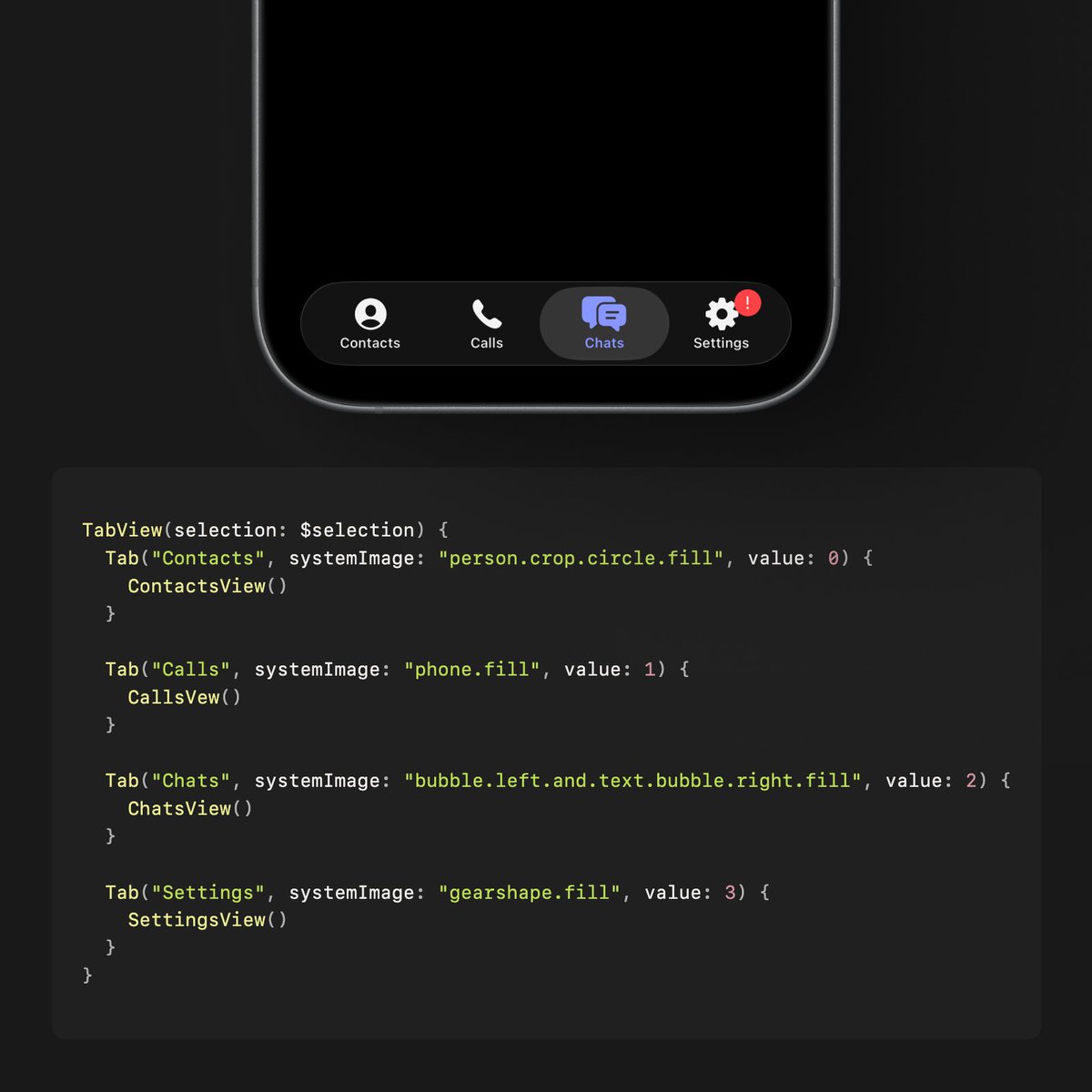
While .tabItem() has been deprecated and the #100DaysOfSwiftUI tutorial is still based on TabView for iOS 18, I found how to build a programmatically controlled TabView in Apple's Developer Documentation. The up-to-date approach is definitely shorter in lines of code.

🎉 I just finished Day 24 of the #100DaysOfSwiftUI at hackingwithswift.com/100/swiftui/24 via @twostraws

🎉 I just finished Day 46 of the #100DaysOfSwiftUI at hackingwithswift.com/100/swiftui/46 via @twostraws
🎉 I just finished Day 99 of the #100DaysOfSwiftUI at hackingwithswift.com/100/swiftui/99 via @twostraws
🎉 I just finished Day 96 of the #100DaysOfSwiftUI at hackingwithswift.com/100/swiftui/96 via @twostraws
🎉 I just finished Day 95 of the #100DaysOfSwiftUI at hackingwithswift.com/100/swiftui/95 via @twostraws

🎉 I just finished Day 82 of the #100DaysOfSwiftUI at hackingwithswift.com/100/swiftui/82 via @twostraws

🎉 I just finished Day 93 of the #100DaysOfSwiftUI at hackingwithswift.com/100/swiftui/93 via @twostraws
🎉 I just finished Day 92 of the #100DaysOfSwiftUI at hackingwithswift.com/100/swiftui/92 via @twostraws

🎉 I just finished Day 50 of the #100DaysOfSwiftUI at hackingwithswift.com/100/swiftui/50 via @twostraws - Using Codable and CodingKeys to encode classes - Using haptic feedback - Building a demo project
🎉 I just finished Day 55 of the #100DaysOfSwiftUI at hackingwithswift.com/100/swiftui/55 via @twostraws
🎉 I just finished Day 24 of the #100DaysOfSwiftUI at hackingwithswift.com/100/swiftui/24 via @twostraws

🎉 I just finished Day 41 of the #100DaysOfSwiftUI at hackingwithswift.com/100/swiftui/41 via @twostraws
Guess what?!?! I just made the super small temperature converter in Swift! My code is here, anyone can review it 🙂: github.com/denysdzhyma/My… 🎉 I just finished Day 2 of the #100DaysOfSwiftUI at hackingwithswift.com/100/swiftui/2 via @twostraws
🎉 I just finished Day 55 of the #100DaysOfSwiftUI at hackingwithswift.com/100/swiftui/55 via @twostraws

🎉 I just finished Day 57 of the #100DaysOfSwiftUI at hackingwithswift.com/100/swiftui/57 via @twostraws

🎉 I just finished Day 4 of the #100DaysOfSwiftUI at hackingwithswift.com/100/swiftui/4 via @twostraws

🎉 I just finished Day 40 of the #100DaysOfSwiftUI at hackingwithswift.com/100/swiftui/40 via @twostraws I think now we are scaling things up to more complex apps, takes longer to build them and takes time to manage data, this makes me feel happy because not long ago I didn't know anything

🎉 I just finished Day 83 of the #100DaysOfSwiftUI at hackingwithswift.com/100/swiftui/83 via @twostraws

🎉 I just finished Day 3 of the #100DaysOfSwiftUI at hackingwithswift.com/100/swiftui/3 via @twostraws
🎉 I just finished Day 84 of the #100DaysOfSwiftUI at hackingwithswift.com/100/swiftui/84 via @twostraws Done with this big and fun project too
🎉 I just finished Day 83 of the #100DaysOfSwiftUI at hackingwithswift.com/100/swiftui/83 via @twostraws Feeling like a pro


Day 86 of the #100DaysOfSwiftUI FlashZilla: Project 17 - Day 1 this iOS app is all about iOS Gestures! learned about: - how to use gestures in SwiftUI: onTap, onLongPress, Magification, Rotation, Drag, Sequenced gestures - Disabling user interactivity with allowsHitTesting()



🎉 I just finished Day 70 of the #100DaysOfSwiftUI via @twostraws Well, sort of Apparently the onLongPressGesture is not working I tried simulating it on my phone and it's not working on there either

🎉 I just finished Day 71 of the #100DaysOfSwiftUI via @twostraws I solved the issue with the long press gesture not working I had to use the simultaneous gesture

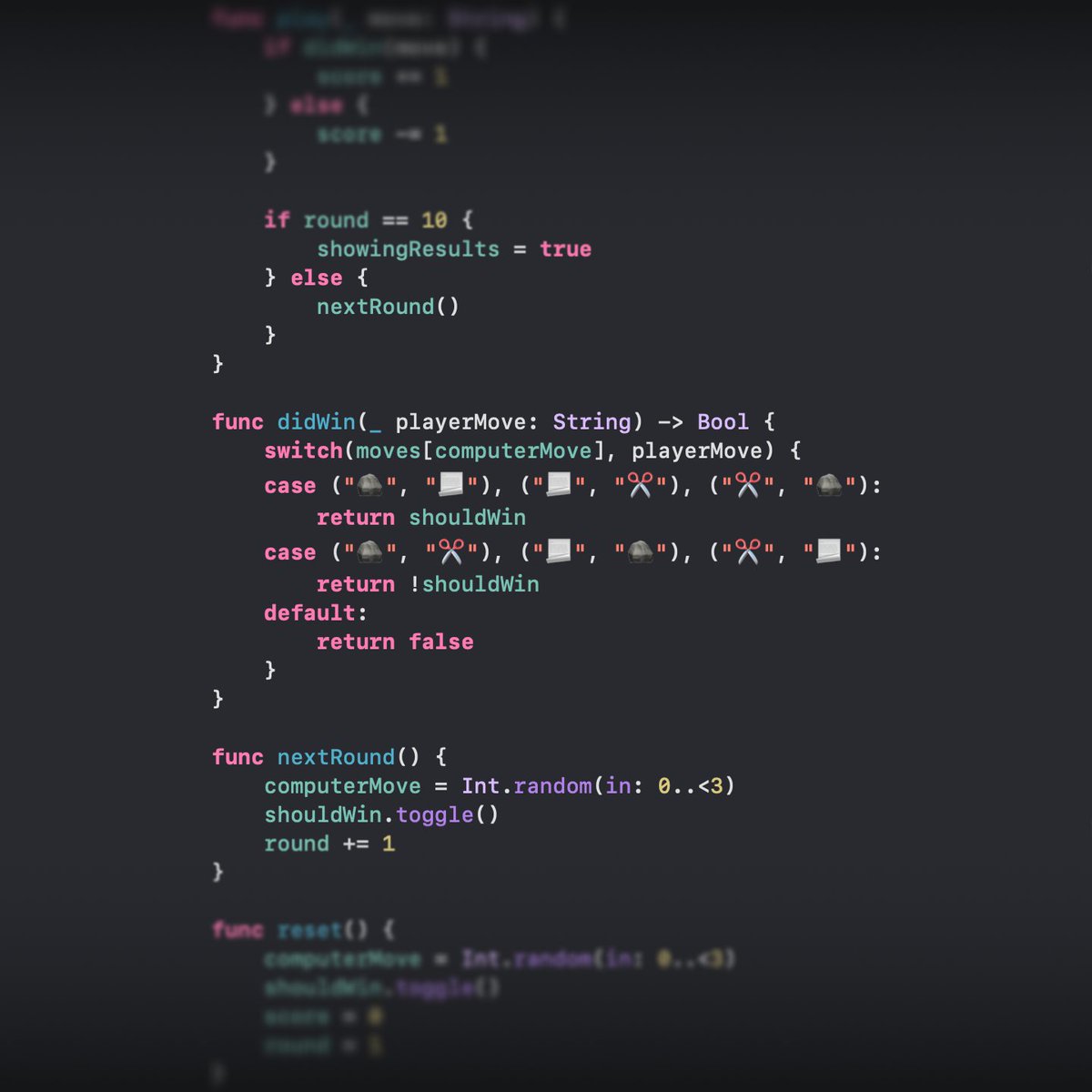
☑️ Day 25 of #100DaysOfSwiftUI After a busy few days, I dove into a new challenge: building a Rock-Paper-Scissors game! The biggest puzzle? Creating a function to determine winning moves. 🤔 It took some serious brainpower, but the journey was both fun and challenging.
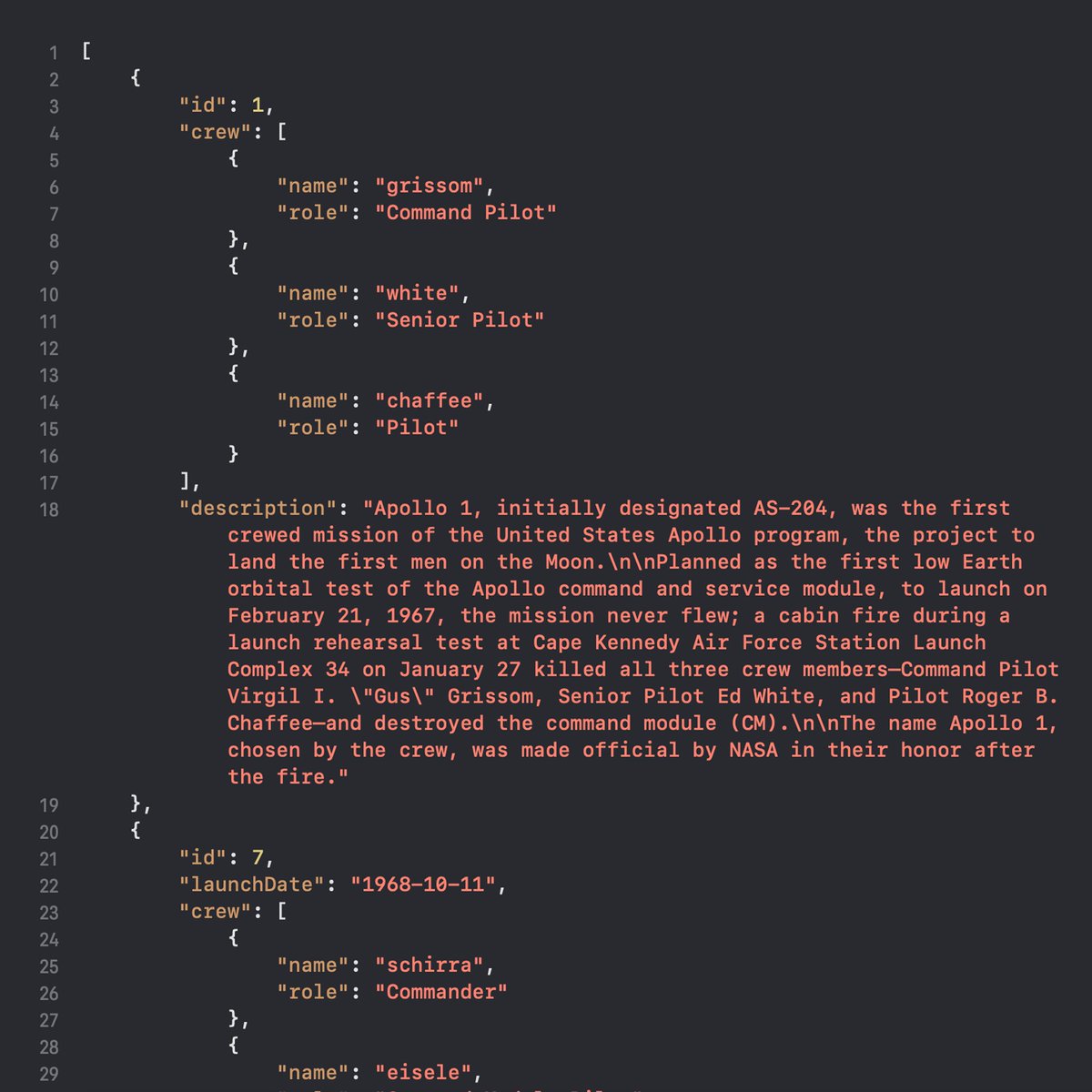
☑️ Day 40 of #100DaysOfSwiftUI The Apollo Missions app is beginning to take shape. All text content in this app is decoded from two JSON files, which turned out to be so convenient but somewhat cumbersome to write.
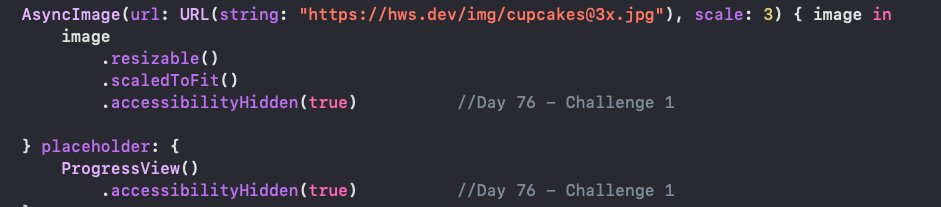
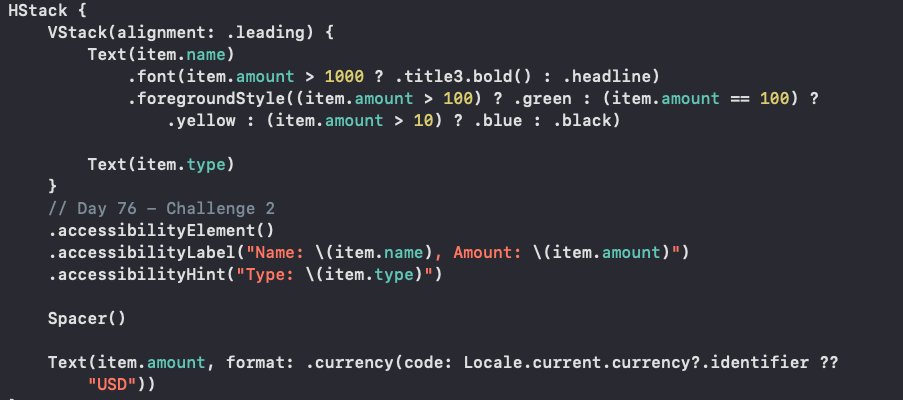
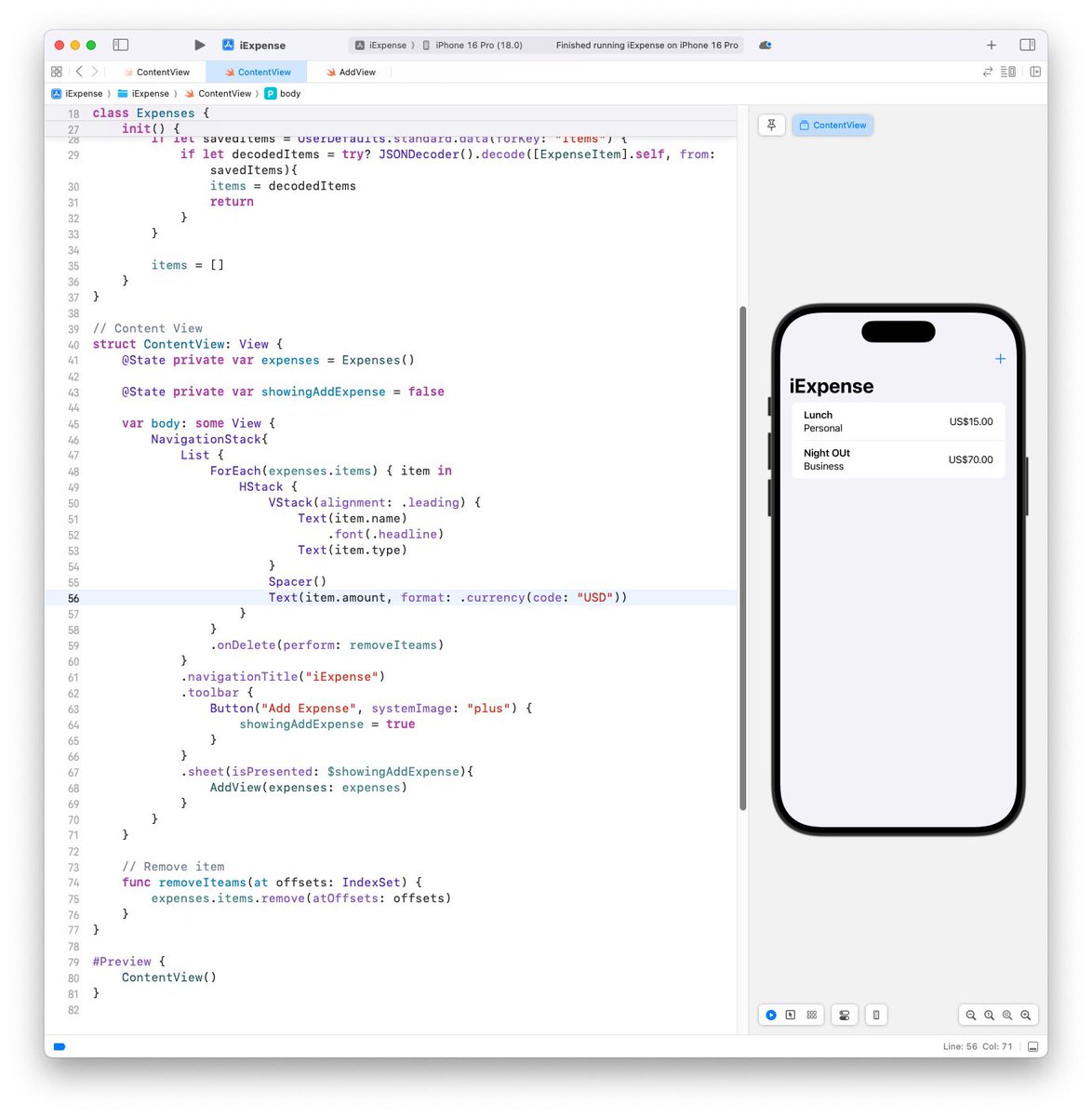
Day 76 of the #100DaysOfSwiftUI Accessibility: Project 15 - Day 3 (technique project focusing on SwiftUI Accessibility) completed all 3 challenges: - Hidden decorative images in CupcakeCorner(P10) CheckoutView - List in iExpense (P7) reads out name & value in one VoiceOverLabel



And day 38 is done of #100DaysOfSwiftUI ! Getting closer to the mid of the course! And managed to build my first app. #swiftui #apple @Apple @twostraws


Day 94 of the #100DaysOfSwiftUI LayoutAndGeometry: Project 18 - Day 3 this is a technique project focusing on creating more advanced layout alignments, building special effects using GeometryReader completed all 3 challenges: - Made views at the top fade out to 0 opacity (1/2)

🔄 ✅ Day 111 [ #100DaysOfSwiftUI ] I'm pausing Stanford's CS193p course for now because I want to dive into the topic of Apple Watch development. This was an Apple tutorial to understand how to set up a companion app for an existing iOS app. P.S. I'll add the tutorial below.
![bucklajean's tweet image. 🔄 ✅ Day 111 [ #100DaysOfSwiftUI ] I'm pausing Stanford's CS193p course for now because I want to dive into the topic of Apple Watch development.
This was an Apple tutorial to understand how to set up a companion app for an existing iOS app.
P.S. I'll add the tutorial below.](https://pbs.twimg.com/media/GhPCTdlXcAAQgHm.jpg)
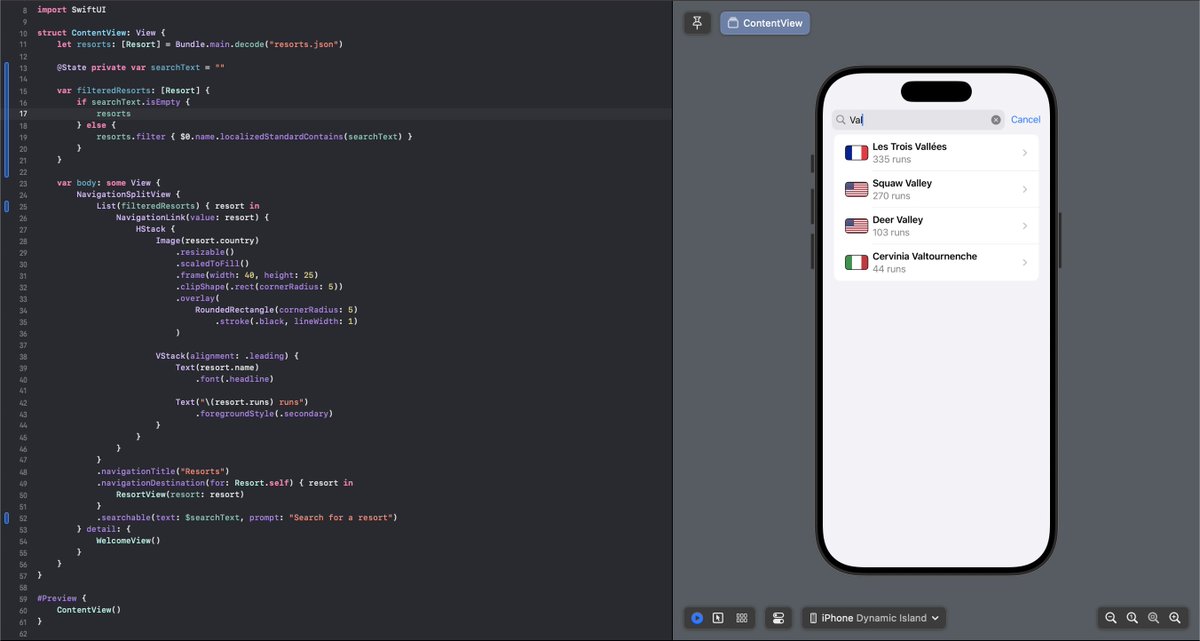
⏳ Day 97 (part 1) of #100DaysOfSwiftUI : built a primary list for a SnowSeeker ski resort app 🎿🗻 Featuring a Resort struct and JSON data decoding to use info from json file, and a NavigationSplitView layout for iPad usage.


⏳ Day 97 (part 2) of #100DaysOfSwiftUI : added a default detail view for iPad. So there is a WelcomeView with instructions when the app launches and it's a good option for NavigationSplitView on larger screens.

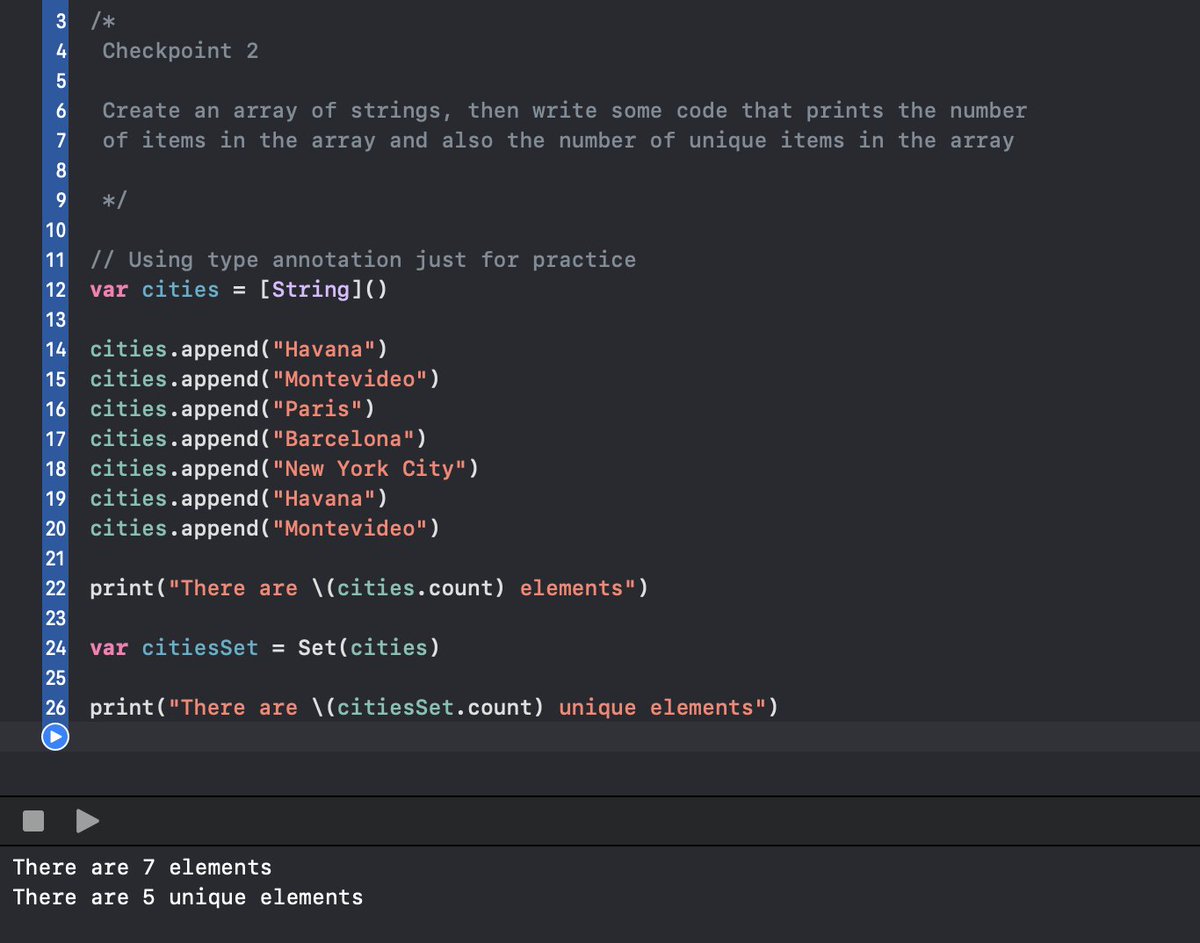
✅Day 4 of the #100DaysOfSwiftUI I have to say, knowing how to program, my first instinct was to use a loop to find how many unique items were in the array. However, the solution turned out to be much simpler—sometimes, the basics are all you need to solve a problem.



You can use #RDMP to track your progress for #100DaysOfSwiftUI and other courses. Also works great for Udemy and other course platforms. #buildinginpublic


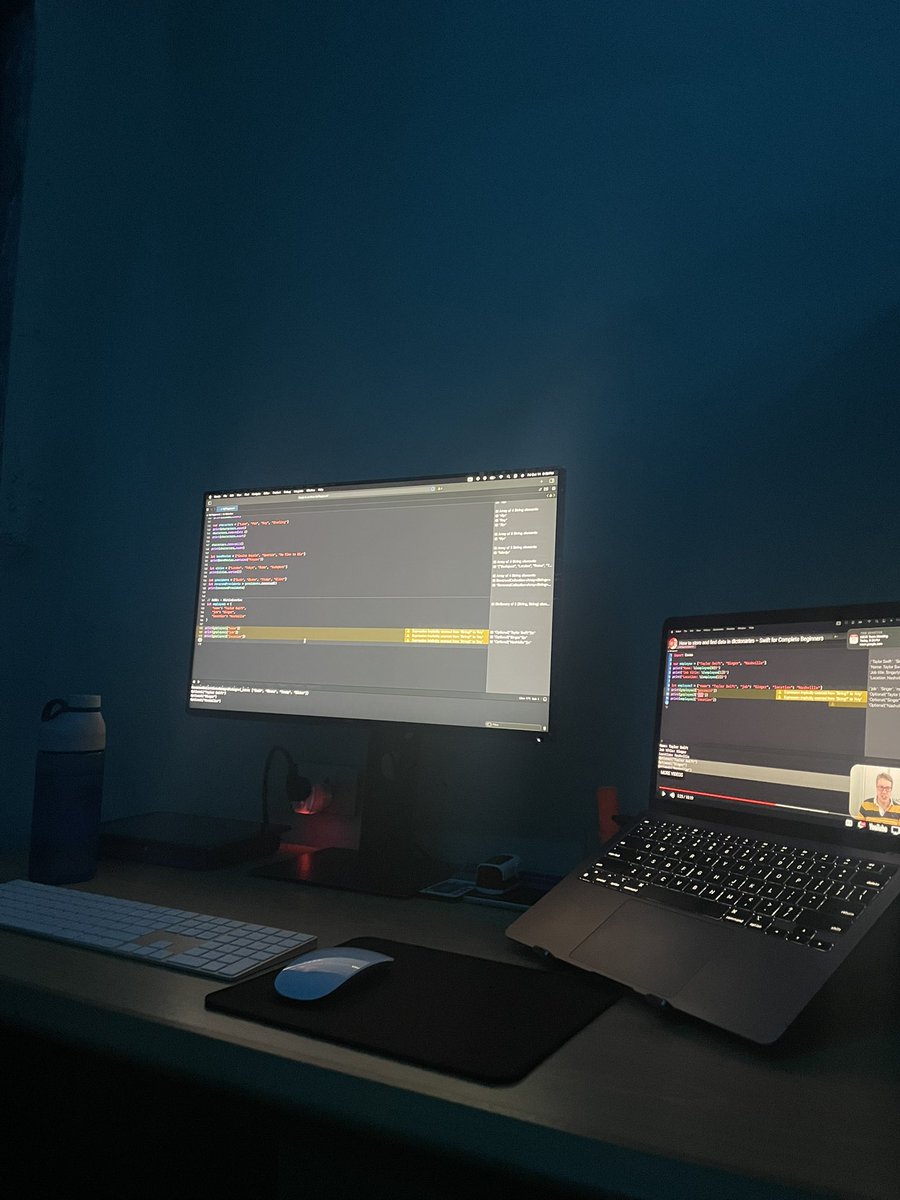

🎉 I just finished Day 67 of the #100DaysOfSwiftUI at hackingwithswift.com/100/swiftui/67 via @twostraws

Something went wrong.
Something went wrong.
United States Trends
- 1. Good Thursday 21.4K posts
- 2. rUSD N/A
- 3. #DMDCHARITY2025 1.09M posts
- 4. Halle Berry 3,376 posts
- 5. Earl Campbell 2,125 posts
- 6. Diddy 74.5K posts
- 7. #TheChallenge41 2,239 posts
- 8. #TusksUp N/A
- 9. #LifeAITestnet 6,730 posts
- 10. Steve Cropper 7,177 posts
- 11. Market Focus 4,775 posts
- 12. Free Tina 14.7K posts
- 13. #Survivor49 2,947 posts
- 14. Yeremi N/A
- 15. seokjin 162K posts
- 16. Milo 12.7K posts
- 17. Jamal Murray 7,876 posts
- 18. Metroid Prime 4 13.6K posts
- 19. Ryan Nembhard 3,909 posts
- 20. fnaf 2 16.7K posts