

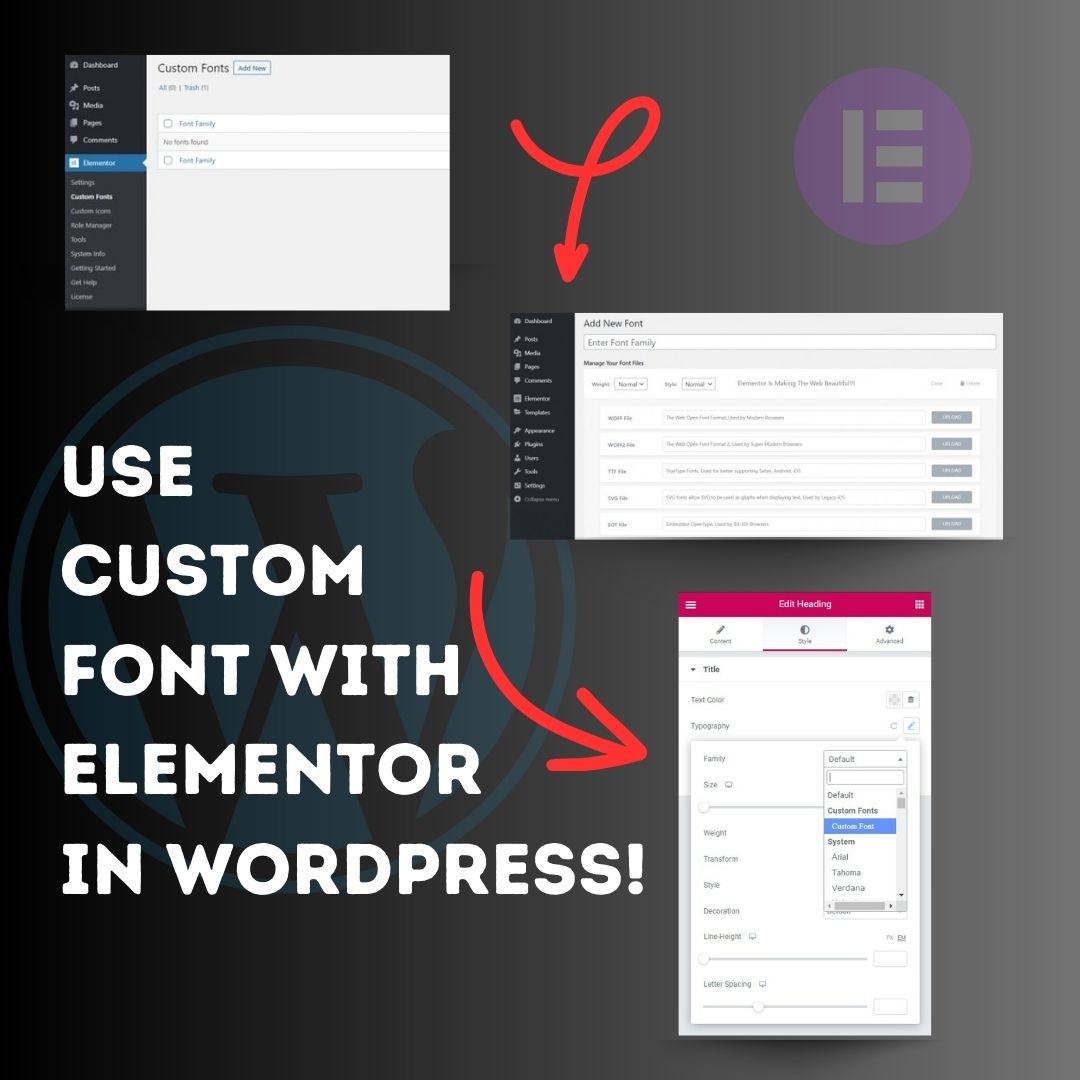
Use custom font with Elementor in WordPress! 1. Head over to the WordPress Dashboard > Elementor > Custom Fonts, and click ‘Add new’. 2. Now, add any font by adding the font name and uploading its WOFF, WOFF2, TTF, SVG or EOT file. 3. Now custom fonts will be available
United States Tren
- 1. Packers 73.1K posts
- 2. Broncos 65.7K posts
- 3. Parsons 30.9K posts
- 4. JJ McCarthy 3,465 posts
- 5. Mahomes 78.6K posts
- 6. Rams 29K posts
- 7. #ITWelcomeToDerry 14.6K posts
- 8. Bo Nix 15.2K posts
- 9. #BaddiesUSA 7,833 posts
- 10. Chiefs 160K posts
- 11. Lions 53.9K posts
- 12. Panthers 30.5K posts
- 13. Rob Reiner 5,002 posts
- 14. Colts 39K posts
- 15. Saints 33.7K posts
- 16. #Married2Med 1,290 posts
- 17. Vikings 17.1K posts
- 18. Watson 20.2K posts
- 19. Seahawks 36.4K posts
- 20. Aubrey 9,417 posts
Loading...
Something went wrong.
Something went wrong.