

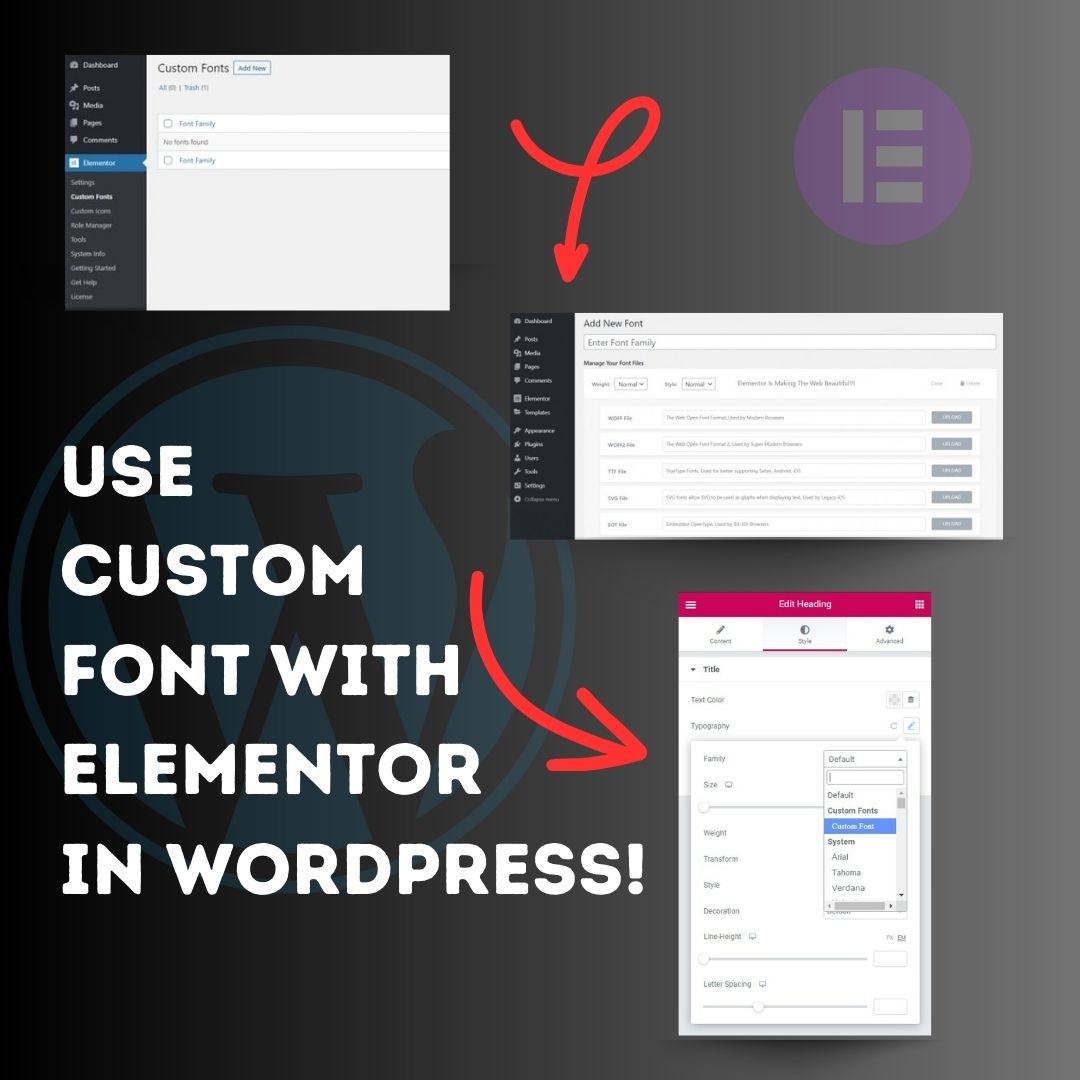
Use custom font with Elementor in WordPress! 1. Head over to the WordPress Dashboard > Elementor > Custom Fonts, and click ‘Add new’. 2. Now, add any font by adding the font name and uploading its WOFF, WOFF2, TTF, SVG or EOT file. 3. Now custom fonts will be available
United States Trendy
- 1. Rob Reiner 211K posts
- 2. #ITWelcomeToDerry 150K posts
- 3. Cowboys 37.2K posts
- 4. All in the Family 27.6K posts
- 5. Stand By Me 15.4K posts
- 6. When Harry Met Sally 15.7K posts
- 7. The Princess Bride 14.1K posts
- 8. Meathead 6,790 posts
- 9. Spinal Tap 14.3K posts
- 10. JJ McCarthy 8,362 posts
- 11. Brentwood 18.8K posts
- 12. Pennywise 54.9K posts
- 13. Dillon Brooks 11.1K posts
- 14. Eberflus 6,568 posts
- 15. Vikings 29.3K posts
- 16. LAPD 8,639 posts
- 17. #Skol 4,100 posts
- 18. Steph 30.7K posts
- 19. Richie 33.9K posts
- 20. #BaddiesUSA 20.5K posts
Loading...
Something went wrong.
Something went wrong.