

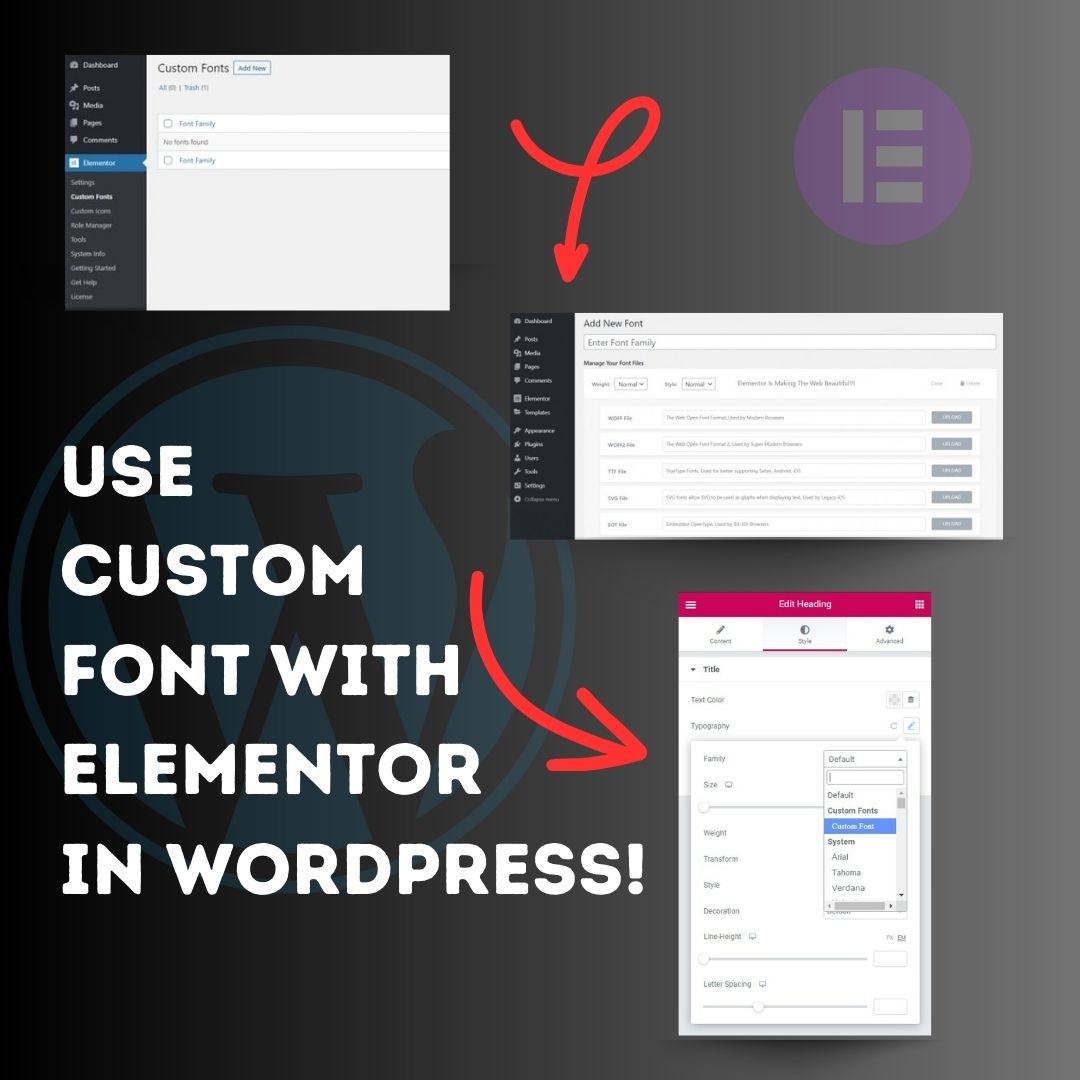
Use custom font with Elementor in WordPress! 1. Head over to the WordPress Dashboard > Elementor > Custom Fonts, and click ‘Add new’. 2. Now, add any font by adding the font name and uploading its WOFF, WOFF2, TTF, SVG or EOT file. 3. Now custom fonts will be available
United States Tendências
- 1. FINALLY DID IT 622K posts
- 2. The JUP 180K posts
- 3. Good Tuesday 40.8K posts
- 4. Susie Wiles 8,973 posts
- 5. Vanity Fair 2,964 posts
- 6. #tuesdayvibe 2,780 posts
- 7. #PersonOfTheYearAwards2025 1.11M posts
- 8. 4.6% in November 2,221 posts
- 9. #HeAProDriver 18.8K posts
- 10. Boston Tea Party 1,219 posts
- 11. Taco Tuesday 12K posts
- 12. #KastNoToquesALosVenezolanos 1,783 posts
- 13. #AvatarFireAndAshTHxPS 572K posts
- 14. PERTHSANTA AVATAR GALA 566K posts
- 15. The BBC 129K posts
- 16. Alex Delgado N/A
- 17. Happy Taco 9,402 posts
- 18. Sheed N/A
- 19. Namjoon 108K posts
- 20. Unemployment Rate 11.7K posts
Loading...
Something went wrong.
Something went wrong.